MHC-GN88D 4-248-439-12 (1)
34
GB
Restricting disc playback (continued)
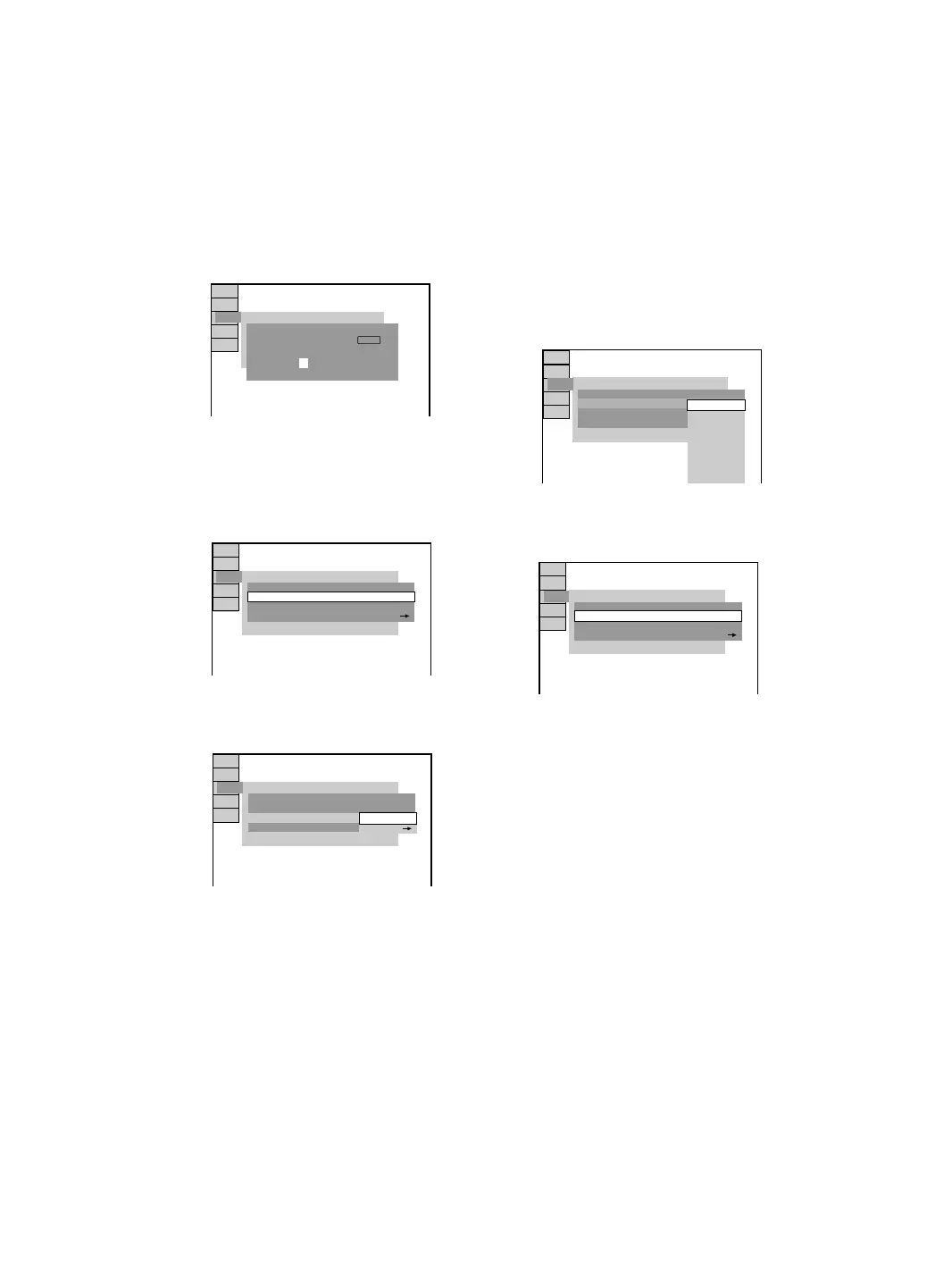
x When you have already registered a
password
The display for entering the password
appears.
4 Enter or re-enter your 4-digit password
using the numeric buttons on the
remote, then press ENTER.
The display for setting the playback
limitation level and changing the password
appears.
5 Press M or m repeatedly to select
“STANDARD”, then press ENTER.
The options for “STANDARD” appears.
6 Press M or m repeatedly to select a
geographic area as the playback
limitation level, then press ENTER.
The area is selected.
When you select “OTHERSt”, enter the
standard code in the table on page 35 using
the numeric buttons.
7 Press M or m repeatedly to select
“LEVEL”, then press ENTER.
The option for “LEVEL” appears.
8 Press M or m repeatedly to select the
level you want, then press ENTER.
The Parental Control setting is completed.
The lower the value, the more strict the
limitation.
If you make a mistake
Press < or RETURN O to go back to the
previous screen.
To turn off the Setup Menu
Press DVD SETUP repeatedly until the Setup
Menu disappears.
CUSTOM SETUP
– – – –
PARENTAL CONTROL
Enter password, then press .
ENTER
CUSTOM SETUP
PARENTAL CONTROL
STANDARD:
CHANGE PASSWORD
USA
LEVEL: OFF
CUSTOM SETUP
PARENTAL CONTROL
LEVEL:
STANDARD:
CHANGE PASSWORD
OFF
OTHERS
USA
CUSTOM SETUP
PARENTAL CONTROL
STANDARD:
CHANGE PASSWORD
OFF
LEVEL:
NC17
R
PG13
G
PG
8:
5:
4:
3:
2:
1:
6:
7:
CUSTOM SETUP
PARENTAL CONTROL
STANDARD:
CHANGE PASSWORD
USA
PG134:LEVEL:



 To Next Page