MHC-GN88D 4-248-439-12 (1)
Sound Adjustment
49
GB
Adjusting the graphic
equalizer and storing the
personal file
You can adjust the sound by raising or
lowering the level of specific frequency band,
then store up to three personal files (P FILE) in
the memory.
Before adjustment, select the preset effect you
want for your basic sound.
1 Press AMP MENU.
“SPECTRUM” appears on the display.
2 Press M or m repeatedly to select
“EQ EDIT”, then press PUSH ENTER
(or ENTER on the remote).
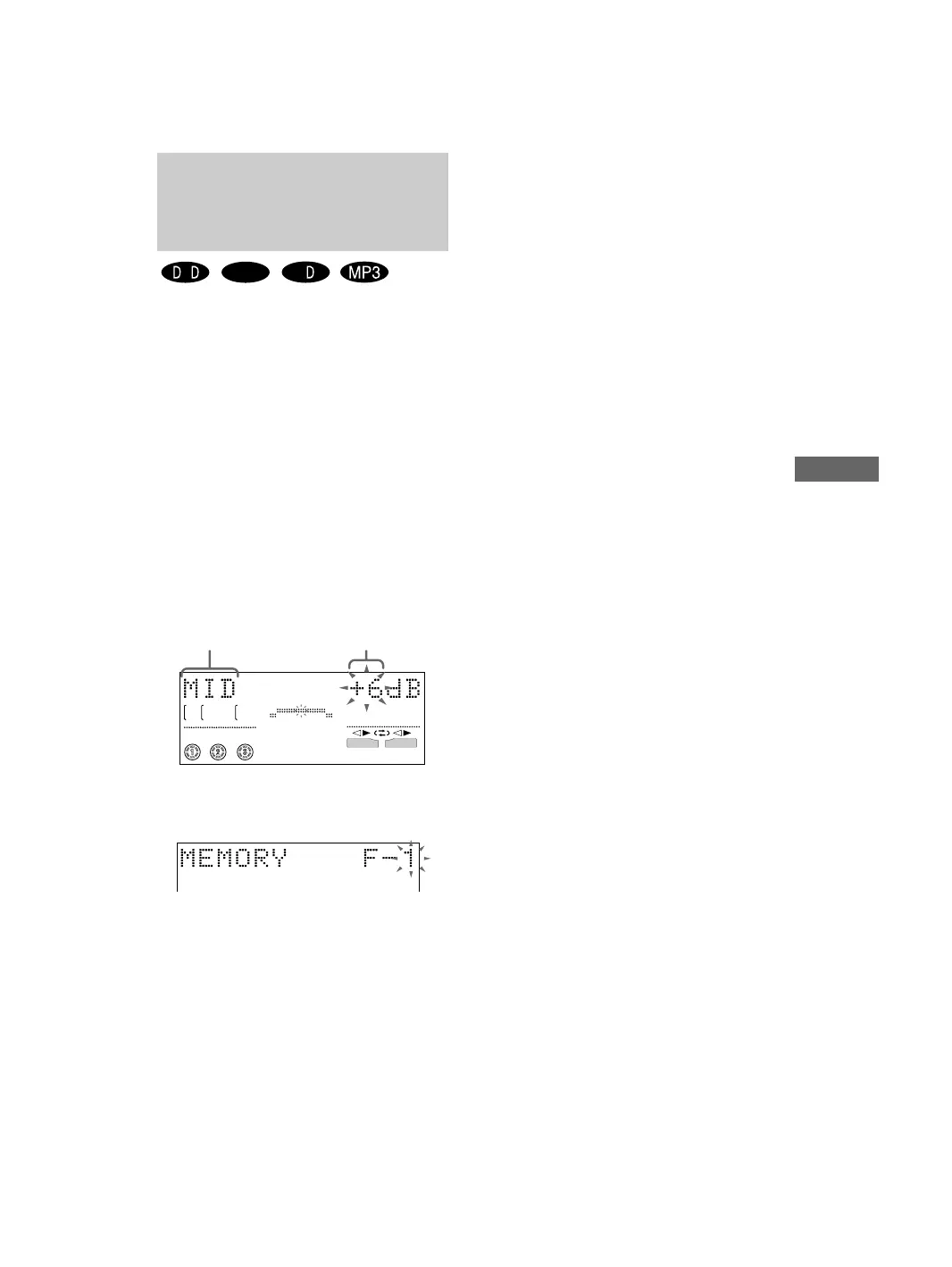
Frequency band and frequency level
appears.
3 Press < or , repeatedly to select a
frequency band, then press M or m
repeatedly to adjust the level.
4 Press and hold P FILE until the
personal file number appears in the
display.
Frequency band Frequency level
LINK
ALL DISCS
SURR
EFFECT
V - GROOVE
B
A
V
VIDEO
CD
C
5 Press M and m or < and , repeatedly
to select the personal file number
where you want to store the equalizer
setting.
You can select from “P FILE 1” to
“P FILE 3”.
6 Press PUSH ENTER (or ENTER on the
remote).
The setting is stored automatically in the
personal file number you selected in step 5.
The previous setting stored at this memory
location is erased and replaced by the new
setting.
To call up the personal file
Press P FILE repeatedly until the personal file
number you want appears in the display.
Tip
If you do not want to store a personal file, press
PUSH ENTER (or ENTER on the remote) after
step 3.



 To Next Page