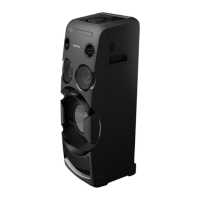
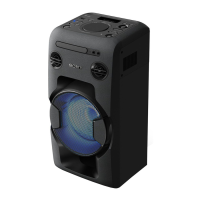
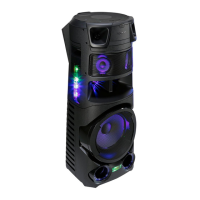
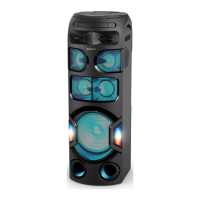
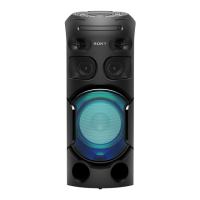
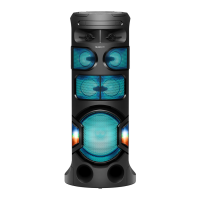
MHC-V50
US
ES
FR
4-689-516-11(1)
Please refer to the supplied operating instructions for details on the
disc/USB playback and other functions.
Operating Instructions
Manual de instrucciones
Consulte el manual de instrucciones suministrado para ver detalles
sobre la reproducción de disco/USB y otras funciones.
Connecting the system to your TV
Conexión del sistema al televisor
BLUETOOTH device
Dispositivo BLUETOOTH
Be sure to place the BLUETOOTH device within 1 meter
(3.3 feet) from the unit.
Touch BLUETOOTH on the unit.
When there is no pairing information, the system enters the
pairing mode automatically and the BLUETOOTH indicator
flashes quickly. Proceed to step .
Touch and hold PAIRING on the unit for more than
2seconds. The BLUETOOTH indicator flashes quickly.
Turn on BLUETOOTH function on the BLUETOOTH
device, and select “MHC-V50”.
When the BLUETOOTH connection is established, the
BLUETOOTH indicator lights up.
Start playback on the BLUETOOTH device.
Adjust the volume.
Refer to the supplied operating instructions for details on
NFC function and other BLUETOOTH settings.
On listening to music on PC
• Make sure that your PC has the BLUETOOTH function and
activate the BLUETOOTH function on your PC. For details, refer
to the operating instructions of the PC.
• Set the speaker setting on the PC to on mode. If the mute (off)
mode is set, the system will not output sound.
—
Mute (off) mode
—
On mode
If the sound is still not output from the system, click the
volume icon and adjust the volume.
Asegúrese de colocar el dispositivo BLUETOOTH a 1 metro
(3,3 pies) de distancia de la unidad.
Toque BLUETOOTH en la unidad.
Cuando no hay información de emparejamiento, el sistema
entra automáticamente en el modo de emparejamiento y
el indicador BLUETOOTH parpadea rápidamente. Proceda al
paso .
Toque y no suelte PAIRING en la unidad durante más
de 2 segundos. El indicador BLUETOOTH parpadea
rápidamente.
Active la función BLUETOOTH en el dispositivo
BLUETOOTH y seleccione “MHC-V50”.
Cuando la conexión BLUETOOTH se ha establecido, el
indicador BLUETOOTH se ilumina.
Inicie la reproducción desde el dispositivo BLUETOOTH.
Ajuste el volumen.
Consulte el manual de instrucciones suministrado para
ver detalles sobre la función NFC y otros ajustes de
BLUETOOTH.
Para escuchar música en el PC
• Asegúrese de que su PC disponga de la función BLUETOOTH y
active la función BLUETOOTH en el PC. Para obtener más
información, consulte el manual de instrucciones del PC.
• Ajuste la configuración del altavoz en el PC al modo activado.
Si el modo de silencio (desactivado) está ajustado, el sistema
no emitirá ningún sonido.
—
Modo de silencio (desactivado)
—
Modo activado
Si sigue sin emitirse sonido desde el sistema, haga clic en el
icono de volumen y ajuste el volumen.
To listen to TV sound via the system
Para escuchar el sonido del televisor a través del sistema
For further operations, refer to “Listening to TV sound via the system” in the supplied operating instructions.
Para ver más operaciones, consulte “Escuchar el sonido del televisor a través del sistema” en el manual de instrucciones
suministrado.
AUDIO OUT
Audio cable (not supplied)
Cable de audio (no suministrado)
Listening to music from a BLUETOOTH device (Pairing and connecting)
Para escuchar música desde un dispositivo BLUETOOTH (Emparejamiento
y conexión)
© 2017 Sony Corporation
Printed in China


 To Next Page