6
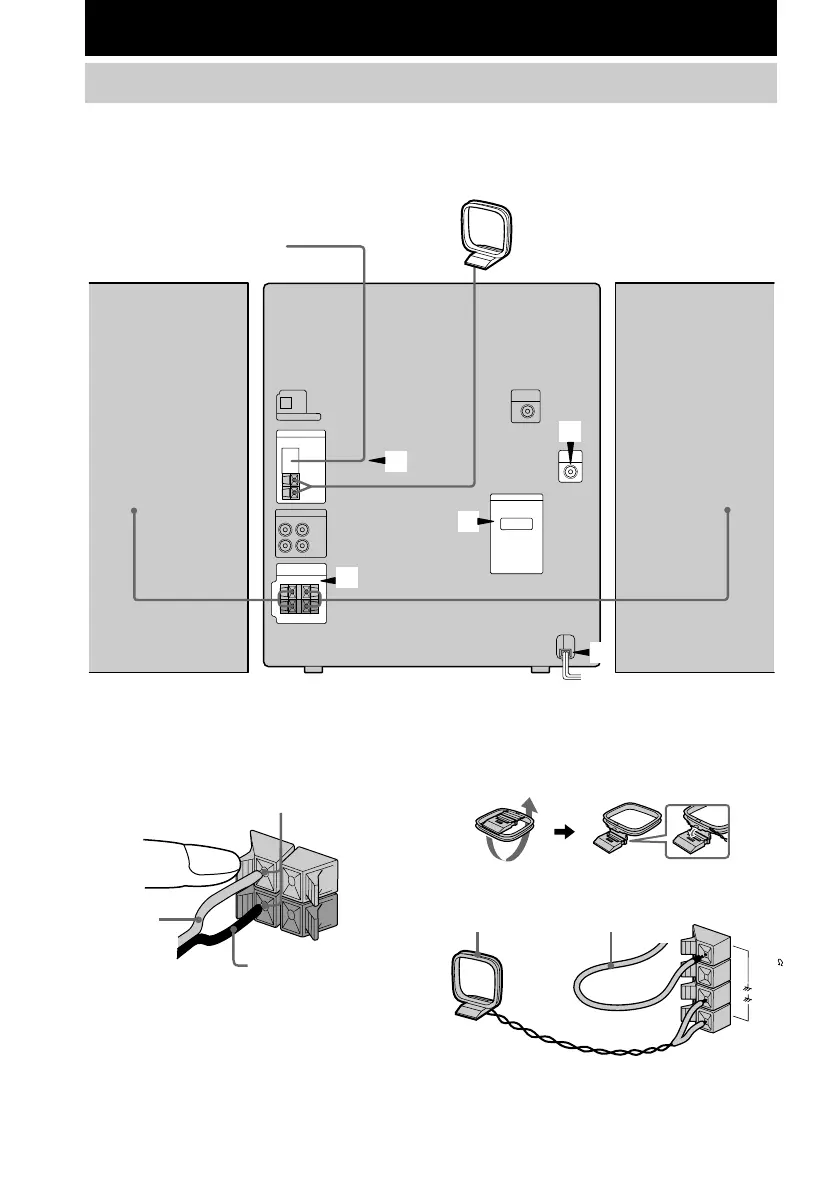
1 Connect the speakers.
Connect the speaker cords to the SPEAKER
jacks as shown below.
R
+
L
+
–
Right speaker
FM antenna
AM loop antenna
Left speaker
Insert only the stripped portion.
Red/Solid
(3)
Black/Stripe (#)
2 Connect the FM/AM antennas.
Set up the AM loop antenna, then connect
it.
Jack type A
Getting Started
Hooking up the system
Perform the following procedure 1 to 5 to hook up your system using the supplied cords and
accessories.
2
5
4
3
1
F
M
7
5
A
M
AM loop antenna
Extend the FM lead antenna
horizontally



 To Next Page