EasyManua.ls Logo

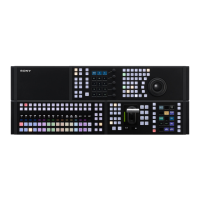
Sony MKS-X1115 - User Manual

Sony MKS-X1115
538 pages
Print Icon
To Next Page IconTo Next Page
Loading...
Live Production Processor System
MLS-X1 System
User’s Guide [English]
Software Version 2.1 and Later
1st Edition (Revised 1)
MLS-X1
MKS-X1110 MKS-X1115 MKS-X1140 MKS-X1210 MKS-X1700
MKS-XIC01 MKS-XIC03 MKS-XIC15
MZS-X1500 MZS-X1610 MZS-X1620 MZS-X1750 MZS-X1770
MZS-X1800 MLSU-X1
ICP-X7000
MKS-X7017 MKS-X7018 MKS-X7019
MKS-X7020 MKS-X7021 MKS-X7023 MKS-X7024 MKS-X7026
MKS-X7031TB MKS-X7032 MKS-X7033 MKS-X7035 MKS-X7040
MKS-X7041 MKS-X7042 MKS-X7075
ICP-X1116 ICP-X1124 ICP-X1216 ICP-X1224

Table of Contents

Question and Answer IconNeed help?

Do you have a question about the Sony MKS-X1115 and is the answer not in the manual?

Summary

Chapter 1 Overview

Introduction

Manual describes building a switcher system using MLS-X1 and control panels.

Notation in this Manual

Explains how signal formats are denoted in the manual and in menus.

System configuration devices

Lists principal components of the MLS-X1 system.

Chapter 2 Names and Functions of Parts

Control Panel

Explains that the MLS-X1 system uses one switcher and up to two control panels.

Control Panel Configuration (ICP-X7000)

Describes the ICP-X7000 control panel modules and supported modules.

Control Panel Configuration (ICP-X1000 Series)

Describes the ICP-X1000 series compact control panel configurations.

Chapter 3 Menu Operation

Overview

Explains the MLS-X1 menu as a web-based application operated via touch panel or mouse.

Menu Operating Environment

Details recommended OS, browsers, and connection requirements for menu operation.

Installing a Root Certificate

Explains the need to install a root certificate on the computer to use the menu.

Chapter 4 Selecting Signals

Overview

Explains selecting signals using cross-point button rows in cross-point control blocks or AUX bus control blocks.

ICP-X7000 cross-point control block

Describes the ICP-X7000 cross-point control block and button counts.

ICP-X1000 series cross-point control block

Describes the ICP-X1000 series cross-point control block and button counts.

Chapter 5 Transitions

Overview

Defines transition as switching from current to new image, configurable by type and fader lever.

Independent key transition

Explains configuring independent transitions for each key.

Transition operation flow

Outlines the flow for changing the background and inserting/removing keys.

Chapter 6 Keys

Overview

Defines a key as replacing a background portion with an image or text.

Key Fill and Key Source

Explains how to set key fill signal and select key source signal using modes like self, auto select, or split.

Key Type

Explains the key type sets the manner in which the key source is used to cut out the background.

Chapter 7 Wipes

Overview

Defines wipe as switching images using a pattern, allowing background switching and key insertion/removal.

Wipe patterns

Classifies wipe patterns into standard, enhanced, rotary, mosaic, and random/diamond dust groups.

Pattern mix

Explains creating a new pattern by mixing two patterns (main and sub).

Chapter 8 DME Wipes

Overview

Defines DME wipe as using a DME effect to switch images, allowing background switching and key insertion/removal.

DME wipe patterns

Classifies DME wipe patterns and explains execution modes.

DME wipe pattern modifiers

Explains adding various modifiers to a DME wipe pattern.

Chapter 9 Clip Transitions

Overview

Explains playing frame memory video content linked to background transitions like mix or wipe.

Clip transition restrictions

Lists restrictions for clip transitions, such as pattern limits and transition preview.

Setting a Clip Transition

Describes clip transitions using frame memory output channels.

Chapter 10 Frame Memory

Overview

Defines frame memory as freezing and capturing a single input video frame for use as content.

Areas Used for Frame Memory

Explains the two areas used for frame memory: work area and content storage.

Number of content resources that can be stored

Details the number of content resources that can be stored based on signal format.

Chapter 11 Clip Players

Overview

Defines clip player as a function for recalling and playing video content.

Areas Used by Clip Player

Explains the two areas used by clip players: work area and content storage.

Length of content resources that can be stored

Details the length of content resources based on bit rate.

Chapter 12 DMEs

Overview

Defines DME as adding three-dimensional transforms and special effects to images.

DME function

Explains DME allows adding transforms like movement, rotation, and special effects.

Enhanced function mode

Explains when an enhanced function DME may be required.

Chapter 13 External Devices

External Device Control

Explains control of operations on external devices like P-Bus, GPI, VTRs, and disk recorders.

Control of GPI devices

Explains operating an external device using a GPI output port.

Control of P-Bus devices, VTRs, and disk recorders

Explains operating external devices using serial or network ports.

Chapter 14 Other Functions

Utility Functions

Explains utility functions assign specific actions to buttons for recall.

Multi Program 2

Describes how this function divides a switcher bank into two for separate image creation.

AUX Bus Functions

Explains selecting AUX bus and edit preview bus signals.

Chapter 15 Effect Timelines

Overview

Defines effect timeline as arranging keyframes on a time axis to create continuous image changes.

Effect timeline registers

Explains creating effect timelines for various regions.

Recalling and Saving an Effect Timeline

Explains how to recall target effect timeline registers and save edited timelines.

Chapter 16 Snapshots

Overview

Defines snapshot as saving configured status for applying effects to images.

Snapshot registers

Explains creating snapshots for various regions.

Snapshots for function targets

Explains snapshots for specific function targets like keys, wipes, DME wipes.

Chapter 17 Shotboxes

Overview

Defines shotbox as saving control panel operations for recall.

Events

Explains control panel operations and menu operations registered in a macro are called events.

Control panel operations that can be registered as an event

Lists control panel operations that can be registered as macro events.

Chapter 18 Macros

Overview

Defines macro as saving control panel and menu operations for recall.

Events

Explains control panel operations and menu operations registered in a macro are called events.

Control panel operations that can be registered as an event

Lists control panel operations that can be registered as macro events.

Chapter 19 File Management

Overview

Explains saving and recalling setup and register data in switcher storage.

Categories

Classifies setup data and register data by setting and function.

Packages

Explains saving setup and register data files as packages.

Chapter 20 Content Management

Overview

Explains managing image and audio content used in frame memory, clip players, and SL keys.

Content

Explains managing files imported from computer and created in frame memory.

Combined content

Explains combining two still image or video content resources.

Chapter 21 System Setup

Setting Startup

Explains selecting the settings status (startup mode) used at startup.

Saving and Recalling Setup Data

Explains changing switcher/control panel setup data and saving it to RAM or computer.

Setting the Startup Mode

Explains setting the startup mode for switcher, frame memory/clip player/SL key, and control panel.

Chapter 22 Cross-Point Setup

Setting a Logical V;K Pair

Explains assigning physical V/K pairs to logical V/K numbers to create a table.

Creating a Logical V;K Pair Table

Explains assigning physical V/K pairs to logical V/K numbers.

Setting a Logical V;K Pair Name Table

Explains setting the logical V/K pair name table for control panel display.

Chapter 23 Switcher Setup

Setting the Switcher Configuration

Explains configuring hardware blocks for use as switcher banks or multi viewers.

Assigning a logical M;E

Explains setting which hardware block is handled logically as an M/E.

Setting sub block full keys

Explains configuring the number of keys assigned to each sub block when M/E split is enabled.

Chapter 24 Control Panel Setup

Setting the Control Panel Configuration

Explains configuring control panels by combining banks and assigning them to switchers.

Assigning a Switcher Bank;AUX

Explains selecting control panel rows for M/E banks and AUX banks.

Inhibiting Switcher Bank Operation

Explains how to inhibit operation of switcher banks assigned to an M/E bank.

Chapter 25 External Device Setup

Setting Parallel Input Ports

Explains assigning parallel input ports based on priority sequence.

Assigning a GPI Input

Explains assigning GPI inputs to parallel input ports.

Setting a GPI Input

Explains configuring the trigger type and action for each GPI input.

Chapter 26 Router;Tally Setup

Copying router;tally settings information

Explains copying router/tally setup data from control panel 1 to control panel 2.

Setting the NS-Bus Matrix

Explains configuring routing settings using LSM interface via NS-Bus protocol.

Assigning Switcher Inputs;Outputs

Describes setting the switcher matrix size.

Chapter 27 Link Setup

Setting a Cross-Point Button Link

Explains setting bus link functions to link two buses within the switcher.

Setting a Bus Link

Explains assigning buses to cross-point button rows.

Setting a Link Table

Explains setting a source that links to a V/K pair number for each matrix.

Chapter 28 100 G IP I;F Setup

Displaying 100 G IP I;F Setup Information

Explains checking status information of each LAN port of the 100G IP interface.

Setting the Control Protocol

Explains setting the control communications protocol for ST 2110 transmission.

Setting the node label

Explains setting the device name exposed to the controller for NMOS/NDCP(LSM).

Chapter 29 Maintenance

Status Information

Explains how to check the status of the switcher system using the menu.

Displaying Error Information

Explains how to check errors and current status of the switcher system.

Displaying Remote Panel Status

Explains how to check the status of a connected remote panel using the network AUX remote panel function.

Chapter 30 System Configuration and Management

Checking System Configuration Devices

Explains how to display network settings for boxes and control panels in a switcher.

Setting a Network AUX Remote Panel

Explains configuring a network AUX remote panel for simple connection to a switcher.

Configuring a Remote Panel

Explains selecting and setting a remote panel from the list of connected remote panels.

Chapter 31 MLS Manager

Overview

Defines MLS Manager as a high-level tool for managing system configuration and licenses.

MLS Manager Menu Overview

Explains the MLS Manager menu is a web browser-based application.

MLS Manager Menu Operating Environment

Details OS, browser, and connection requirements for MLS Manager menu.

Installing a Root Certificate

Signing In; Signing Out

Signing in for the first time using the default user account

Details signing in with default admin account and EULA acceptance.

Signing in to the MLS Manager menu

Explains accessing the MLS Manager menu via browser and signing in.

To change the password

Explains how to change the password via MLS Manager settings.

Shutting Down; Rebooting

Shutting Down All Switchers in an Island

Explains shutting down all switchers in an island.

Shutting Down a Selected Switcher

Explains shutting down a selected switcher.

Basic Menu Operation

Menu Selection

Explains menu hierarchy, numbers, and selection methods.

Selecting a menu

Describes six methods for selecting menus.

Displaying a menu by selecting each level

Explains selecting menus by navigating through levels 1 to 4.

Setting Menu Items

System Configuration Flow

Configuring MLS Manager Startup

MLS Manager runs on one box

Explains configuring the box running MLS Manager using the front panel display.

Configuring a Control Panel

Explains configuring control panels by combining banks and assigning them to switchers.

Control Panel Configuration

Configuring a Control Panel

Explains configuring control panels by combining banks and assigning them to switchers.

Configuring Box Network Settings

Setting the network interface

Explains configuring six types of network interfaces for each box.

To set standard interface 1 (STD 1)

Explains setting standard interface 1 network interface.

To set an interface other than standard interface 1 (STD 1)

Explains setting network interfaces other than standard interface 1.

Configuring Control Panel Network Settings

Setting the host name of a box

Explains entering a host name (up to 63 characters) for a box.

Setting the default gateway of a box

Explains setting the default gateway for IPv4 and IPv6.

Setting the DNS server of a box

Explains setting the DNS server mode and address.

Assigning;Releasing Function Licenses

Assigning a function license

Explains selecting a function license key file and installing a license.

Uninstalling all function licenses

Explains uninstalling all function licenses.

Exporting unique device ID information

Explains exporting device information file containing unique device ID.

Managing and Installing a Software Update License

Installing a software update license

Explains selecting a software update license key file and installing a license.

Uninstalling a software update license

Explains selecting a software update license and uninstalling it.

Configuring SNMP

Enabling;Disabling SNMP

Explains configuring SNMP settings and enabling/disabling the function.

Updating the MIB Product ID

Explains refreshing the MIB product ID.

Configuring SNMP v1 and SNMP v2 c

Explains configuring community and host when SNMP is enabled.

Managing Firmware Versions

Displaying Package Status

Explains checking version information of installed packages.

Repairing a Version Mismatch

Explains how to repair the system if there is a version mismatch within an island.

Managing Data in MLS Manager

Deleting a Package Archive File

Explains selecting and deleting package archive files.

Renaming a Package Archive File

Explains selecting and renaming package archive files.

Configuring MLS Manager

Setting the Date;Time in MLS Manager

Explains setting the time zone and date/time for MLS Manager.

Setting the time zone

Explains how to select a time zone.

Setting the date;time

Explains setting date/time automatically via NTP server or manually.

Summary

Chapter 1 Overview

Introduction

Manual describes building a switcher system using MLS-X1 and control panels.

Notation in this Manual

Explains how signal formats are denoted in the manual and in menus.

System configuration devices

Lists principal components of the MLS-X1 system.

Chapter 2 Names and Functions of Parts

Control Panel

Explains that the MLS-X1 system uses one switcher and up to two control panels.

Control Panel Configuration (ICP-X7000)

Describes the ICP-X7000 control panel modules and supported modules.

Control Panel Configuration (ICP-X1000 Series)

Describes the ICP-X1000 series compact control panel configurations.

Chapter 3 Menu Operation

Overview

Explains the MLS-X1 menu as a web-based application operated via touch panel or mouse.

Menu Operating Environment

Details recommended OS, browsers, and connection requirements for menu operation.

Installing a Root Certificate

Explains the need to install a root certificate on the computer to use the menu.

Chapter 4 Selecting Signals

Overview

Explains selecting signals using cross-point button rows in cross-point control blocks or AUX bus control blocks.

ICP-X7000 cross-point control block

Describes the ICP-X7000 cross-point control block and button counts.

ICP-X1000 series cross-point control block

Describes the ICP-X1000 series cross-point control block and button counts.

Chapter 5 Transitions

Overview

Defines transition as switching from current to new image, configurable by type and fader lever.

Independent key transition

Explains configuring independent transitions for each key.

Transition operation flow

Outlines the flow for changing the background and inserting/removing keys.

Chapter 6 Keys

Overview

Defines a key as replacing a background portion with an image or text.

Key Fill and Key Source

Explains how to set key fill signal and select key source signal using modes like self, auto select, or split.

Key Type

Explains the key type sets the manner in which the key source is used to cut out the background.

Chapter 7 Wipes

Overview

Defines wipe as switching images using a pattern, allowing background switching and key insertion/removal.

Wipe patterns

Classifies wipe patterns into standard, enhanced, rotary, mosaic, and random/diamond dust groups.

Pattern mix

Explains creating a new pattern by mixing two patterns (main and sub).

Chapter 8 DME Wipes

Overview

Defines DME wipe as using a DME effect to switch images, allowing background switching and key insertion/removal.

DME wipe patterns

Classifies DME wipe patterns and explains execution modes.

DME wipe pattern modifiers

Explains adding various modifiers to a DME wipe pattern.

Chapter 9 Clip Transitions

Overview

Explains playing frame memory video content linked to background transitions like mix or wipe.

Clip transition restrictions

Lists restrictions for clip transitions, such as pattern limits and transition preview.

Setting a Clip Transition

Describes clip transitions using frame memory output channels.

Chapter 10 Frame Memory

Overview

Defines frame memory as freezing and capturing a single input video frame for use as content.

Areas Used for Frame Memory

Explains the two areas used for frame memory: work area and content storage.

Number of content resources that can be stored

Details the number of content resources that can be stored based on signal format.

Chapter 11 Clip Players

Overview

Defines clip player as a function for recalling and playing video content.

Areas Used by Clip Player

Explains the two areas used by clip players: work area and content storage.

Length of content resources that can be stored

Details the length of content resources based on bit rate.

Chapter 12 DMEs

Overview

Defines DME as adding three-dimensional transforms and special effects to images.

DME function

Explains DME allows adding transforms like movement, rotation, and special effects.

Enhanced function mode

Explains when an enhanced function DME may be required.

Chapter 13 External Devices

External Device Control

Explains control of operations on external devices like P-Bus, GPI, VTRs, and disk recorders.

Control of GPI devices

Explains operating an external device using a GPI output port.

Control of P-Bus devices, VTRs, and disk recorders

Explains operating external devices using serial or network ports.

Chapter 14 Other Functions

Utility Functions

Explains utility functions assign specific actions to buttons for recall.

Multi Program 2

Describes how this function divides a switcher bank into two for separate image creation.

AUX Bus Functions

Explains selecting AUX bus and edit preview bus signals.

Chapter 15 Effect Timelines

Overview

Defines effect timeline as arranging keyframes on a time axis to create continuous image changes.

Effect timeline registers

Explains creating effect timelines for various regions.

Recalling and Saving an Effect Timeline

Explains how to recall target effect timeline registers and save edited timelines.

Chapter 16 Snapshots

Overview

Defines snapshot as saving configured status for applying effects to images.

Snapshot registers

Explains creating snapshots for various regions.

Snapshots for function targets

Explains snapshots for specific function targets like keys, wipes, DME wipes.

Chapter 17 Shotboxes

Overview

Defines shotbox as saving control panel operations for recall.

Events

Explains control panel operations and menu operations registered in a macro are called events.

Control panel operations that can be registered as an event

Lists control panel operations that can be registered as macro events.

Chapter 18 Macros

Overview

Defines macro as saving control panel and menu operations for recall.

Events

Explains control panel operations and menu operations registered in a macro are called events.

Control panel operations that can be registered as an event

Lists control panel operations that can be registered as macro events.

Chapter 19 File Management

Overview

Explains saving and recalling setup and register data in switcher storage.

Categories

Classifies setup data and register data by setting and function.

Packages

Explains saving setup and register data files as packages.

Chapter 20 Content Management

Overview

Explains managing image and audio content used in frame memory, clip players, and SL keys.

Content

Explains managing files imported from computer and created in frame memory.

Combined content

Explains combining two still image or video content resources.

Chapter 21 System Setup

Setting Startup

Explains selecting the settings status (startup mode) used at startup.

Saving and Recalling Setup Data

Explains changing switcher/control panel setup data and saving it to RAM or computer.

Setting the Startup Mode

Explains setting the startup mode for switcher, frame memory/clip player/SL key, and control panel.

Chapter 22 Cross-Point Setup

Setting a Logical V;K Pair

Explains assigning physical V/K pairs to logical V/K numbers to create a table.

Creating a Logical V;K Pair Table

Explains assigning physical V/K pairs to logical V/K numbers.

Setting a Logical V;K Pair Name Table

Explains setting the logical V/K pair name table for control panel display.

Chapter 23 Switcher Setup

Setting the Switcher Configuration

Explains configuring hardware blocks for use as switcher banks or multi viewers.

Assigning a logical M;E

Explains setting which hardware block is handled logically as an M/E.

Setting sub block full keys

Explains configuring the number of keys assigned to each sub block when M/E split is enabled.

Chapter 24 Control Panel Setup

Setting the Control Panel Configuration

Explains configuring control panels by combining banks and assigning them to switchers.

Assigning a Switcher Bank;AUX

Explains selecting control panel rows for M/E banks and AUX banks.

Inhibiting Switcher Bank Operation

Explains how to inhibit operation of switcher banks assigned to an M/E bank.

Chapter 25 External Device Setup

Setting Parallel Input Ports

Explains assigning parallel input ports based on priority sequence.

Assigning a GPI Input

Explains assigning GPI inputs to parallel input ports.

Setting a GPI Input

Explains configuring the trigger type and action for each GPI input.

Chapter 26 Router;Tally Setup

Copying router;tally settings information

Explains copying router/tally setup data from control panel 1 to control panel 2.

Setting the NS-Bus Matrix

Explains configuring routing settings using LSM interface via NS-Bus protocol.

Assigning Switcher Inputs;Outputs

Describes setting the switcher matrix size.

Chapter 27 Link Setup

Setting a Cross-Point Button Link

Explains setting bus link functions to link two buses within the switcher.

Setting a Bus Link

Explains assigning buses to cross-point button rows.

Setting a Link Table

Explains setting a source that links to a V/K pair number for each matrix.

Chapter 28 100 G IP I;F Setup

Displaying 100 G IP I;F Setup Information

Explains checking status information of each LAN port of the 100G IP interface.

Setting the Control Protocol

Explains setting the control communications protocol for ST 2110 transmission.

Setting the node label

Explains setting the device name exposed to the controller for NMOS/NDCP(LSM).

Chapter 29 Maintenance

Status Information

Explains how to check the status of the switcher system using the menu.

Displaying Error Information

Explains how to check errors and current status of the switcher system.

Displaying Remote Panel Status

Explains how to check the status of a connected remote panel using the network AUX remote panel function.

Chapter 30 System Configuration and Management

Checking System Configuration Devices

Explains how to display network settings for boxes and control panels in a switcher.

Setting a Network AUX Remote Panel

Explains configuring a network AUX remote panel for simple connection to a switcher.

Configuring a Remote Panel

Explains selecting and setting a remote panel from the list of connected remote panels.

Chapter 31 MLS Manager

Overview

Defines MLS Manager as a high-level tool for managing system configuration and licenses.

MLS Manager Menu Overview

Explains the MLS Manager menu is a web browser-based application.

MLS Manager Menu Operating Environment

Details OS, browser, and connection requirements for MLS Manager menu.

Installing a Root Certificate

Signing In; Signing Out

Signing in for the first time using the default user account

Details signing in with default admin account and EULA acceptance.

Signing in to the MLS Manager menu

Explains accessing the MLS Manager menu via browser and signing in.

To change the password

Explains how to change the password via MLS Manager settings.

Shutting Down; Rebooting

Shutting Down All Switchers in an Island

Explains shutting down all switchers in an island.

Shutting Down a Selected Switcher

Explains shutting down a selected switcher.

Basic Menu Operation

Menu Selection

Explains menu hierarchy, numbers, and selection methods.

Selecting a menu

Describes six methods for selecting menus.

Displaying a menu by selecting each level

Explains selecting menus by navigating through levels 1 to 4.

Setting Menu Items

System Configuration Flow

Configuring MLS Manager Startup

MLS Manager runs on one box

Explains configuring the box running MLS Manager using the front panel display.

Configuring a Control Panel

Explains configuring control panels by combining banks and assigning them to switchers.

Control Panel Configuration

Configuring a Control Panel

Explains configuring control panels by combining banks and assigning them to switchers.

Configuring Box Network Settings

Setting the network interface

Explains configuring six types of network interfaces for each box.

To set standard interface 1 (STD 1)

Explains setting standard interface 1 network interface.

To set an interface other than standard interface 1 (STD 1)

Explains setting network interfaces other than standard interface 1.

Configuring Control Panel Network Settings

Setting the host name of a box

Explains entering a host name (up to 63 characters) for a box.

Setting the default gateway of a box

Explains setting the default gateway for IPv4 and IPv6.

Setting the DNS server of a box

Explains setting the DNS server mode and address.

Assigning;Releasing Function Licenses

Assigning a function license

Explains selecting a function license key file and installing a license.

Uninstalling all function licenses

Explains uninstalling all function licenses.

Exporting unique device ID information

Explains exporting device information file containing unique device ID.

Managing and Installing a Software Update License

Installing a software update license

Explains selecting a software update license key file and installing a license.

Uninstalling a software update license

Explains selecting a software update license and uninstalling it.

Configuring SNMP

Enabling;Disabling SNMP

Explains configuring SNMP settings and enabling/disabling the function.

Updating the MIB Product ID

Explains refreshing the MIB product ID.

Configuring SNMP v1 and SNMP v2 c

Explains configuring community and host when SNMP is enabled.

Managing Firmware Versions

Displaying Package Status

Explains checking version information of installed packages.

Repairing a Version Mismatch

Explains how to repair the system if there is a version mismatch within an island.

Managing Data in MLS Manager

Deleting a Package Archive File

Explains selecting and deleting package archive files.

Renaming a Package Archive File

Explains selecting and renaming package archive files.

Configuring MLS Manager

Setting the Date;Time in MLS Manager

Explains setting the time zone and date/time for MLS Manager.

Setting the time zone

Explains how to select a time zone.

Setting the date;time

Explains setting date/time automatically via NTP server or manually.

Sony MKS-X1115 Specifications

General IconGeneral
BrandSony
ModelMKS-X1115
CategoryComputer Hardware
LanguageEnglish

Related product manuals