11
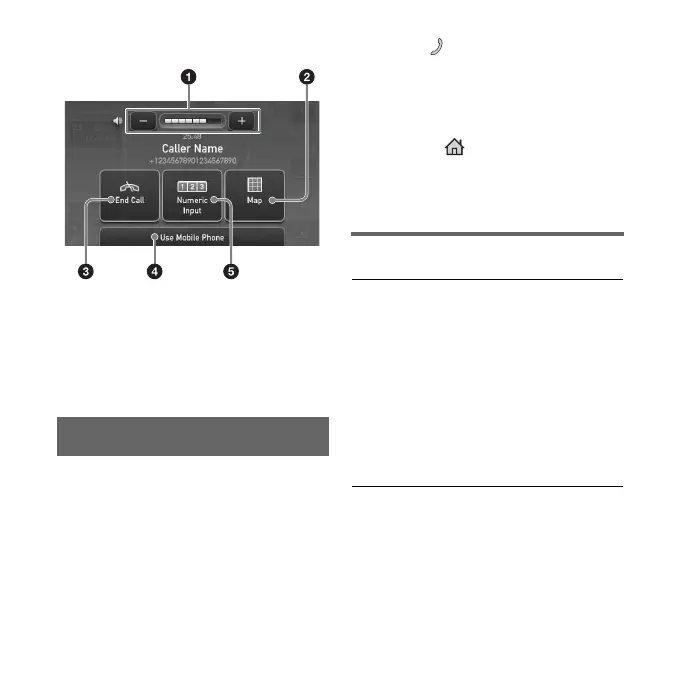
Display during a call
1 To adjust the volume.
2 To return to map display.
3 To end calls.
4 To switch a call received on the unit
to your mobile phone.
5 To switch to the numeric keyboard.
Making calls
You can make a call from the connected
mobile phone by operating this unit.
1 Touch “Phone” in the top
menu.
2 Select “Make a Call” c
“Numeric Input.”
3 Input the phone number.
4 Touch to start the call.
You can also call from the following
menus.
“Recent Calls”/“Phone Book”/“POI
Search”/“Call Destination”/“P1 - P3”
(Preset Dial)/ (Home)
To end calls
Touch “End Call.”
Making a call in other ways
Recent Calls
Selects from the recent call history.
(Maximum storable name and phone
numbers: 40)
Select the name or phone number to
call.
Select “Options” c “Delete Recent
Calls” to delete the name and phone
number or “Delete All Recent Calls” to
clear the history.



 To Next Page
 Loading...