2
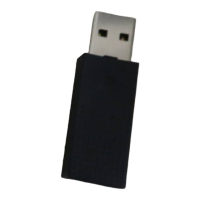
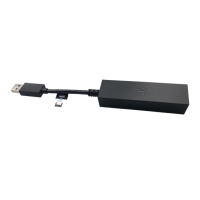
PlayStation Camera adaptor
PlayStation Camera
Precautions
Before using this product, carefully read this manual and any manuals for compatible
hardware. Retain instructions for future reference.
Safety
Small Children Injuries
• Keep this product out of the reach of small children.
Use and Handling
• Do not allow liquid or small particles to get into the product.
• Do not touch the product with wet hands.
• Do not throw or drop the product or subject it to strong physical shock.
• Do not put heavy objects on the product.
Storage Conditions
• Do not expose the product to extremely high or low temperatures during operation,
transportation, or storage.
• Do not leave the product in direct sunlight for extended periods (such as in a car
during summer).
Cleaning
• Use a soft, dry cloth to clean the product.
• Do not use solvents or other chemicals to clean the product.
• Do not wipe the product with a chemically treated cleaning cloth.
Compatible Hardware
PlayStation
®
Camera (model CUH-ZEY1 or CUH-ZEY2)
Connecting
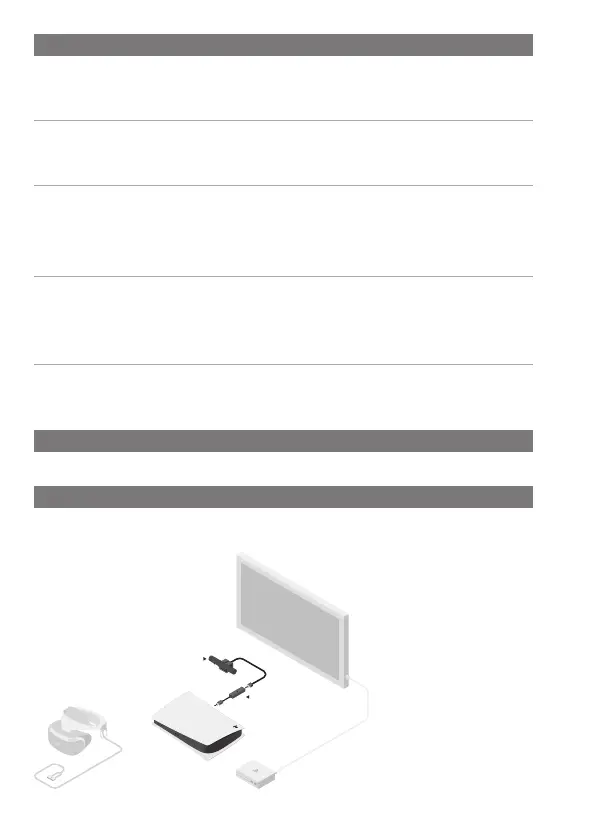
Use this adaptor to connect a PlayStation
Camera to your PlayStation
®
5 console.
Once connected you can enjoy PlayStation
®
VR with your PS5
™
.
1 Connect the PlayStation
Camera adaptor to a USB
Type-A port on the back of
your console.
2 Connect the PlayStation
Camera to the AUX port on
the adaptor.


 To Next Page