
 Need help?
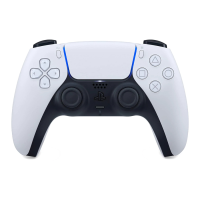
Do you have a question about the Sony PlayStation DualSense and is the answer not in the manual?
Covers risks of hearing loss, battery handling, radio wave interference with medical devices, and magnet interference.
Product designed for safety, but improper use can cause fire, shock, or injury. Follow guidelines for accident-free operation.
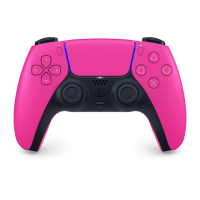
Connect controller to PS5 console using USB cable and press the PS button to pair.
Use USB cable to connect to PS5 or computer. Light bar blinks orange during charging in rest mode.
Handle lithium-ion battery with care. Do not open, crush, heat, or set fire to the battery. Dispose of properly.
 General
| Brand | Sony |
|---|---|
| Model | DualSense |
| Battery | Built-in rechargeable lithium-ion battery |
| Charging | USB-C |
| Dimensions | 160mm x 66mm x 106mm |
| Haptic Feedback | Yes |
| Adaptive Triggers | Yes |
| Microphone | Built-in |
| Headphone Jack | 3.5mm |
| Motion Sensor | Six-axis motion sensing system (three-axis gyroscope, three-axis accelerometer) |
| Compatibility | PlayStation 5 |
| Connectivity | USB-C |
| Weight | 280 grams |
| Speaker | Built-in |
| External Ports | USB-C, 3.5mm |
| Buttons | PS button, Options button, Directional buttons (Up, Down, Left, Right), Action buttons (Triangle, Circle, Cross, Square), L1/R1 buttons, L2/R2 buttons, L3/R3 buttons |
| Touchpad | 2-point capacitive touchpad |
| Light Bar | Integrated |
| Vibration | Yes (haptic feedback) |





 To Next Page
