WARNING: PHOTOSENSITIVITY/EPILEPSY/SEIZURES
A very small percentage of individuals may experience epileptic seizures or blackouts when exposed
to certain light patterns or flashing lights. Exposure to certain patterns or backgrounds on a television
screen or when playing video games may trigger epileptic seizures or blackouts in these individuals.
These conditions may trigger previously undetected epileptic symptoms or seizures in persons who
have no history of prior seizures or epilepsy. If you, or anyone in your family, has an epileptic
condition or has had seizures of any kind, consult your physician before playing. IMMEDIATELY
DISCONTINUE use and consult your physician before resuming gameplay if you or your child
experience any of the following health problems or symptoms:
• dizziness • eye or muscle twitches • disorientation • any involuntary movement
• altered vision • loss of awareness • seizures or convulsion.
RESUME GAMEPLAY ONLY ON APPROVAL OF YOUR PHYSICIAN.
______________________________________________________________________________
Use and handling of video games to reduce the likelihood of a seizure
• Use in a well-lit area and keep as far away as possible from the television screen.
• Avoid large screen televisions. Use the smallest television screen available.
• Avoid prolonged use of the PlayStation
®
3 system. Take a 15-minute break during each hour of play.
• Avoid playing when you are tired or need sleep.
______________________________________________________________________________
Stop using the system immediately if you experience any of the following symptoms: lightheadedness,
nausea, or a sensation similar to motion sickness; discomfort or pain in the eyes, ears, hands, arms,
or any other part of the body. If the condition persists, consult a doctor.
NOTICE:
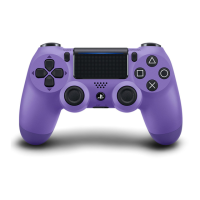
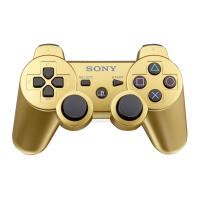
Use caution when using the DUALSHOCK
®
3 wireless controller motion sensor function. When using the
DUALSHOCK
®
3 wireless controller motion sensor function, be cautious of the following points. If the
controller hits a person or object, this may cause accidental injury or damage. Before using, check
that there is plenty of space around you. When using the controller, grip it firmly to make sure it
cannot slip out of your hand. If using a controller that is connected to the PS3™ system with a USB
cable, make sure there is enough space for the cable so that the cable will not hit a person or object.
Also, take care to avoid pulling the cable out of the PS3™ system while using the controller.
WARNING TO OWNERS OF PROJECTION TELEVISIONS:
Do not connect your PS3™ system to a projection TV without first consulting the user manual for your
projection TV, unless it is of the LCD type. Otherwise, it may permanently damage your TV screen.
HANDLING YOUR PS3™ FORMAT DISC:
• Do not bend it, crush it or submerge it in liquids. • Do not leave it in direct sunlight or near a radiator
or other source of heat. • Be sure to take an occasional rest break during extended play. • Keep this
disc clean. Always hold the disc by the edges and keep it in its protective case when not in use. Clean
the
disc with a lint-free, soft, dry cloth, wiping in straight lines from center to outer edge. Never use
solvents or abrasive cleaners.
getting started ....................................................... 2
introduction ............................................................ 3
Playstation®3 controller ................................. 3
controls—neW! .......................................................4
the game screen .....................................................18
suPersta r selection ............................................18
main menu ................................................................. 19
WWe universe ......................................................... 19
limb target system—neW! ...................................21
extreme rules controls ....................................23
tlc controls ...........................................................24
steel cage match controls .............................27
hell in a cell match controls .......................28
elimination chamber controls ......................29
tag team controls .............................................. 30
inferno match ........................................................32
royal rumble controls .....................................33
Playstation®netWork ........................................34
suPerstar abilities...............................................36
did you knoW…? .....................................................38
limited Warranty .................................................39
All WWE programming, talent names, images, likenesses, slogans, wrestling moves, trademarks, logos and copyrights are the exclusive property of WWE and its subsidiaries. All other
trademarks, logos and copyrights are the property of their respective owners. © 2011 WWE. All Rights Reserved.
© 2011 THQ Inc. Used under exclusive license by THQ Inc. Developed by YUKE’S Co., Ltd. YUKE’S Co., Ltd. and its logo are trademarks and/or registered trademarks of YUKE’S Co., Ltd.
Uses Bink Video. Copyright © 1997-2011 by RAD Game Tools, Inc. Wwise ©2006-2011 Audiokinetic Inc. All rights reserved. THQ and the THQ logo are trademarks and/or registered
trademarks of THQ Inc. All rights reserved. All other trademarks, logos and copyrights are property of their respective owners.
Lua 5.1 Copyright © 1994-2008 Lua.org, PUC-Rio.
Permission is hereby granted, free of charge, to any person obtaining a copy of this software and associated documentation files (the “Software”), to deal in the Software without
restriction, including without limitation the rights to use, copy, modify, merge, publish, distribute, sublicense, and/or sell copies of the Software, and to permit persons to whom the
Software is furnished to do so, subject to the following conditions:
THE SOFTWARE IS PROVIDED “AS IS”, WITHOUT WARRANTY OF ANY KIND, EXPRESS OR IMPLIED, INCLUDING BUT NOT LIMITED TO THE WARRANTIES OF MERCHANTABILITY, FITNESS
FOR A PARTICULAR PURPOSE AND NONINFRINGEMENT. IN NO EVENT SHALL THE AUTHORS OR COPYRIGHT HOLDERS BE LIABLE FOR ANY CLAIM, DAMAGES OR OTHER LIABILITY,
WHETHER IN AN ACTION OF CONTRACT, TORT OR OTHERWISE, ARISING FROM, OUT OF OR IN CONNECTION WITH THE SOFTWARE OR THE USE OR OTHER DEALINGS IN THE SOFTWARE.
Table of ConTenT s

 Need help?
 General



 To Next Page