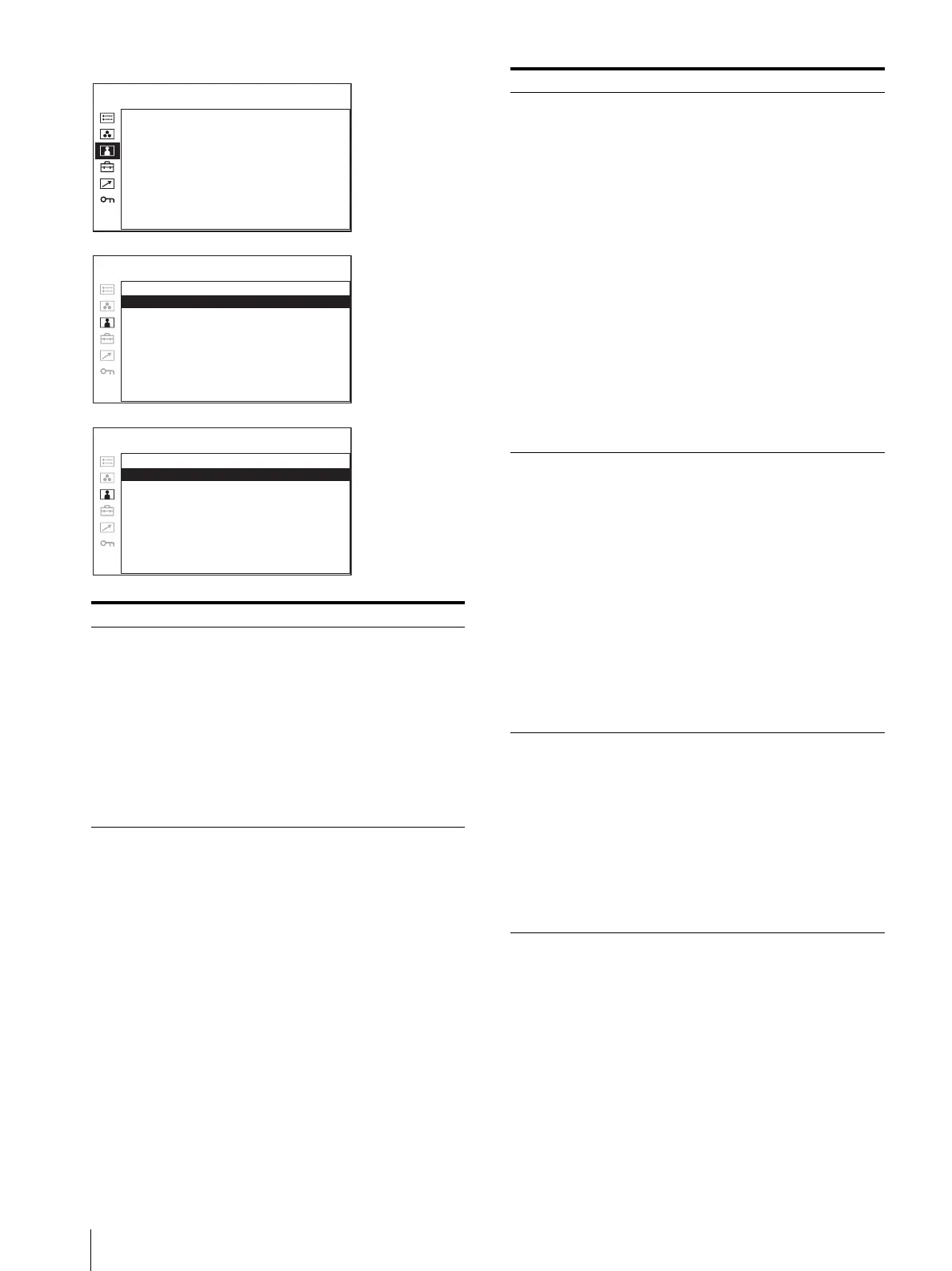
Adjustment Using the Menus
24
Submenu Setting
SUB CONTROL Adjusts finely the adjustment range
of the function buttons which
BRIGHTNESS is assigned.
• BRIGHTNESS: Adjusts the
picture brightness.
• APERTURE: Adjusts the picture
sharpness.
The higher the setting, the
sharper the picture. The
lower the setting, the softer
the picture.
• VOLUME: Adjusts the volume.
AUTO CHROMA/PHASE
AUTO ADJ VALUE: xx
START:
USER CONTROL 2/3
PICTURE CONTROL
ACC: xx
CTI: x
V SHARPNESS: x
INPUT SETTING
SHIFT H: xxx
SHIFT V: xx
USER CONTROL 3/3
SUB CONTROL
BRIGHTNESS: x
APERTURE: x
VOLUME: x
USER CONTROL 1/3
AUTO CHROMA/
PHASE
Adjusts color intensity (CHROMA)
and tones (PHASE).
• AUTO ADJ VALUE: Selects
ON or OFF of the auto
adjustment. When you set
to OFF, this parameter is
reset to the factory setting.
When you set to ON, the
automatically adjusted value
is enabled.
• START: The auto adjustment
starts when you display the
color bar signals (Full/
SMPTE/EIA) on the screen
and press the menu selection
control. After adjusting the
color intensity, press the
MENU button to clear the
adjustment screen. After the
adjustment is done correctly,
the AUTO ADJ VALUE is
automatically set to ON.
PICTURE CONTROL Adjusts the picture.
• ACC (Auto Color Control):
Sets ACC circuit on or off.
To check the fine
adjustment, select OFF.
Normally select ON.
• CTI (Chroma Transient
Improvement): When a low
color resolution signal is
input, a crisp image can be
displayed. When the setting
is higher, the picture
becomes even more crisp.
• V SHARPNESS: A crisp image
can be displayed. When the
setting is higher, the picture
becomes even more crisp.
INPUT SETTING • SHIFT H: Adjusts the position of
the picture. As the setting
increases, the picture moves
to the right, and as the
setting decreases, the picture
moves to the left.
• SHIFT V: Adjusts the position of
the picture. As the setting
increases, the picture moves
up, and as the setting
decreases, the picture moves
down.
Submenu Setting





 To Next Page