Adjustment Using the Menus
23
For the video input
•Signal format
• Color temperature
• HDMI format
•NTSC setup
•Scan mode
• Gamma
•I/P mode
• Flicker free
• Model name and serial number
For the DVI input signal from PC
•Signal format
•fH
•fV
• Color temperature
• HDMI format
• Gamma
• Flicker free
• Model name and serial number
COLOR TEMP/SPACE menu
The COLOR TEMP/SPACE menu is used for adjusting
the picture white balance or color space.
You need to use the measurement instrument to adjust
the white balance.
Recommended: Konica Minolta color analyzer CA-210
USER CONTROL menu
The USER CONTROL menu is used for adjusting the
picture.
Items that cannot be adjusted depending on the input
signal are displayed in black.
For details of input signal and adjustable / setting items,
see page 12.
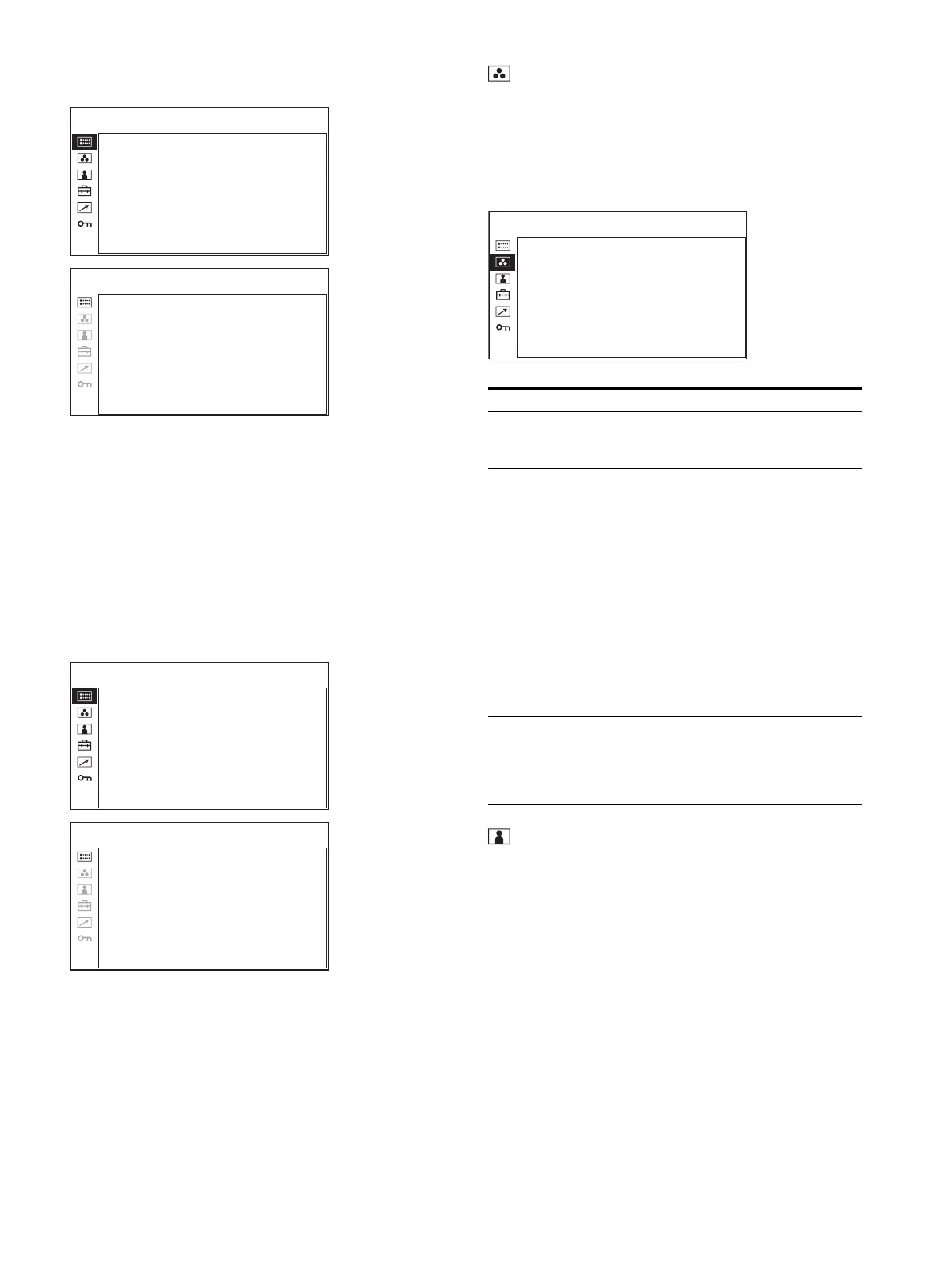
FORMAT xxxxxxxxx
xxxxxxxx
COLOR TEMP xxx
HDMI FORMAT xxxxx
NTSC SETUP x
SCAN MODE xxxxxxxx
GAMMA xxx
I/P MODE xxxxxxx
FLICKER FREE xxx
STATUS 1 /2
PVM-2541 xxxxxxx
STATUS 2/2
FORMAT xxx
xxxxxxx
fH xxxxxxx
fV xxxxx
COLOR TEMP xxxx
HDMI FORMAT xxxxx
GAMMA xx
FLICKER FREE xxx
STATUS 1/2
PVM-2541 xxxxxxx
STATUS 2/2
Submenu Setting
COLOR TEMP Selects the color temperature from
among D65, D93 and USER
setting.
MANUAL
ADJUSTMENT
If you set the COLOR TEMP to
USER setting, the item displayed is
changed from black to white, which
means you can adjust the color
temperature.
The set values are memorized.
• ADJUST GAIN: Adjusts the
color balance (GAIN).
• ADJUST BIAS: Adjusts the
color balance (BIAS).
• COPY FROM: If you select D65
or D93, the white balance
data for the selected color
temperature will be copied
in the USER setting.
COLOR SPACE Selects the color space from among
EBU, SMPTE-C, ITU-709 and
OFF. OFF sets the color space to
the original color reproduction of
the panel.
COLOR TEMP: xxxxxx
MANUAL ADJUSTMENT
ADJUST GAIN:
ADJUST BIAS:
COPY FROM: xxx
COLOR SPACE: x
COLOR TEMP/SPACE





 To Next Page