EasyManua.ls Logo

Sony RM-E700 - Page 53

Sony RM-E700
58 pages
Print Icon
To Next Page IconTo Next Page
To Previous Page IconTo Previous Page
Loading...
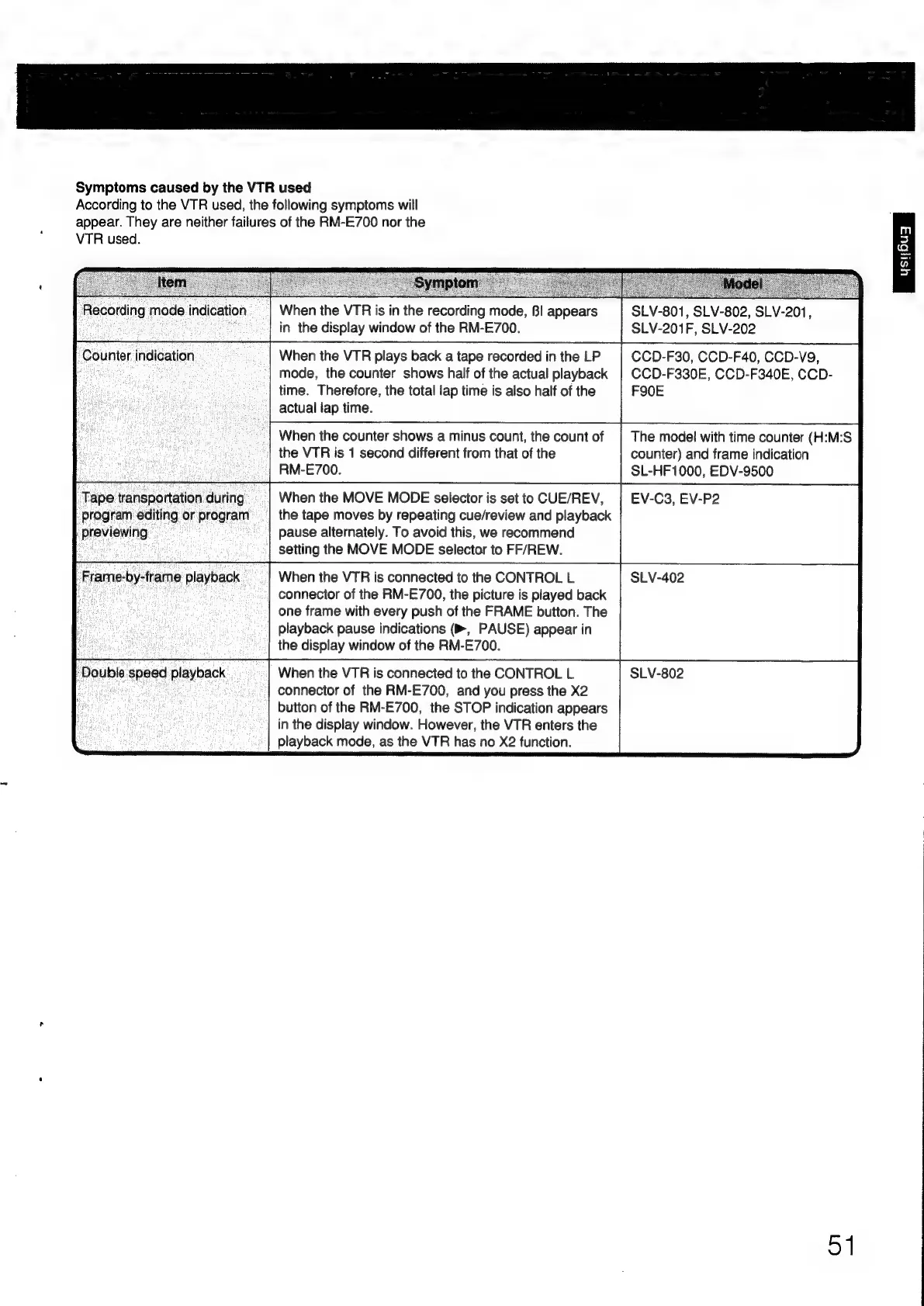
Symptoms
caused
by
the
VTR
used
According
to
the
VTR
used,
the
following
symptoms
will
appear.
They
are
neither
failures
of
the
RM-E700
nor
the
VTR
used.
Recording
mode
indication
Counter.
indication
‘Tape
transportation
during
program
editing
or
program
previewing
Frame-by-frame
playback
‘Double
speed
playback
|
When
the
VTR
is
in
the
recording
mode,
BI
appears
in
the
display
window
of
the
RM-E700.
When
the
VTR
plays
back
a
tape
recorded
in
the
LP
mode,
the
counter
shows
half
of
the
actual
playback
time.
Therefore,
the
total
lap
time
is
also
half
of
the
actual
lap
time.
When
the
counter
shows
a
minus
count,
the
count
of
the
VTR
is
1
second
different
from
that
of
the
RM-E700.
When
the
MOVE
MODE
selector
is
set
to
CUE/REV,
the
tape
moves
by
repeating
cue/review
and
playback
pause
alternately.
To
avoid
this,
we
recommend
setting
the
MOVE
MODE
selector
to
FF/REW.
When
the
VTR
is
connected
to
the
CONTROL
L
connector
of
the
RM-E700,
the
picture
is
played
back
one
frame
with
every
push
of
the
FRAME
button.
The
playback
pause
indications
(B®,
PAUSE)
appear
in
the
display
window
of
the
RM-E700.
When
the
VTR
is
connected
to
the
CONTROL
L
connector
of
the
RM-E700,
and
you
press
the
X2
button
of
the
RM-E700,
the
STOP
indication
appears
in
the
display
window.
However,
the
VTR
enters
the
playback
mode,
as
the
VTR
has
no
X2
function.
SLV-801,
SLV-802,
SLV-201,
SLV-201F,
SLV-202
CCD-F30, CCD-F40,
CCD-V9,
CCD-F330E,
CCD-F340E,
CCD-
FS0E
The
model
with
time
counter
(H:M:S
counter)
and
frame
indication
SL-HF
1000,
EDV-9500
EV-C3,
EV-P2
SLV-402
SLV-802
51

Other manuals for Sony RM-E700

Related product manuals