Advanced Remote Operations
masterpage:Right
filename[\\B-02w2000e\SONY RM-
PP412\4247244111\424724411RMPP412CEL\GB04ADV_RM-PP412-CEL.fm]
11
GB
model name1[RM-PP412]
[4-247-244-11(1)]
To control an LD player
To control a video CD player
To control a VCR
To control a satellite tuner or
cable box
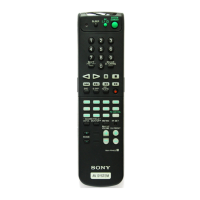
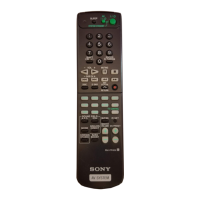
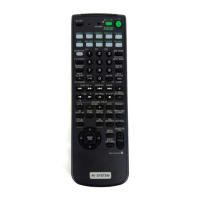
You can switch the command mode (AV1 or
AV2) of the remote. If the command mode of the
receiver and the remote is different, you cannot
use the remote to operate the receiver.
1 Press AV1 (or AV2) while holding down
USE MODE.
The USE MODE button lights once (or
twice for AV2), then the command mode
switches.
To reset the remote to factory
settings
Press ?/1, AV ?/1, and MASTER VOL – at
the same time. The USE MODE button lights 3
times, then goes off.
Maker Code(s)
SONY 601, 602, 603
PIONEER 606
Maker Code(s)
SONY 605
Maker Code(s)
SONY 701, 702, 703, 704, 705, 706
AIWA 710, 750, 757, 758
AKAI 707, 708, 709, 759
BLAUPUNKT 740
EMERSON 711, 712, 713, 714, 715, 716, 750
FISHER 717, 718, 719, 720
GENERAL
ELECTRIC
712, 722, 730
GOLDSTAR 723, 753
GRUNDIG 724
HITACHI 722, 725, 729, 741
ITT/NOKIA 717
JVC 726, 727, 728, 736
MAGNAVOX 730, 731, 738
MITUBISHI/
MGA
732, 733, 734, 735
NEC 736
PANASONIC 729, 730, 737, 738, 739, 740
PHILIPS 729, 730, 731
PIONEER 729
RCA/PROSCAN 722, 729, 730, 731, 741, 747
SAMSUNG 742, 743, 744, 745
SANYO 717, 720, 746
SHARP 748, 749
TELEFUNKEN 751, 752
TOSHIBA 747, 755, 756
ZENITH 754
Maker Code(s)
SONY 801, 802, 803, 804
JERROLD/G.I. 806, 807, 808, 809, 810, 811,
812, 813, 814
PANASONIC 818
RCA 805, 819
S.ATLANTA 815, 816, 817
Selecting the mode of the
remote







 To Next Page