17
GB
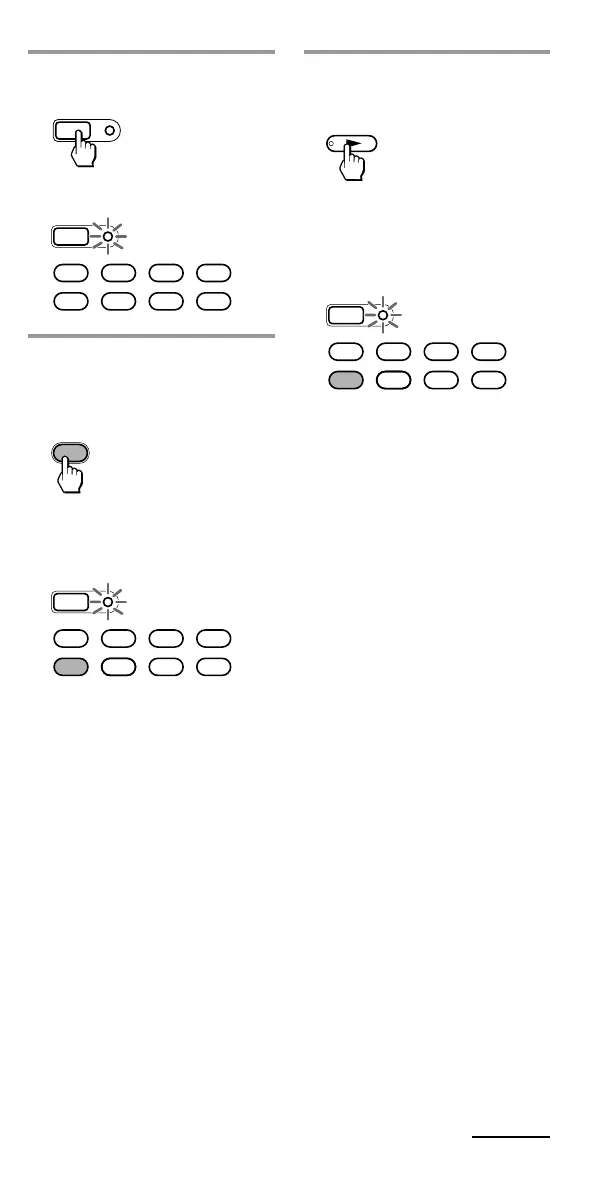
4 Press the button on the
Commander you want to
“teach.”
The SET indicator flashes and
the selected Component Select
button lights up. (Learning
function standby)
If another signal has already
been “learned” by that
button
The SET indicator flashes
twice, and the Commander
takes no action returning to its
state after the Component
Select button was pressed in
Step 3. Either “teach” to
another free button, or clear the
already “learned” function
(page 22) and start over from
the beginning.
SET
SATDVDTV CBL
TAPE
CDVCR AMP
2 Press and hold SET for over
3 seconds.
The SET indicator flashes.
SET
SATDVDTV CBL
TAPE
CDVCR AMP
3 Press the Component Select
button for the component
whose signals are to be
“learned.”
The SET indicator flashes and
the selected Component Select
button lights up.
VCR
SET
SATDVDTV CBL
TAPE
CDVCR AMP
SET
Continued



 To Next Page
 Loading...



