19
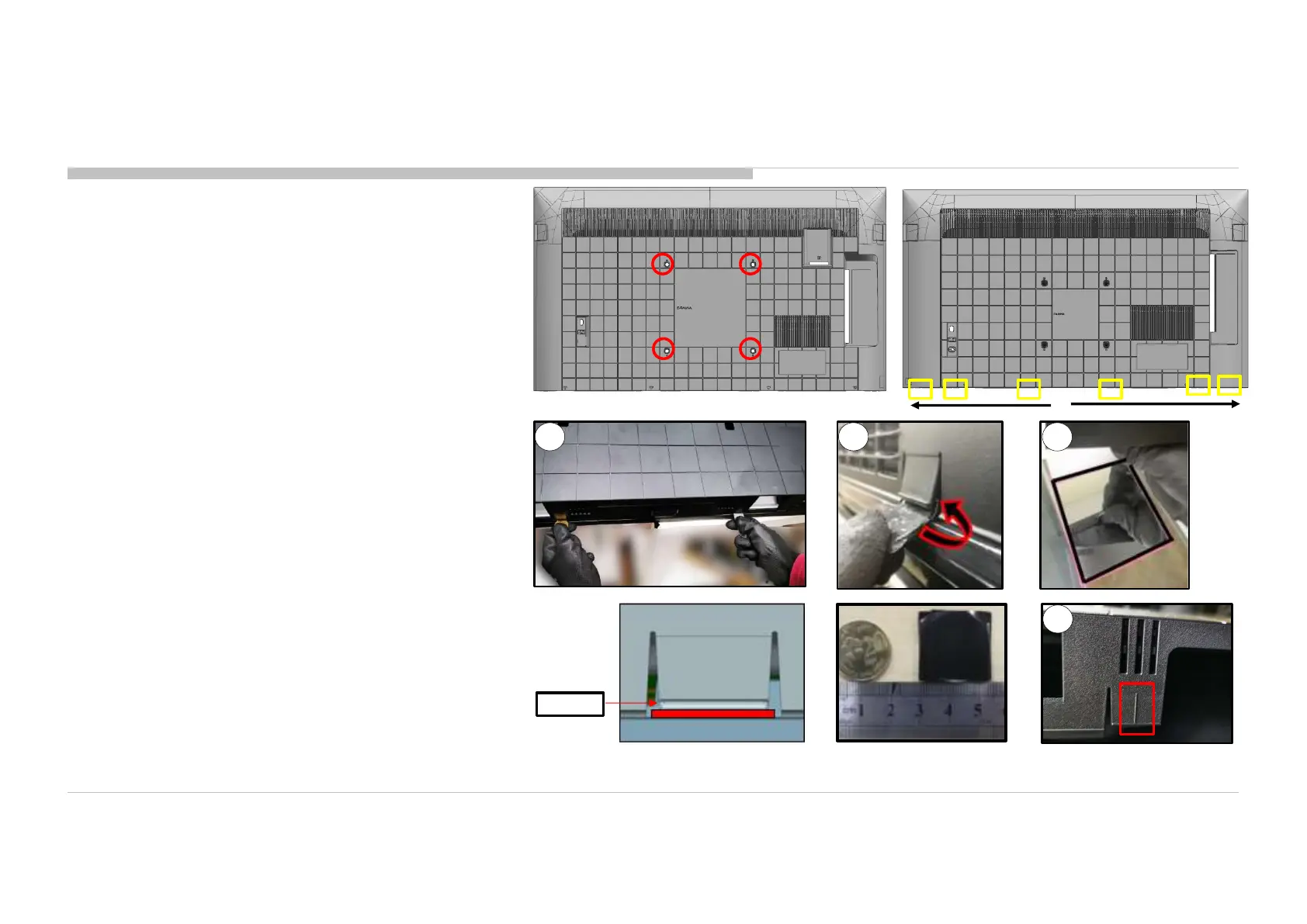
1. Remove the screws from the rear cover (4 pcs)
2. Unhook the bottom hook, starting from center.
Coin or jig to unhook bottom Rear Cover - Bezel hook
*Wrap coin in tape (55mmX25mm)
*Thickness of coin approximately 2mm
①
Unhook two hooks closest to center simultaneously to prevent
lock back. (Refer to the next page for the location of hooks)
②
Unhook both hooks using coin or jig.
③
Use mirror or touch the line to assist locating the hook position.
REAR COVER
1 2 3
Coin
3
<1>
<2>
DISASSEMBLY AND REMOVAL CAUTION 50”










 To Next Page