EasyManua.ls Logo

Sony RMT-V406 - User Manual

Sony RMT-V406
96 pages
Print Icon
To Next Page IconTo Next Page
Loading...
VDE
vaes
SLV-SE220/SE420/SE620/SE720/
SE727/SE820/SX720/SX72
RMT-V405/V405A/V406/V406A/V406B/V407A/V407B/V407C
SERVICE
MANUAL
AEP
Model
SLV-SE220/SE620/SE720/SE727/
eas
SE820/SX720/SX727
UK
Model
SLV-SE220G/SE720G/SE820
Russian
Model
SLV-SE420K/SE620N/SE720N/
VHS
SE820N/SX720N
o
oO
wo
loelFa
SHOWVIEW’
[ud-4=
Photo
:
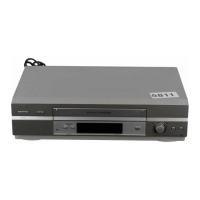
SLV-SE620D
(engi
(for
UK
model)
RMT-V406
TS-10
MECHANISM
|
Refer
to
the
SERVICE
MANUAL
of
VHS
MECHANI-
CAL
ADJUSTMENT
MANUAL
VII
for
MECHANICAL
ADJUSTMENTS.
(9-921-790-11)
The
abbreviations
of
SLV-SE220/SE420/SE620/SE720/SE727/SE820/SX720/SX727
contained
in
this
service
manual
are
indicated
when
these
models
are
common
to
all
their
corresponding
models
as
given
below.
Abbreviated
models
name
|SE220__|SE420__|SE620
_|SE720__|SE727_|SE820
_|$X720
AEP
models
SLV-
SE220B
|SE620B
|SE720B
|SE727E
|SE820B
|Sx720D
|$x727D
SE220D
SE620D_|
SE720D
SE820D
|SX720E
SE2201
SE620E
|
SE720E
SE820E
SE7201
UK
models
SLV-
SE220G
-
-
_|SE720G
-
_|SE820G
ae
“fk
Russian
models
SLV-
-
__|SE420K
|SE620N
|
SE720N
-
_|SE820N
|Sx720N
|
-
The
SLV-SE220D/SE620D/SE720D/SX720D/SX727D/SE820D
model
and
SLV-SE420K/SE620N/SE720N/SX720N/SE820N
model
that
have
destination
of
Germany,
Hungary
and
Austria
are
repaired
only
at
the
centralized
service
centers.
Send
these
model
to
the
centralized
service
centers
for
repair.
SPECIFICATIONS
System
LP:
PAL/MESECAM*
Rewind
time
Channel
coverage
11.70
mm/s
Approx.
|
min.
(with
E180
tape)
e
(recording/playback)
ee)
NTSC
16.67
mm/s
Inputs
and
outputs
se
Sane
f
69
(playback
only)
LINE-1
(EURO
AV)
Ra
eau
EP:
NTSC
11.12
mm/s
21-pin
CE
Se
ens
(playback
only)
Video
input:
pin
20
a)
ee
ice
*MESECAM:
for
B
model
Audio
input:
pins
2
and
6
UHF
channels
21-69
Maximum
recording/playback
time
Video
output:
pin
19
issues
10
hrs.
in
LP
mode
(with
E300
tape)
Audho
aut
putapine
Lands
75-ohm
asymmetrical
aerial
socket
2
SGeinied
onan
pase
Tape
speed
ee
VIDEO
CASSETTE
RECORDER
(recording/playback)
NTSC
33.35
mm/s
(playback
only)
SONY.


Table of Contents

Questions and Answers

  • A
    Ashley Turner DDSSep 10, 2025
    How to fix the Sony VCR when the sound from a recorded tape is not in stereo?
    • J
      Joshua RichardsSep 10, 2025
      If the sound from a tape recorded with your Sony VCR is not in stereo, or if the STEREO indicator in the display window is flashing, try adjusting the tracking. Additionally, the video heads may be dirty, so clean them using a Sony video head cleaning cassette.
  • W
    William HartAug 25, 2025
    How to fix a blurry picture on my Sony VCR?
    • J
      Jordan MitchellAug 25, 2025
      If the picture on your Sony VCR is not clear, try the following: * Reset the RF channel output of your VCR, as existing broadcasts may be interfering with it. * Adjust the tracking using the PROGRAM +/– buttons on the VCR. * Clean the video heads using a Sony video head cleaning cassette if they are dirty. * If the problem persists, the video heads may need replacement. Consult your local Sony service facility for assistance.
  • H
    hannahlewisAug 25, 2025
    Why does the timer not operate on my Sony VCR?
    • H
      Hannah NelsonAug 26, 2025
      If the timer on your Sony VCR is not working, verify the following: 1. Ensure the clock is set correctly. 2. Confirm a tape has been inserted. 3. Check that the safety tab on the tape has not been removed. 4. Make sure the tape is not at its end. 5. Verify a program has been set for timer recording. 6. Ensure your timer settings are past the current time. 7. Check that the digital tuner is turned on. 8. Check that the satellite tuner is turned on. 9. If the VCR was disconnected from the mains, reset the clock and timer. 10. As a last resort, turn the power off and unplug the mains lead.
  • J
    jeffreymillsSep 23, 2025
    How to clean my Sony RMT-V406 VCR?
    • C
      Carla GravesSep 23, 2025
      Clean the cabinet, panel, and controls of your Sony VCR with a dry, soft cloth, or a soft cloth slightly moistened with a mild detergent solution. Avoid using solvents like alcohol or benzine.
  • J
    Joseph MillerSep 12, 2025
    What to do if nothing happens when I press REC on my Sony RMT-V406?
    • D
      Donna AndersonSep 12, 2025
      If nothing happens when you press REC on your Sony VCR, ensure that the tape is not at its end.
  • C
    csmithSep 15, 2025
    What to do if the picture rolls vertically during picture search on my Sony VCR?
    • R
      Roberto CookSep 15, 2025
      If the picture rolls vertically during picture search on your Sony VCR, adjust the vertical hold control on the TV or monitor.
  • B
    Brandon WongSep 4, 2025
    How to control other TVs with my Sony RMT-V406 VCR remote?
    • J
      John HernandezSep 4, 2025
      Set your TV’s code number. The code number may change when you replace the batteries of the remote commander for your Sony VCR.
  • M
    Monica JohnstonSep 5, 2025
    What to do if the timer does not operate on my Sony RMT-V406?
    • H
      hughesjesusSep 5, 2025
      If the timer on your Sony VCR isn't working, verify these points: * Ensure the clock is properly set. * Confirm a tape is inserted. * Check that the safety tab on the tape hasn't been removed. * Make sure the tape isn't at its end. * Verify a program has been set for timer recording and that your timer settings are past the current time. * Check that the decoder and satellite tuner are turned on. Note that the clock will stop if the VCR is disconnected from the mains, requiring you to reset the clock and timer. As a last resort, turn the power off and unplug the mains lead.
  • S
    Samantha BrownSep 23, 2025
    Why doesn't the Line Through function operate on my Sony VCR?
    • B
      bjonesSep 23, 2025
      If the Line Through function does not operate on your Sony VCR, set POWER SAVE in the USER SET menu to OFF.
  • G
    Gabrielle BerryAug 30, 2025
    What to do if a tape cannot be inserted into my Sony RMT-V406 VCR?
    • P
      Peggy NormanAug 30, 2025
      If a tape cannot be inserted into your Sony VCR, check to make sure that a tape is not already in the tape compartment.

Summary

IMPORTANT SERVICE GUIDE

MODE SWITCH (PROGRAM SWITCH) ASSEMBLY POINT

Details the alignment point for the mode switch when installing the deck onto the main PCB.

HOW TO EJECT THE CASSETTE TAPE

Provides steps to eject a cassette if the unit doesn't operate normally.

1. General

Index to parts and controls

Identifies front panel components for various VCR models.

Getting Started Procedures

Guides on unpacking, remote setup, VCR connection, and initial system setup.

TV System and Language Setup

Instructions to select the TV system and set the VCR's on-screen display language.

Channel Presetting and Management

Manual channel presetting, fine-tuning, and managing program positions.

Canal Plus Decoder Setup

Steps to connect a decoder and set Canal Plus channels for watching or recording.

Basic Operations

Tape Playback and Setup

Instructions for setting color system, using time counter, and auto playback.

Recording TV Programmes

Guide to starting, stopping, and setting recording duration for TV programs.

Timer Recording Features

Using Dial Timer, ShowView, and general timer programming for recordings.

Speed and Index Searching

Explains playing/searching at various speeds and using the index function.

Picture and Power Management

Adjusting picture sharpness and reducing VCR power consumption.

Menu Options and Settings

How to navigate and change settings within the VCR's user menus.

Editing

System Connections for Editing

Diagrams showing connections for recording from other VCRs or stereo systems.

Basic Editing Operations

Steps for performing basic editing functions on the VCR.

Audio Dubbing Functionality

How to record over the existing audio track with new commentary or sound.

Additional Information

Troubleshooting Common Issues

Common VCR symptoms, their causes, and remedies.

2. Disassembly

Mono Models Disassembly Procedures

Step-by-step guide for disassembling mono VCR models, covering top, bottom, panel, and PCB.

Hi-Fi Models Disassembly Procedures

Step-by-step guide for disassembling Hi-Fi VCR models, covering top, bottom, panel, and PCB.

4. Schematic Diagrams

Main PCB Block Identification

Overview of functional blocks on the main PCB.

Power Supply Schematics

Schematics for the Switched Mode Power Supply and Power circuits (A & B).

System Control and Servo Schematics

Schematics for System Control and Servo circuits (A & B).

Audio;Video and Hi-Fi Schematics

Schematics for Audio/Video processing and optional Hi-Fi audio circuits.

Signal Processing Schematics

Schematics for TM-Block, OSD/VPS/PDC, SECAM, A2/NICAM, and Input/Output circuits.

Waveform and Voltage References

Waveform diagrams and voltage reference tables for testing and diagnostics.

5. Alignment and Adjustment

Alignment Reference Information

General reference information for alignment procedures.

Mechanical Adjustment Procedures

Procedures for mechanical adjustments and confirmation of the deck assembly.

Head Switching Point Adjustment

Procedure for adjusting the head switching point for tape playback.

NVRAM Option Setting

How to set NVRAM options when replacing the micom or NVRAM.

6. Repair Parts List

Exploded Views of VCR Components

Visual breakdowns of VCR components for parts identification.

Electrical Parts List

Comprehensive list of electrical components and their part numbers.

Sony RMT-V406 Specifications

General IconGeneral
TypeRemote Control
BrandSony
ModelRMT-V406
Device CategoryVCR
Compatible DevicesSony VCRs
InfraredYes
Battery TypeAA
Number of Batteries2

Related product manuals