14
GB
Setting the current time
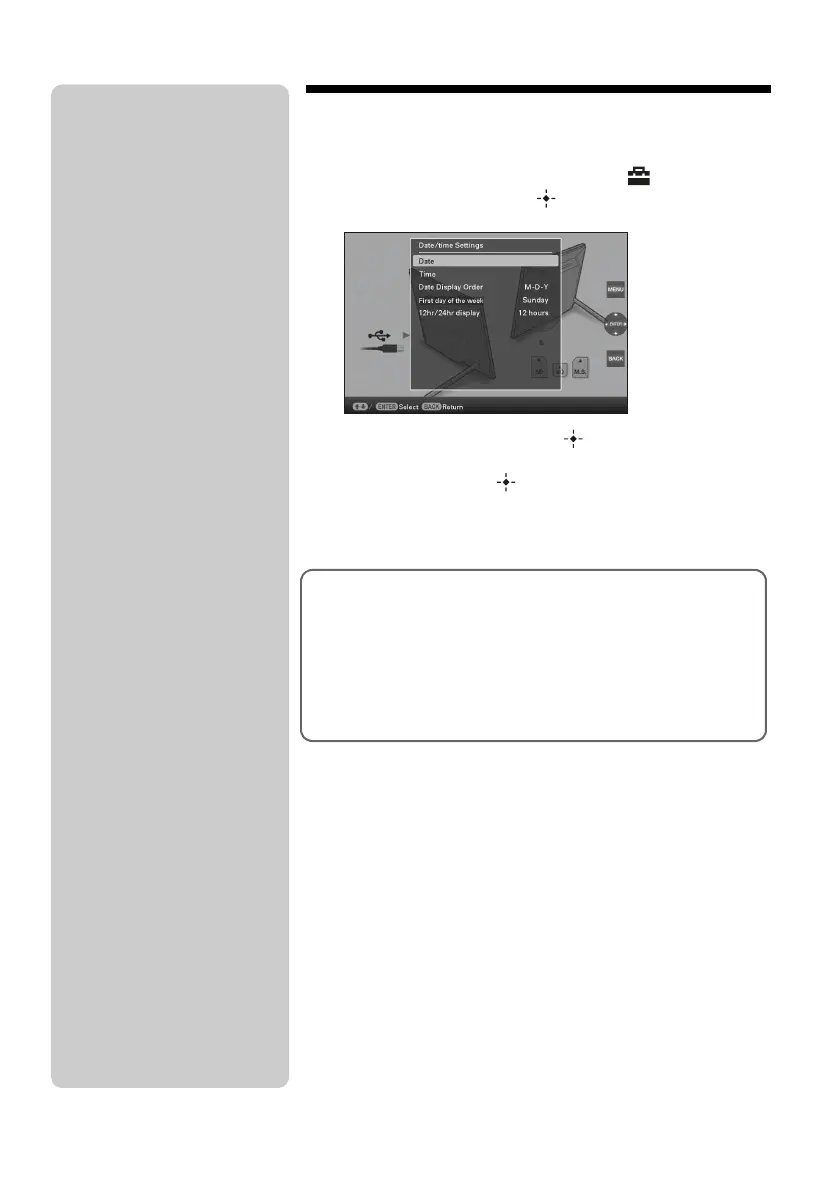
1 Press MENU, and B/b to select the (Settings) tab.
v
/V
[Date/time Settings]
,
(ENTER)
2
Press
v
/
V
to select [Time]
,
(ENTER).
v/V to select a value.
,
B/b (hour, minute, and second)
Setting complete.
,
(ENTER)
3 Press MENU.
In the same window, you can use the same procedures as time
setting to set the following:
Setting items
•Date
•
Date Display Order (
Y-M-D/M-D-Y/D-M-Y)
•First day of the week (
Sunday/Monday)
•12hr/24hr display (12 hours/24 hours)
P Tip
The B/b buttons become activated
only when the Clock and calendar
view mode (page 16) is not selected.













 To Next Page