Getting Started
7
EN
Connecting to an amplifier with a special
jack for a sub woofer
If your amplifier has a special jack for a sub woofer
(like a MONO OUT jack, MIX OUT jack, SUB
WOOFER jack or SUPER WOOFER jack), connect the
LINE IN jack of the woofer to one of those jacks.
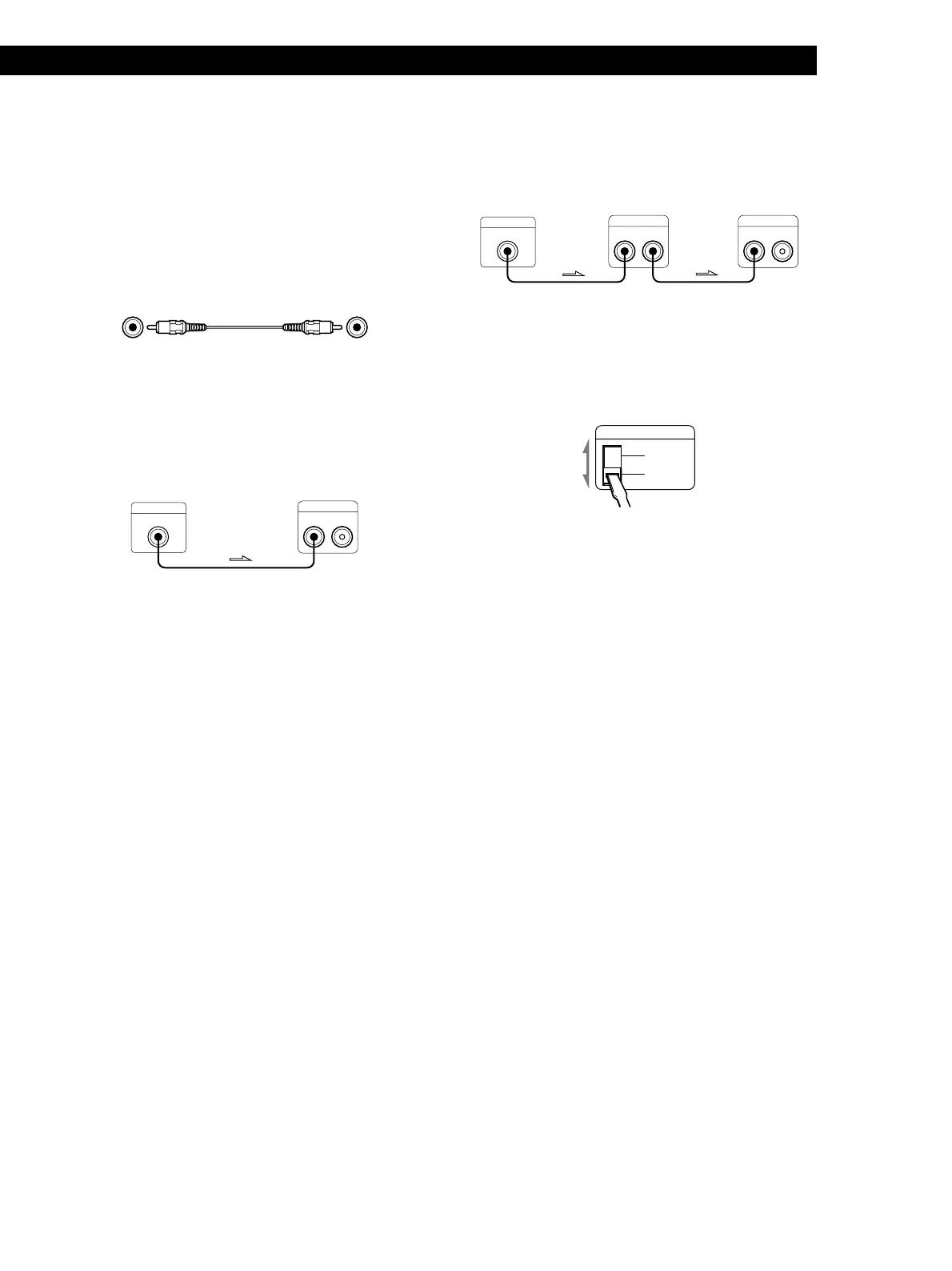
What cords will I need?
Audio connecting cord (supplied) (1)
Hookups
Connect the MONO OUT jack of your amplifier to the
LINE IN jack of the woofer with the supplied audio
connecting cord.
MONO OUT
LINE
IN OUT
Note
If the output level of your amplifier is not large enough, the
sound may not be loud enough. In this case, connect the
speaker terminals of the amplifier directly to the SPEAKER
IN terminals of the woofer.
When using this woofer for both left (L)
and right (R) channels
MONO OUT
LINE
IN OUT
LINE
IN OUT
Setting the VOLTAGE SELECTOR
Set VOLTAGE SELECTOR to position of your local
power line voltage.
VOLTAGE SELECTOR
220-240V
110-120V
Connecting the AC power cord
Connect the AC power cord from the woofer and from
your amplifier to a wall outlet.
This woofer
Amplifier
This woofer This woofer
Amplifier


 To Next Page