9
Connecting to a TV
Preparation
Note
For part names of the Analog Controller (DUALSHOCK®2), see "Using the Analog
Controller (DUALSHOCK®2)" ( page 17).
• Do not plug the AC power cord for the console into the electrical outlet
until you have made all other connections.
• Check that the TV is turned off.
Connect the console to the TV as shown below.
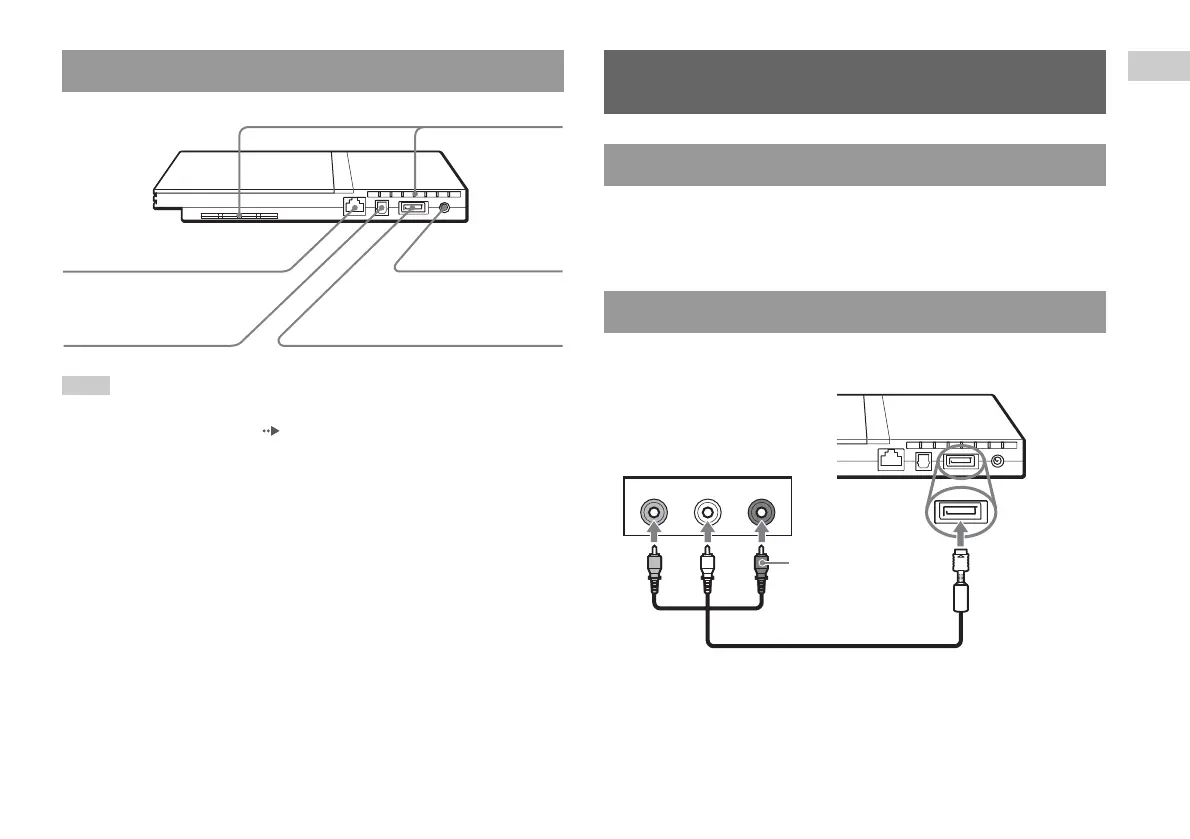
PlayStation®2 console rear
Rear vent
! DC IN 8.5V
connector
AV MULTI OUT connector
DIGITAL OUT (OPTICAL)
connector
NETWORK connector
Connecting to a TV
Before connecting
Connecting to a TV using the supplied AV Cable
VIDEO L-AUDIO-R
Audio and video inputs of the TV
Do not use when
connecting to a
monaural TV.
AV Cable (integrated audio/video)
Console rear
White RedYellow
To the AV MULTI
OUT connector













 To Next Page