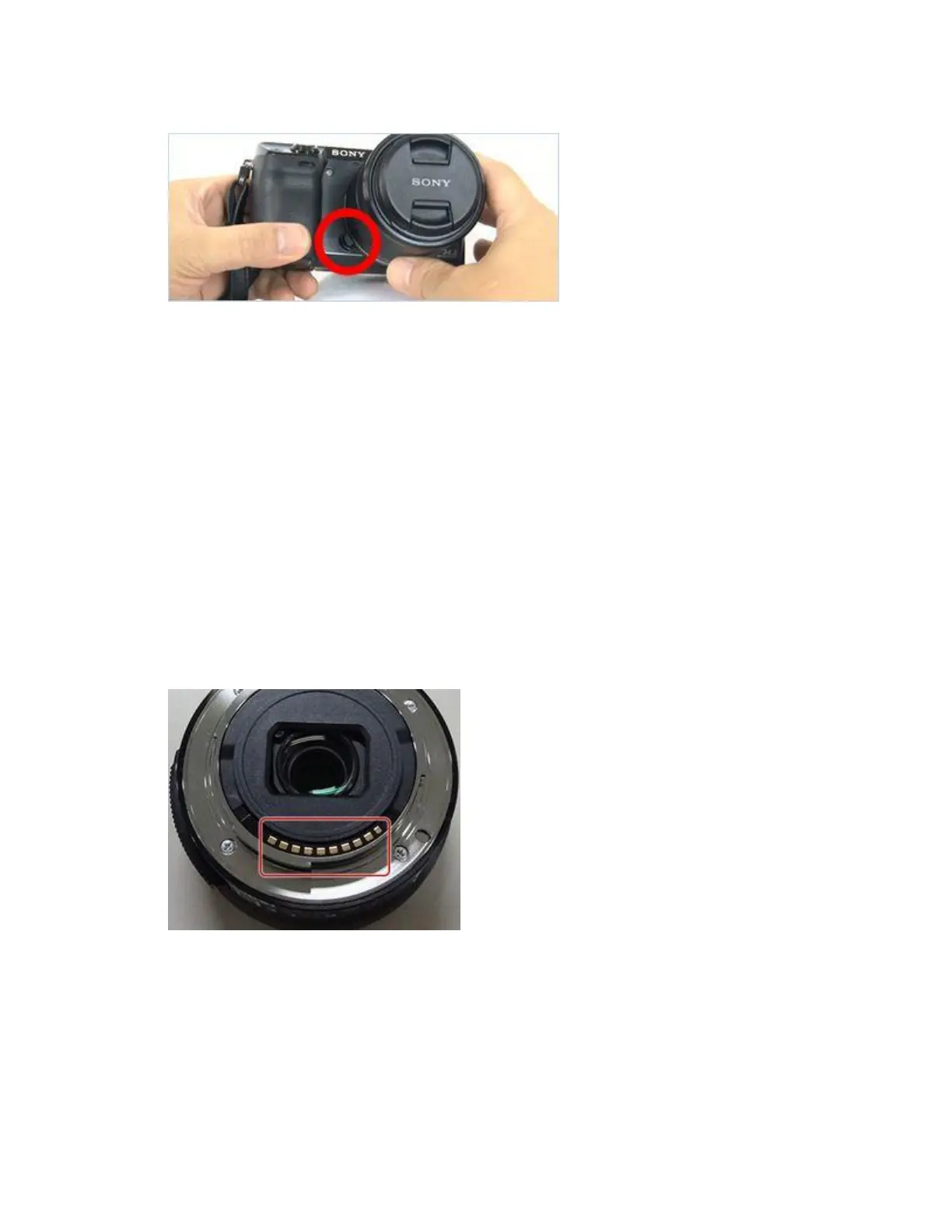
Lens release button position (NEX-7)
3. Turn off the camera.
4. Remove the lens from the body of the camera.
5. Examine the pins on the body of the camera that connect to the lens.
If there is dirt on the contacts of the body or the lens, the camera body may not recognize
the lens due to attachment failure. Wipe dirt from the contacts using a cotton swab or a
dry soft cloth (cleaning cloth, etc.), then attach the lens to the camera body.
IMPORTANT:
o When wiping the dirt off, be careful to keep dust or debris from getting
inside the camera body or the lens.
o Take care not to touch the lens surface.
o Do not use force but wipe lightly so as not to put pressure on the contacts of
the body.
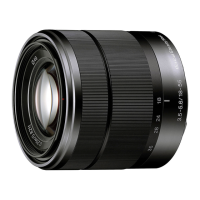
Lens contacts
Make sure nothing is covering or obstructing the metal contacts on the lens by cleaning
the contacts.


 To Next Page