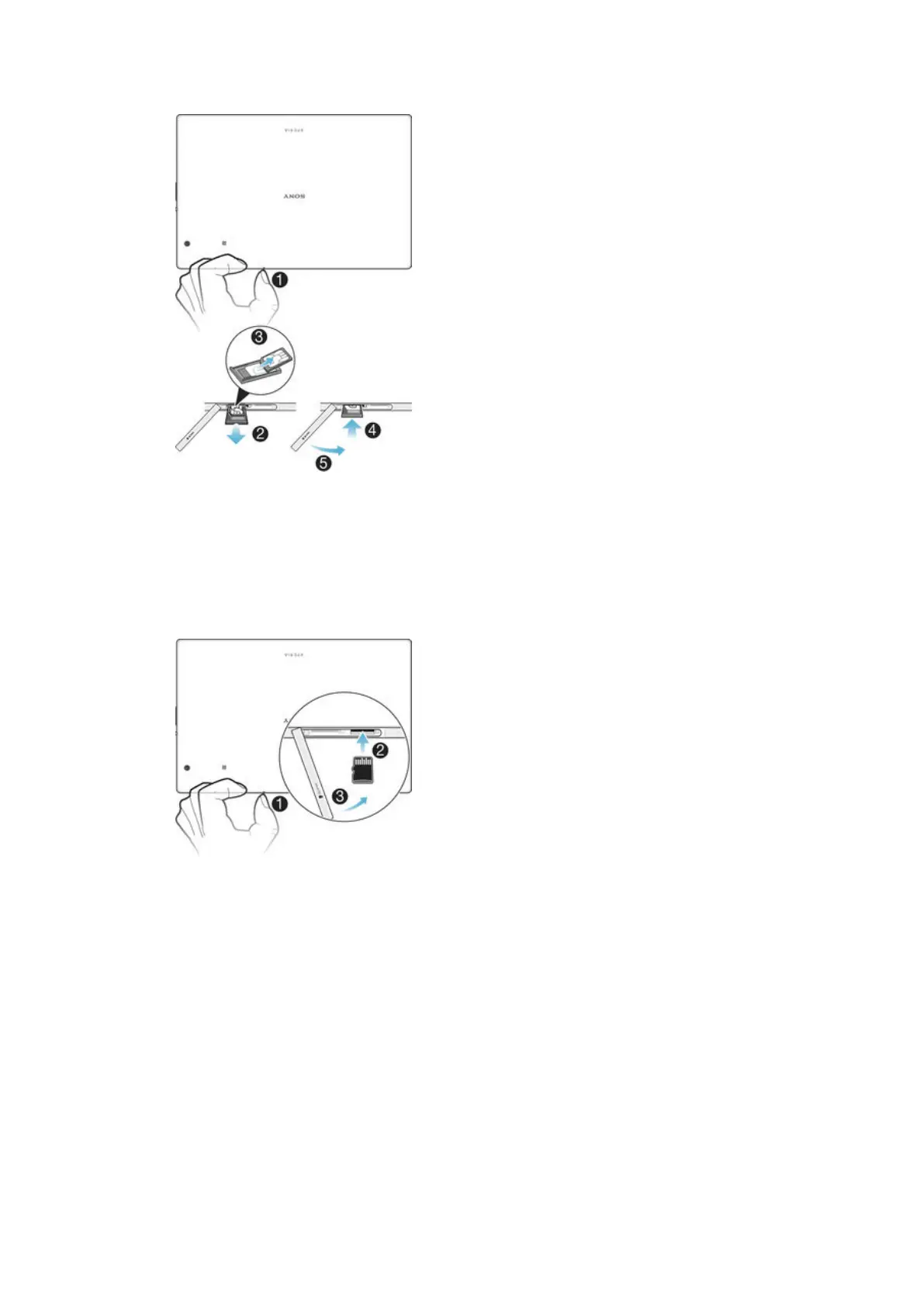
To remove the nano SIM card
1
Detach the cover for the nano SIM card and memory card slots.
2
Press the nano SIM card holder inwards and then release it quickly from its
slot.
3
Remove the nano SIM card.
4
Push the nano SIM card holder back into the nano SIM card slot until you hear
a clicking sound.
5
Re-attach the cover for the nano SIM card and memory card slots.
To insert a memory card
1
Detach the cover for the nano SIM card and memory card slots.
2
Place the memory card in the memory card slot, then push the memory card all
the way into the slot until you hear a clicking sound.
3
Re-attach the cover for the nano SIM card and memory card slots.
8
This is an Internet version of this publication. © Print only for private use.














 To Next Page