20
GB
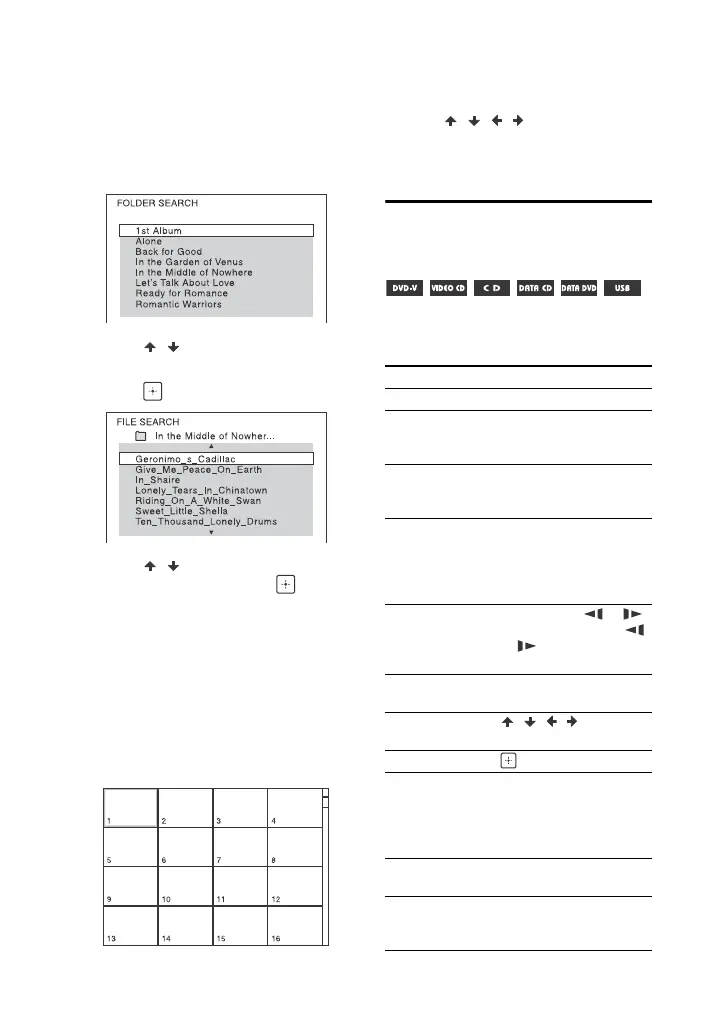
To play from a specific audio or
video file
1 Press MEDIA MODE repeatedly to
select [MUSIC] or [VIDEO].
2 Press SEARCH to display the Folder
List.
3 Press / repeatedly to select the
folder you want.
4 Press to display the File List.
5 Press / repeatedly to select the
file you want, then press .
To play from a specific image file
(slide show)
1 Press MEDIA MODE repeatedly to
select [PHOTO].
2 Press DVD/TUNER MENU.
Thumbnail picture for the first 16
JPEG files in the selected folder is
displayed on the TV screen.
If there are more than 16 JPEG files in
the selected folder, the scroll bar
appears at the right.
3 Press / / / repeatedly to
select the file you want, then press
.
Other playback
operations
Depending on the type of disc or file,
the function may not work.
To Press
View DVD menu DVD/TUNER MENU
View Folder List or
File List
SEARCH. Press the
button again to turn off
the Folder List or File List.
Return to Folder
List when in File
List
RETURN
Locate a point
quickly in fast
forward or fast
reverse (Lock
Search)
or during
playback. Each time you
press the button, the
playback speed changes.
Watch frame by
frame (Slow-
motion Play)
, then press or .
Each time you press
or , the playback
speed changes.
View images in
thumbnail view
DVD/TUNER MENU
Navigate in
thumbnail view
///
View single image in thumbnail view.
Start image slide
show
. You can change the
interval of the slide show
(page 28), and add
effects to the slide show
(page 28).
Stop image slide
show
View next or
previous image
during slide show
or


 To Next Page