71
Using the various functions of the camera thoughtfully
Various functions
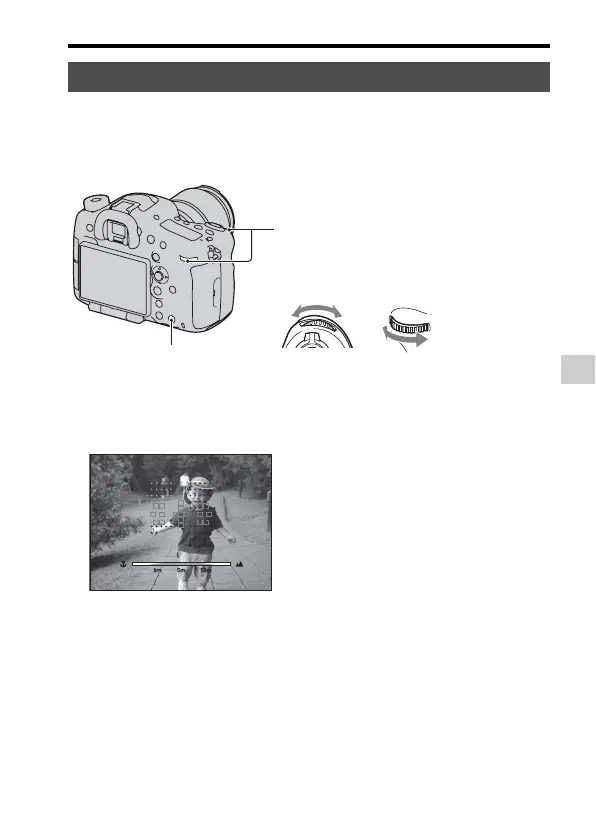
You can restrict the autofocus range. This function allows the camera to
focus on a subject without interference from objects in the back-ground and
fore-ground.
AF Range Control
2 Set the maximum shooting distance
with the front control dial and set the
minimum shooting distance with the
rear control dial.
1 Press the AF RANGE button
so that the AF RANGE
screen appears.
3 Press the AF RANGE button
again to lock the distance.
The AF area and assist area
that overlap with the subject
located within the AF range
you set turn to yellow. An
assist area is displayed only
when a compatible lens is
attached to the camera.



 To Next Page