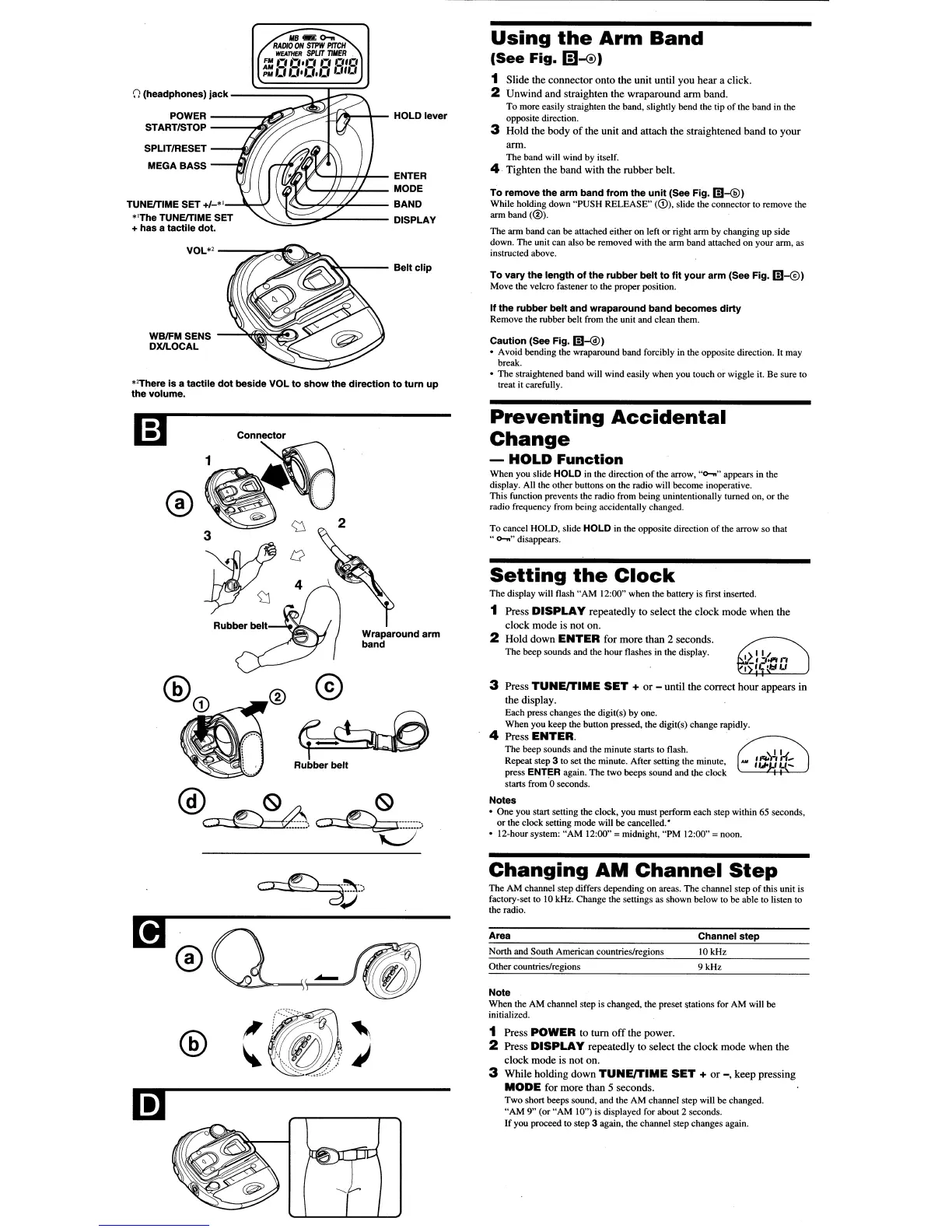
If
the
rubber
belt
and
wraparound
band
becomes
dirty
Remove
the
rubber
belt
from the unit
and
clean them.
To
vary
the
length
of
the
rubber
belt
to
fit
your
arm
(See
Fig.
m-@)
Move the velcro fastener to the proper position.
Using
the
Arm
Band
(See
Fig,
(D-®)
1 Slide the connector onto the unit until you hear a click.
2 Unwind and straighten the wraparound arm band.
To
more easily straighten the band, slightly
bend
the tip
of
the
band
in the
opposite direction.
3 Hold the body
of
the unit and attach the straightened band to your
arm.
The band will wind
by
itself.
4 Tighten the band with the rubber belt.
To
remove
the
arm
band
from
the
unit
(See
Fig.
m--®)
While holding down "PUSH RELEASE"
(CD),
slide the connector
to
remove the
ann band
(®).
The arm band can
be
attached either on left
or
right
ann
by
changing up side
down.
The
unit
can
also
be
removed with the
arm
band
attached
on
your
ann,
as
instructed above.
Caution
(See
Fig.
m-@)
• Avoid
bending
the wraparound
band
forcibly in the opposite direction. It may
break.
•
The
straightened band will wind easily
when
you
touch
or
wiggle it.
Be
sure
to
treat it carefully.
~;;;-~"'---
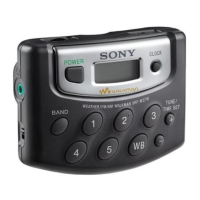
Belt
clip
(I'JI,:'
1#"'---1-11.....,1+- ENTER
""
If
.....
~ff--,',~-
MODE
\J'~""":;"'<-""''----
BAND
....::::~==';;?'.c...
DISPLAY
WBIFM
SENS
-.....:.~~~~
DXlLOCAL
VOL*'
---...."._"
POWER
------:~~~~~y~~r__
HOLD
lever
STARTISTOP
-----::4i~
SPLITIRESET
__
-.In,FI
MEGA
BASS
()
(headphones)
jack
-~====~j~;:::~
''There
is
a
tactile
dot
beside
VOL
to
show
the
direction
to
tum
up
the
volume.
TUNEITIME
SET
+1-"
"The
TUNEITIME
SET
+
has
a
tactile
dot.
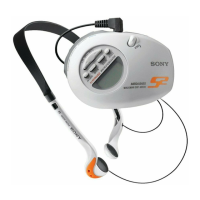
Wraparound
arm
band
Preventing
Accidental
Change
-
HOLD
Function
When
you
slide HOLD
in
the direction
of
the arrow,
..
0-"
..
appears
in
the
display. All the
other
bunons
on
the radio will
become
inoperative.
This
function prevents the radio from being unintentionally turned on,
or
the
radio frequency from being accidentally changed.
To
cancel
HOLD,
slide HOLD in the
opposite
direction
of
the arrow
so
that
"
0-..
..
disappears.
Setting
the
Clock
The display will flash "AM 12:00" when the battery
is
first insetted.
1 Press
DISPLAY
repeatedly to select the clock mode when the
clock mode is not on.
2 Hold down
ENTER
for more than 2 seconds.
The beep sounds and
the
hour flashes
in
the
display.
3 Press
TUNE/TIME
SET
+
or
- until the correct hour appears in
the display.
Each press changes
the
digit(s)
by
one.
When you keep the button pressed.
the
digit(s) change rapidly.
4 Press ENTER.
The
beep sounds and the
minute
starts to flash.
Repeat
step 3
to
set the minute. After setting the minute,
press
ENTER again.
The
two
beeps
sound
and
c.he
clock
starts from '0 seconds.
Notes
•
One
you
start setting the clock, you
must
perfonn
each
step within 65 seconds,
or the clock setting mode will
be
cancelled.'
• 12-hour system: "AM 12:00"
= midnight, "PM 12:00" = noon.
Changing
AM
Channel
Step
The
AM
channel step differs depending
on
areas.
The
channel step
of
this unit is
factory-set to
10kHz.
Change
the settings as
shown
below to
be
able to listen to
the radio.
Note
When
the
AM
channel step
is
changed, the preset &tations for
AM
will
be
initialized.
Channel
step
10kHz
9kHz
North and South American countries/regions
Other
countries/regions
Area
1 Press POWER to tum
off
the power.
2 Press
DISPLAY
repeatedly to select the clock mode when the
clock mode is not on.
3 While holding down
TUNE/TIME
SET
+
or
-,
keep pressing
MODE
for more than 5 seconds.
Two short beeps sound, and the
AM
channel step will be changed.
"AM 9" (or "AM 10")
is
displayed for about 2 seconds.
If
you proceed
to
step 3 again, the channel
step
changes again.
m
[!)®Q~
@
(8)



 To Next Page