EasyManua.ls Logo

Sony SRS-X88 - User Manual

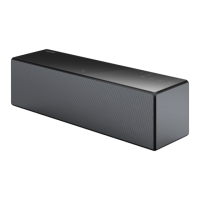
Sony SRS-X88
41 pages
Print Icon
To Next Page IconTo Next Page
Loading...
SONY.
Personal
Audio
System
Systeme
audio
personnel
Sistema de
audio
personal
SONY.
Wi
-
Fi
Startup Guide
•••••••••••••••••••
Refer
to
the
Wi-Fi Startup
Guide (separate
document)
for
how
to
listen
to
music stored in your
PC
or
other
device over
your
Wi-Fi network.
Reportez-vous
au
guide de demarrage Wi-Fi
(document
distinct)
pour
savoir
comment
ecouter
Ia
musique stockee sur votre
PC
ou autre
peripherique
a
l'aide
de votre reseau Wi-Fi.
Consulte
Ia
Gufa de inicio de Wi-Fi (se encuentra en un
documento
aparte) acerca de c6mo escuchar
Ia
musica
almacenada en
su
PC
u
otro dispositivo a traves de
Ia
red Wi-Fi.
4-566-838-32{1)
Operating Instructions
Mode
d'emploi
Manual de instrucciones

Other manuals for Sony SRS-X88

Questions and Answers

  • C
    crystal33Jul 26, 2025
    How to pair my Sony Micro Music System with a BLUETOOTH device?
    • J
      Jennifer MclaughlinJul 26, 2025
      To successfully pair your Sony Micro Music System with a BLUETOOTH device, ensure the unit and device are within 1 meter (3 feet) of each other. If the (BLUETOOTH) indicator isn't flashing quickly in white, press and hold the (BLUETOOTH) PAIRING button until the unit beeps and the indicator flashes rapidly. If you've initialized the unit, you might need to erase the existing pairing information on your iPhone/iPad/iPod and then repeat the pairing procedure.
  • C
    coreyhernandezJul 31, 2025
    What to do if sound from Sony Micro Music System is distorted?
    • J
      Jody PierceJul 31, 2025
      If you are experiencing distorted sound, humming, or noise from your Sony Micro Music System's speaker, try bringing the unit and the BLUETOOTH device closer together and removing any obstacles between them. You might also want to select “Priority on stable connection” for BLUETOOTH audio streaming playback quality.
  • L
    Lauren EdwardsAug 4, 2025
    Why can't I connect my Sony Micro Music System to a BLUETOOTH device with NFC?
    • A
      Ariel SandersAug 4, 2025
      If you're having trouble connecting your Sony Micro Music System to a BLUETOOTH device using one-touch connection (NFC), keep the smartphone close to the unit until the smartphone responds. Ensure the smartphone's NFC function is enabled. If the smartphone is in a case, remove it. If connection fails repeatedly, connect via on-screen operation. Also, confirm that your smartphone is compatible with NFC.
  • W
    Wendy ClayAug 8, 2025
    How to fix Wi-Fi connection issues on Sony Micro Music System?
    • M
      Mark SpearsAug 8, 2025
      If you're unable to establish a Wi-Fi connection between your Sony Micro Music System and your home network, remember that the unit does not support IEEE 802.11ac. Use the 2.4 GHz frequency band (IEEE 802.11 b/g/n) or 5 GHz frequency band (IEEE 802.11 a/n) for the Wi-Fi network. When setting up a Wi-Fi network using the SongPal application on your smartphone/iPhone, connect your smartphone/iPhone to the Wi-Fi network beforehand. If a LAN cable is connected to the unit, disconnect it and restart the unit.
  • L
    lmorrisAug 12, 2025
    Why iTunes cannot find Sony Micro Music System via AirPlay?
    • D
      Dr. Darrell Lopez MDAug 13, 2025
      To ensure iTunes can find your Sony Micro Music System via AirPlay, verify that the PC with iTunes installed and the unit are connected to the same home network. Also, update the iTunes software to the latest version.
  • L
    Lisa CruzAug 16, 2025
    Why does my Sony Micro Music System go into standby mode unexpectedly?
    • M
      Michael CabreraAug 16, 2025
      The Sony Micro Music System may enter standby mode or BLUETOOTH/Network standby mode automatically due to the auto standby function if no operation is performed and no sound is input for about 15 minutes. This is normal behavior and not a malfunction.
  • C
    Christopher RoblesAug 21, 2025
    What to do if the Sony Micro Music System indicator is flashing red?
    • R
      Robert LiuAug 21, 2025
      If the ?/? (on/standby) indicator on your Sony Micro Music System is flashing red, the unit is in protect mode. Unplug the AC adapter connected to the unit, and unplug all other items connected to it. Then, plug the AC adapter in again and turn on the unit. If the indicator continues to flash, no answer.

Summary

Important Safety and Compliance Information

Warnings, Cautions, and Declarations

Safety precautions, cautions, and regulatory compliance statements.

General Safety Instructions

Operating Guidelines and California Notice

Key safety instructions and California-specific material handling notice.

Getting Started: Unit Overview

Controls, Indicators, and Ports

Explanation of unit buttons, indicators, and connectivity ports.

Unit Features and Connections

SongPal App Integration

BLUETOOTH Connectivity

Pairing BLUETOOTH Devices

Step-by-step guide to pair a BLUETOOTH device with the unit.

Managing BLUETOOTH Connections

NFC One-Touch Connection

NFC Pairing and Connection Process

Instructions for connecting via NFC for effortless pairing.

Wi-Fi Network Setup Guide

Connecting the Unit via PC

Guide for setting up Wi-Fi connection using a PC and LAN cable.

PC Wi-Fi Network Configuration

Step-by-Step Network Settings

Steps to configure network settings on the PC and unit.

Network Music Streaming

Connecting External Audio Sources

USB and Walkman Music Playback

How to play music from USB drives and Walkman devices.

Audio Input Connection

Troubleshooting Connectivity Issues

BLUETOOTH and Network Connection Problems

Solutions for pairing, connection, and network setup issues.

Troubleshooting Performance and General Issues

Product Specifications Overview

Sony SRS-X88 Specifications

General IconGeneral
Product colorBlack
Recommended usagePC
Remotely operatedYes
Suitable for outdoor use-
Bluetooth profilesA2DP, AVRCP
Microphone frequency50 - 40000 Hz
Number of subwoofers1
Impedance- Ω
Frequency range20 - 20000 Hz
RMS rated power90 W
Audio formats supportedAAC
Bluetooth range10 m
Bluetooth version3.0+HS
USB 2.0 ports quantity2
Connectivity technologyWired & Wireless
WooferNo
Speaker enclosureClosed
Speaker placementTabletop/bookshelf
Audio output channels1.0 channels
Tweeter diameter (imperial)20 \
Mid-range driver diameter (imperial)40 \
Subwoofer driver diameter (imperial)2.7 \
Power source typeAC
Power consumption (typical)45 W
Weight and Dimensions IconWeight and Dimensions
Depth103 mm
Width359 mm
Height111 mm
Weight2700 g

Related product manuals