EasyManua.ls Logo

Sony SS-MSP3M - User Manual

Sony SS-MSP3M
6 pages
Print Icon
To Next Page IconTo Next Page
Loading...
Sony Corporation
Audio & Video Business Group
Published by Sony EMCS (Malaysia) PG Tec
SERVICE MANUAL
SPECIFICATIONS
SPEAKER SYSTEM
9-890-589-01
2012B80-1
©
2012.02
Mexican Model
SS-CNP7M/MSP3M/SRP7M
E Model
Australian Model
SS-CNP7M/MSP3M/MSP7M/SRP7M
Argentina Model
SS-CNP7M/MSP2M/MSP3M/MSP7M/SRP7M
SS-CNP7M is the center speaker in HT-M3/M5/M7.
MSP2M is the front speaker for HT-M2.
MSP3M is the front speaker for HT-M3 and surround speaker for HT-M7.
MSP7M is the front speaker for HT-M5/M7.
SRP-7M is the surround speaker for HT-M2/M3/M5 and surround back speaker for
HT-M7.
SS-CRP2M is composed of SS-MSP2M and SS-SRP7M.
SS-CRP3M is composed of SS-MSP3M, SS-CNP7M and
SS-SRP7M.
SS-CRP5M is composed of SS-MSP7M, SS-CNP7M and
SS-SRP7M.
SS-CRP7M is composed of SS-MSP7M, SS-CNP7M, SS-MSP3M and SS-SRP7M.
Ver. 1.0 2012.02
• JIG
When disassembling the set, use the following jig (for speaker
removal).
Part No.: J-2501-238-A
JIG FOR SPEAKER REMOVAL
S
V
er.
1
.
0
2
0
1
2
.
0
2
Photo:
SS-CNP7M
Photo:
SS-SRP7M
Photo:
SS-MSP2M
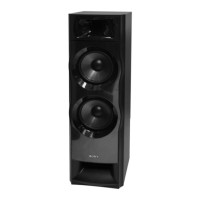
Photo:
SS-MSP3M
Photo:
SS-MSP7M
PARTS LIST
A-1851-402-A SS-CNP7M (Center speaker)
A-1852-944-A SS-SRP7M (Surround back speaker: L-CH)
A-1852-945-A SS-SRP7M (Surround back speaker: R-CH)
A-1852-932-A SS-SRP7M (Surround speaker: L-CH)
A-1852-933-A SS-SRP7M (Surround speaker: R-CH)
A-1853-476-A SS-MSP2M (Front speaker: L-CH)
A-1853-477-A SS-MSP2M (Front speaker: R-CH)
Ref. No. Part No. Description Remark
SS-CNP7M/MSP2M/
MSP3M/MSP7M/SRP7M
SS-CRP2M/CRP3M/CRP5M/CRP7M
s Front speaker for HT-M7/HT-M5
(SS-MSP7M)
Speaker system 2-way, 3-driver, Bass
reflex
Speaker unit
Woofer: 200 mm, cone type × 2
Tweeter: 25 mm, horn type
Rated Impedance 6 ohms
Dimensions (width/height/depth) (Approx.)
280 mm × 925 mm ×
265 mm
(with foot)
Mass (Approx.) 15.0 kg
Speaker section
s Front speaker for HT-M2 (SS-MSP2M)
Speaker system 2-way, 2-driver, Bass
reflex
Speaker unit
Woofer: 160 mm, cone type
Tweeter: 25 mm, horn type
Rated Impedance 6 ohms
Dimensions (width/height/depth) (Approx.)
280 mm × 485 mm ×
290 mm
(with foot)
Mass (Approx.) 7.3 kg
s Front speaker for HT-M3/Surround speaker
for HT-M7 (SS-MSP3M)
Speaker system 2-way, 2-driver, Bass
reflex
Speaker unit
Woofer: 160 mm, cone type
Tweeter: 25 mm, horn type
Rated Impedance 6 ohms
Dimensions (width/height/depth) (Approx.)
280 mm × 885 mm ×
265 mm
(with foot)
Mass (Approx.) 13.0 kg
s Center speaker for HT-M7/HT-M5/HT-M3
(SS-CNP7M)
Speaker system Full range, Bass reflex,
Magnetically shielded
Speaker unit
Woofer: 100 mm, cone type
Rated Impedance 6 ohms
Dimensions (width/height/depth) (Approx.)
430 mm × 182 mm ×
178 mm
(with foot)
Mass (Approx.) 3.3 kg
s Surround back speaker for HT-M7/
Surround speaker for HT-M5/HT-M3/HT-M2
(SS-SRP7M)
Speaker system Full range, Closed box
Speaker unit
Woofer: 100 mm, cone type
Rated Impedance 6 ohms
Dimensions (width/height/depth) (Approx.)
280 mm × 235 mm ×
162 mm
(with foot)
Mass (A
pp
rox.) 2.4 k
g

Questions and Answers

  • J
    Joshua HensleyAug 19, 2025
    Why is there no sound, no matter which equipment is selected, or only a very low-level sound is heard from my Sony Home Theater System?
    • J
      jenniferdelgadoAug 19, 2025
      If you experience no sound or very low sound from your Sony Home Theater System, regardless of the selected equipment, consider the following: * Verify that all connecting cords are fully inserted into the input/output jacks of the receiver, speakers, and equipment. * Ensure both the receiver and all equipment are powered on. * Check that the MASTER VOLUME is not set to “VOL MIN”. * Press MUTING on the remote control to disable the muting function. * Make sure you have connected to both the L and R jacks of an analog equipment. * Adjust the speaker level. * Check that the speaker cords are connected correctly and securely. * Note that some discs have no Dolby Digital Surround EX information.
  • B
    burchkirkAug 21, 2025
    What to do if the remote control for my Sony Home Theater System does not function?
    • E
      Emily BartlettAug 21, 2025
      If the remote control for your Sony Home Theater System isn’t working, try these steps: * Point the remote control at the remote control sensor on the receiver. * Remove any obstacles between the remote control and the receiver. * Replace the batteries in the remote control with new ones if they are weak.
  • T
    Timothy SantosAug 23, 2025
    What to do if there is no sound from a specific equipment connected to my Sony SS-MSP3M Home Theater System?
    • D
      Dawn TorresAug 23, 2025
      If there is no sound from a specific equipment connected to your Sony Home Theater System, check the following: * Ensure the equipment is correctly connected to the audio input jacks for that equipment. * Verify the connecting cord(s) are fully inserted into the jacks on both the receiver and the equipment. * Check the INPUT MODE. * Check the setting of “AUDIO.OUT” in the HDMI menu. * Confirm the equipment is correctly connected to the HDMI jack for that equipment. * Note that you cannot listen to Super Audio CD by connecting HDMI.
  • M
    matthewtaylorAug 26, 2025
    Why are the left and right sounds unbalanced or reversed on my Sony SS-MSP3M?
    • A
      Alexander Ward Jr.Aug 26, 2025
      If the left and right sounds are unbalanced or reversed on your Sony Home Theater System, check that the speakers and equipment are connected correctly and securely. You can also adjust the level parameters using the LEVEL menu.
  • O
    Omar SimsAug 28, 2025
    What to do if no image appears on my Sony Home Theater System TV?
    • J
      James HansenAug 28, 2025
      If no image appears on the TV when using your Sony Home Theater System, try the following: * Select the appropriate input using the input buttons. * Set your TV to the appropriate input mode. * Move your audio equipment away from the TV. * Ensure cables are correctly and securely connected to equipment. * Set up the playback equipment, depending on the equipment. * Use a High Speed HDMI cable, especially for 1080p, Deep Color, or 3D transmission.
  • M
    Misty GrahamAug 30, 2025
    Why does my Sony Home Theater System turn off automatically?
    • C
      christopher70Aug 30, 2025
      Your Sony Home Theater System receiver might be turning off automatically because “AUTO.STBY” is set to “STBY ON”, or the Sleep Timer function is active.
  • L
    Lori RobertsSep 1, 2025
    What does USB FAIL mean on my Sony SS-MSP3M and what to do?
    • D
      danielletranSep 1, 2025
      If your Sony Home Theater System displays “USB FAIL”, it indicates: * An over current from the USB port was detected. Check the USB device, then unplug it and turn on the power again. * Irregular current is output to the speakers, or the receiver is covered and ventilation holes are blocked. Remove the object covering the upper panel of the receiver, check the speaker connection, and turn on the power again.
  • M
    Mary DuranSep 3, 2025
    What to do if recording cannot be carried out on my Sony Home Theater System?
    • K
      Kathryn OwensSep 3, 2025
      If you cannot record with your Sony Home Theater System, please check the following: * Verify that the equipment is connected correctly. * Select the source equipment using the input buttons. * Note that audio input signals via HDMI IN and DIGITAL IN jacks cannot be recorded. * The source may contain copyright protection to prevent recording.
  • P
    Patricia JohnsonSep 5, 2025
    Why is the FM reception poor on my Sony Home Theater System?
    • B
      Brandon LewisSep 5, 2025
      To improve poor FM reception on your Sony Home Theater System, use a 75-ohm coaxial cable to connect the receiver to an outdoor FM antenna.
  • N
    Natasha LambertSep 7, 2025
    What to do if the Control for HDMI function does not work on my Sony Home Theater System?
    • M
      Marissa JonesSep 7, 2025
      If the Control for HDMI function is not working on your Sony Home Theater System, verify the following: * Check the HDMI connection. * Make sure “CTRL.HDMI” is set to “CTRL ON” in the HDMI menu. * Ensure the connected equipment is compatible with the Control for HDMI function.

Sony SS-MSP3M Specifications

General IconGeneral
BrandSony
ModelSS-MSP3M
CategoryHome Theater System
LanguageEnglish

Related product manuals