EasyManua.ls Logo

Sony SS-MSP75 - User Manual

Sony SS-MSP75
4 pages
Print Icon
To Next Page IconTo Next Page
Loading...
SS-CNP75/CRP75/MSP75
US Model
Canadian Model
E Model
Australian Model
SERVICE MANUAL
SPEAKER SYSYTEM
Sony Corporation
Home Audio Company
Published by Sony Engineering Corporation
9-877-047-01
2003B1600-1
© 2003.02
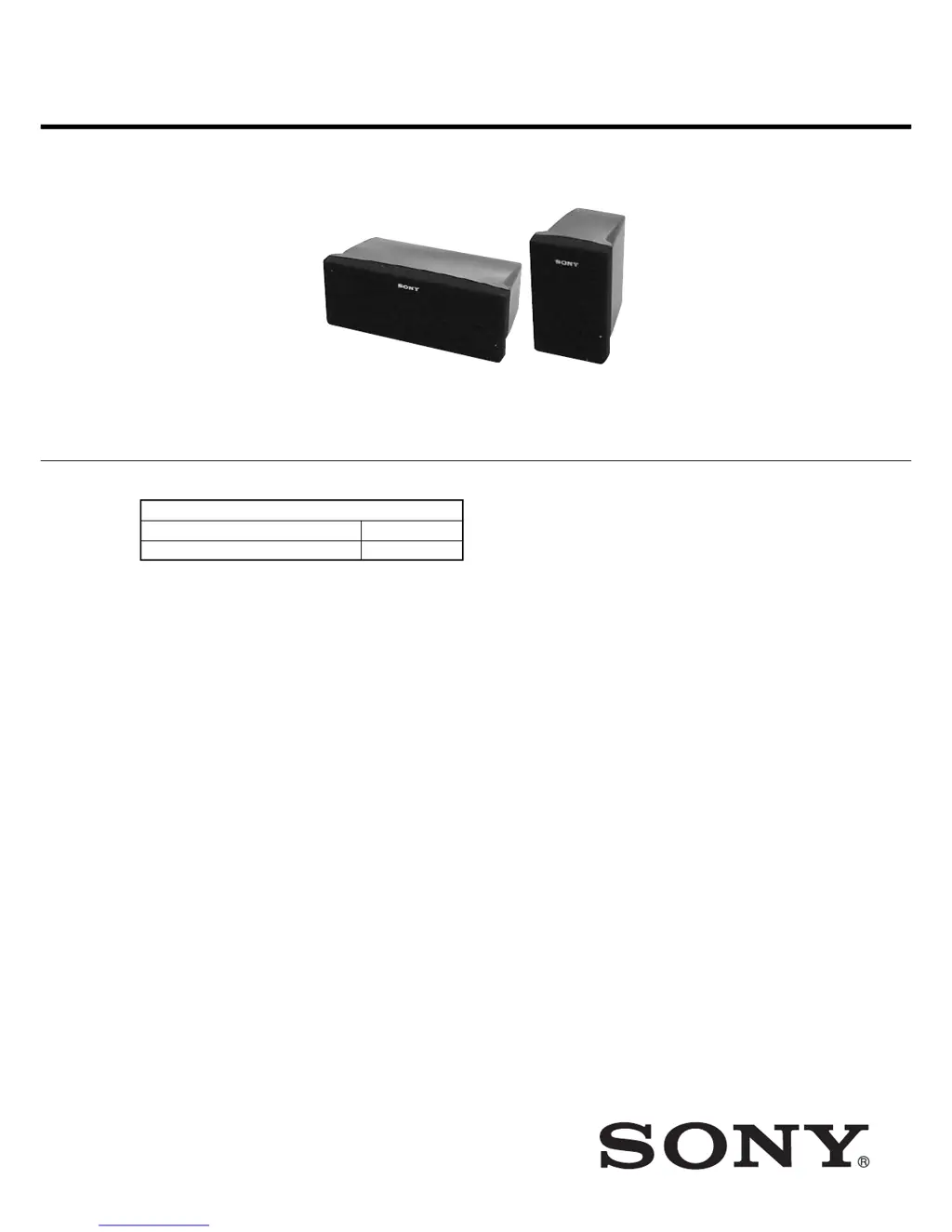
SS-CRP75 is composed of following models.
SPECIFICATIONS
Ver 1.0 2003. 02
SS-CRP75
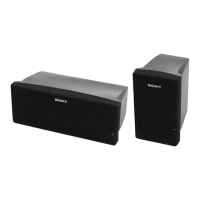
FRONT and SURROUND speakers SS-MSP75
CENTER speaker SS-CNP75
SS-CNP75 SS-MSP75
SS-CRP75 is the speaker section in
HT-DDW750.
Speaker system Full range, magnetically
shielded
Speaker units 70 mm × 100 mm cone
type
Enclosure type Bass reflex
Rated Impedance 8 ohms
Power handling capacity (Maximum input
power)
100 W
Sensitivity level 86 dB (1 W, 1 m)
Frequcency range 160 Hz – 20,000 Hz
Dimensions (w/h/d)
SS-MSP75
Approx. 90
×
150
×
124.5 mm
(3 5/8
×
6
×
5
inches)
SS-CNP75
Approx. 230
×
90
×
127 mm
(9 1/8
×
3 5.8
×
5
inches)
Mass
SS-MSP75 0.8 kg (1 lb 13 oz)
SS-CNP75 1.0 kg (2 lb 4 oz)

Questions and Answers

  • S
    Sarah RodriguezAug 19, 2025
    How to fix severe hum or noise in Sony Home Theater System?
    • A
      Amber SmithAug 19, 2025
      If you're experiencing a hum or noise with your Sony Home Theater System, make sure the speakers and components are securely connected. Ensure connecting cords are away from interference sources like transformers, motors, TVs, or fluorescent lights (at least 3 meters away). Try moving the TV away from the audio components. Also, clean the plugs and jacks with a cloth slightly moistened with alcohol.
  • A
    Amy MckenzieAug 21, 2025
    How to troubleshoot no sound from a specific component on Sony Home Theater System?
    • M
      Matthew DuranAug 21, 2025
      If there's no sound from a specific component on your Sony Home Theater System, verify that the component is correctly connected to the audio input jacks. Ensure the cords are fully inserted into the jacks on both the receiver and the component. Finally, confirm that you have selected the correct component on the receiver.
  • J
    johnsonpeterAug 25, 2025
    What to do if one front speaker has no sound on Sony Home Theater System?
    • R
      Renee StewartAug 25, 2025
      If there is no sound from one of the front speakers of your Sony Home Theater System, connect a pair of headphones to the PHONES jack to verify if sound is output from the headphones. If only one channel is output from the headphones, check that all the cords are fully inserted into the jacks on both the receiver and the component. If both channels are output from the headphones, check the connection of the front speaker which is not outputting any sound.
  • F
    Frank ValdezAug 26, 2025
    Why is there no sound from center or surround speaker on Sony Home Theater System?
    • C
      Christopher PrinceAug 27, 2025
      If there's no sound or very low sound from the center or surround speaker on your Sony Home Theater System, ensure the sound field function is activated by pressing MOVIE or MUSIC. You can also select a sound field containing “C.ST.EX”. Adjust the speaker level and make sure the center or surround speaker size parameter is set to either “SMALL” or “LARGE”.
  • C
    Christopher ThompsonAug 28, 2025
    Why Dolby Digital or DTS multi channel sound is not reproduced on Sony Home Theater System?
    • J
      Justin ClarkAug 28, 2025
      If Dolby Digital or DTS multi-channel sound isn't being reproduced on your Sony Home Theater System, first check that the DVD or other media being played is recorded in Dolby Digital or DTS format. When connecting a DVD player to the digital input jacks, verify the audio settings (audio output settings) of the connected component.
  • T
    Tiffany ColeAug 30, 2025
    How to fix unbalanced sound on Sony Home Theater System?
    • R
      Roberto StricklandAug 30, 2025
      If the left and right sounds are unbalanced or reversed on your Sony Home Theater System, check that the speakers and components are connected correctly and securely. You can also adjust the balance parameters in the LEVEL menu.
  • S
    Steven Hayes DDSSep 1, 2025
    Why is there no sound from the Sony Home Theater System subwoofer?
    • N
      natalienorrisSep 1, 2025
      If there's no sound from the active subwoofer on your Sony Home Theater System, check that the subwoofer is connected correctly and securely.
  • C
    Crystal ThompsonSep 3, 2025
    How to enable surround sound effect on Sony Home Theater System?
    • O
      obaileySep 3, 2025
      If you're not getting a surround effect with your Sony Home Theater System, make sure the sound field function is turned on by pressing MOVIE or MUSIC.
  • T
    Tammy SandovalSep 5, 2025
    Why is my Sony Home Theater System remote not working?
    • C
      Christopher FaulknerSep 6, 2025
      If the Sony Home Theater System remote isn't working, ensure you're pointing it at the remote sensor on the receiver and that there are no obstacles in the way. Check that the command mode of the remote corresponds to that of the receiver. If you intend to use the V/v/B/b buttons for receiver operation, first press MAIN MENU on the remote. For buttons with orange printing, press ALT before pressing them. Also, try replacing the batteries with new ones and ensure the correct input selector is chosen on the remote. If the remote is set to operate the TV only, select a different source before operating the receiver.
  • L
    Lisa SanchezSep 7, 2025
    What to do if there is no picture or unclear picture on Sony Home Theater System?
    • D
      Douglas MartinSep 7, 2025
      If you're getting no picture or an unclear picture on your TV screen or monitor with your Sony Home Theater System, first select the appropriate input selector on the receiver. Also, ensure your TV is set to the correct input mode. Moving your TV away from the audio components can sometimes help as well.

Sony SS-MSP75 Specifications

General IconGeneral
BrandSony
ModelSS-MSP75
Configuration2-Way
Impedance8 Ohms
Tweeter Size1 inch
TypeBookshelf Speaker

Related product manuals