EasyManua.ls Logo

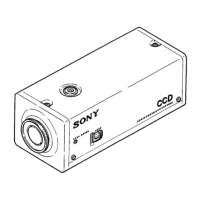
Sony SSC-M370 - Internal Switch Settings

Sony SSC-M370
56 pages
Print Icon
To Next Page IconTo Next Page
To Previous Page IconTo Previous Page
Loading...
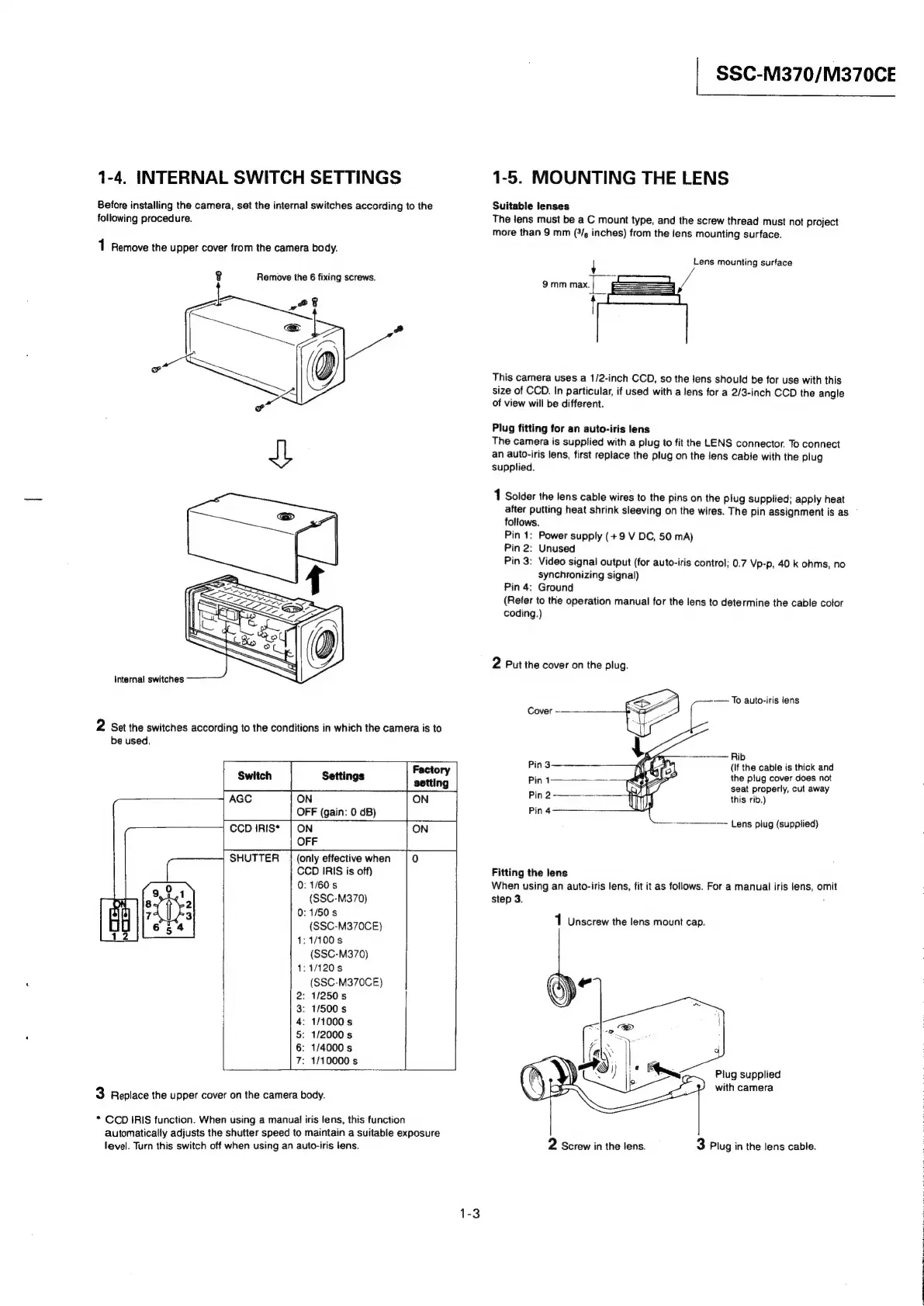
1-4.
INTERNAL
SWITCH
SETTINGS
Before
installing
the
camera,
set
the
internal
switches
according
to
the
SSC-M370/M370CE
1-5.
MOUNTING
THE
LENS
Suitable
lenses
following
procedure.
The
lens
must
be
a
C
mount
type,
and
the
screw
thread
must
not
project
more
than
9
mm
(9/,
inches)
from
the
fens
mounting
surface.
1
Remove
the
upper
cover
from
the
camera
body.
Lens
mounting
surface
Remove
the
6
fixing
screws.
{
9mm
max.|
6
!
This
camera
uses
a
1/2-inch
CCD,
so
the
lens
should
be
for
use
with
this
size
of
CCD.
In
particular,
if
used
with
a
lens
for
a
2/3-inch
CCD
the
angle
of
view
will
be
different.
Plug
fitting
for
an
auto-iris
lens
The
camera
is
supplied
with
a
plug
to
fit
the
LENS
connector.
To
connect
an
auto-iris
lens,
first
replace
the
plug
on
the
lens
cable
with
the
plug
supplied.
1
Solder
the
lens
cable
wires
to
the
pins
on
the
plug
supplied;
apply
heat
after
putting
heat
shrink
sleeving
on
the
wires.
The
pin
assignment
is
as
follows.
Pin
1:
Power
supply
(+9
V
DC,
50
mA)
Pin
2:
Unused
Pin
3:
Video
signal
output
(for
auto-iris
control;
0.7
Vp-p,
40
k
ohms,
no
synchronizing
signal)
Pin
4:
Ground
(Refer
to
the
operation
manual
for
the
lens
to
determine
the
cable
color
coding.)
2
Put
the
cover
on
the
plug.
Internal
switches
———
——
To
auto-iris
lens
2
Set
the
switches
according
to
the
conditions
in
which
the
camera
is
to
be
used.
Rib
(If
the
cable
is
thick
and
the
plug
cover
does
not
seat
properly,
cut
away
this
rib.)
Switch
AGC
ON
OFF
(gain:
0
dB)
CCD
IRIS*
|
ON
OFF
SHUTTER
|
(only
effective
when
CCD
IRIS
is
off)
0:
1/60
s
(SSC-M370)
11/50
s
(SSC-M370CE)
1:1/100s
(SSC-M370)
1:1/120s
(SSC-M370CE)
:
1/250
s
:
1/500
s
:
1/1000
s
:
1/2000
s
:
1/4000
s
:
1/10000
s
—--—-——=
Lens
plug
(supplied)
Fitting
the
lens
When
using
an
auto-iris
lens,
fit
it
as
follows.
For
a
manual
iris
lens,
omit
step
3.
o
1
Unscrew
the
lens
mount
cap.
NOOR
WM
Plug
supplied
with
camera
3
Replace
the
upper
cover
on
the
camera
body.
*
CCD
IRIS
function.
When
using
a
manual
iris
lens,
this
function
automatically
adjusts
the
shutter
speed
to
maintain
a
suitable
exposure
level.
Turn
this
switch
off
when
using
an
auto-iris
lens.
3
Plug
in
the
lens
cable.
2
Screw
in
the
lens.
1-3