Help Guide
Multi Channel AV Receiver
STR-AZ7000ES/STR-AZ5000ES/STR-AZ3000ES
Listening to FM radio
You can listen to FM broadcasts through the built-in tuner. Be sure that the TV and FM antenna (aerial) is connected to the receiver before performing this operation.
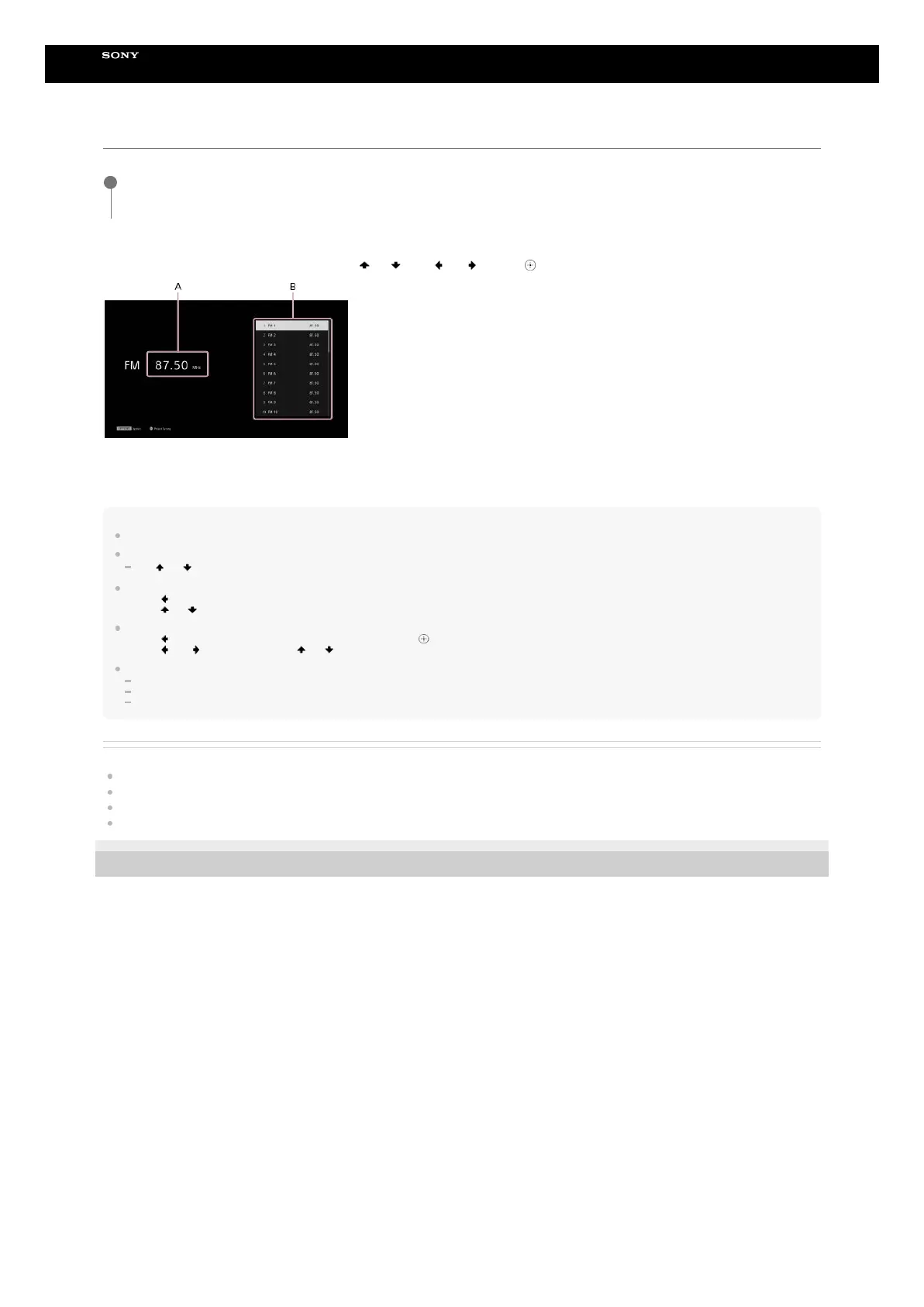
FM screen
You can select and operate each item on the screen by pressing
(up)/ (down)/ (left)/ (right) and (enter).
A: Frequency indication
Shows the frequency of the station which the tuner is receiving.
B: Preset station list
You can tune to a station by selecting the preset number from the list.
Hint
You can also display the FM screen by pressing OTHERS to select FM.
If you have already preset stations, you can select the station you want through the following operation:
Press
(up)/ (down) (or PRESET +/–) repeatedly to select the station.
You can perform auto-tuning through the following operations:
You can perform direct tuning through the following operations:
You can perform the following operations from the options menu that is displayed when you press OPTIONS:
Preset Memory
Preset Name Input (When highlighted in the preset list)
Switching [FM Mode]
Related Topic
Connecting the antennas (aerials)
Tuning to a station directly (Direct Tuning)
Naming preset stations (Preset Name Input)
The FM reception is poor.
5-037-021-11(1) Copyright 2022 Sony Corporation
Select [Listen] - [FM TUNER] from the home menu.
The FM screen appears.
1
Press
(left) to move the highlight to the current frequency indication.
1.
Press
(up)/ (down).
2.
Press
(left) to move the highlight to the current frequency indication, and then (enter).
1.
Press
(left)/ (right) to select a digit, and (up)/ (down) to change the digit.
2.









 To Next Page