Help Guide
Multi Channel AV Receiver
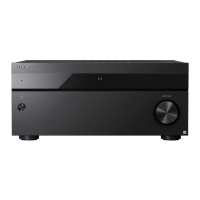
STR-AZ7000ES/STR-AZ5000ES/STR-AZ3000ES
Enjoying audio content using the BLUETOOTH function (Pairing operation)
Pairing is an operation where BLUETOOTH devices are registered to each other before connection. Once a pairing operation is performed, it does not need to be performed again.
Be sure to set the [Bluetooth Mode] to [Receiver] before pairing a device with this receiver.
Canceling pairing operation
Pairing operation will be canceled when you switch the input.
Note
Some applications of BLUETOOTH device cannot be controlled from the receiver.
If a passkey is required on the display of the BLUETOOTH device in step 4, enter [0000]. The passkey may be called “Passcode,” “PIN code,” “PIN number” or “Password.”
You can pair up to 10 BLUETOOTH devices. If a 11th BLUETOOTH device is paired, the least recently connected device will be replaced by the new one.
BLUETOOTH on the receiver does not work when the [Bluetooth Mode] is set to [Off].
Hint
You can change the name of the receiver that appears on your device in [Device Name Setting] in the [System Settings] menu.
Related Topic
Listening with BLUETOOTH headphones/speakers (Pairing operation)
5-037-021-11(1) Copyright 2022 Sony Corporation
Place the BLUETOOTH device within 1 meter (3.3 feet) of the receiver.
1
Press and hold BLUETOOTH on the receiver to select the BLUETOOTH function.
[PAIRING] flashes on the display panel.
2
Perform pairing on the BLUETOOTH device to detect this receiver.
For details, refer to the operating instructions of your BLUETOOTH device.
A list of detected devices may appear on the BLUETOOTH device display depending on the type of BLUETOOTH device. This receiver is displayed as [STR-AZ7000ES
XXXXXX]/[STR-AZ5000ES XXXXXX]/[STR-AZ3000ES XXXXXX] (*).
3
Select [STR-AZ7000ES XXXXXX]/[STR-AZ5000ES XXXXXX]/[STR-AZ3000ES XXXXXX] (*) on the BLUETOOTH device display.
If [STR-AZ7000ES XXXXXX]/[STR-AZ5000ES XXXXXX]/[STR-AZ3000ES XXXXXX] (*) is not displayed, repeat this process from step 1.
When the BLUETOOTH connection is established, the paired device name appears and [BT] lights up on the display panel.
4
Start playback on the BLUETOOTH device.
5
Adjust the volume.
Adjust the volume of the BLUETOOTH device first. If the volume level is still too low, adjust the volume level of the receiver.
6
XXXXXX is the identification number for each unit.
*





 To Next Page