Help Guide
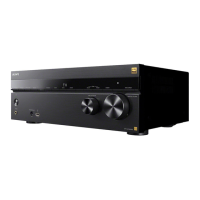
Multi Channel AV Receiver
STR-AZ7000ES/STR-AZ5000ES/STR-AZ3000ES
Prerequisite: Making the Initial Settings for Chromecast built-in
The receiver is compatible with Chromecast built-in, which can stream music to the receiver from the mobile device.
Playing and controlling your music with Google Assistant
This receiver is compatible with a Google Assistant-enabled device with Chromecast built-in so you can control your music with your voice. Simply link the receiver to the Google
Home app on your mobile device. For details, refer to the Google Home app.
5-037-021-11(1) Copyright 2022 Sony Corporation
Select [Listen] - [Chromecast built-in] from the home menu.
Follow the on-screen instructions to make settings to use the Chromecast built-in with the receiver. After performing the settings, [INetwork/Bluetooth Standby] is set to [On]
automatically and you can play music quickly even when the receiver is in standby mode.
1





 To Next Page