Help Guide
Multi Channel AV Receiver
STR-AZ7000ES/STR-AZ5000ES/STR-AZ3000ES
Enjoying more natural sound with speakers installed in the ceiling (In-Ceiling Speaker Mode)
Set whether or not to use [In-Ceiling Speaker Mode] with the current input.
In a setup where the front and center speakers are installed in the ceiling, lowering the audio output position to the screen height allows you to enjoy a more natural experience.
Note
This function does not work in the following cases:
[Direct] is being used and an analog input is selected.
Dolby Atmos enabled speakers are used.
Dolby Atmos is being decoded.
[Pure Direct] is set to [On].
This function may not work depending on the audio format.
The receiver may play signals at a lower sampling frequency than the actual sampling frequency of the input signals depending on the audio format.
Hint
You can also switch this function on/off for each input on the [Input Settings] screen.
You can also select [In-Ceiling Speaker Mode] from [Speaker Settings] - [TV/Screen Center Settings] in the [Setup] menu.
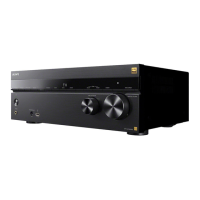
You can also switch the function on/off by pressing IN-CEILING SP on the receiver.
To obtain optimal effects in the listening environment, set [Manual Speaker Settings] - [Height] - [Ceiling] from [Speaker Settings] menu and perform Auto Calibration.
5-037-021-11(1) Copyright 2022 Sony Corporation
Select [Sound Effects] - [In-Ceiling Speaker Mode] from the home menu.
1
Select the setting you want.
Front & Center: Lowers the audio output position for both the front and center speakers installed in ceiling to the screen height.
Front: Lowers the audio output position for the front speakers installed in ceiling to the screen height.
Off: Does not activate this function.
2





 To Next Page