Help Guide
Multi Channel AV Receiver
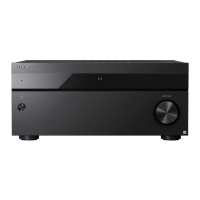
STR-AZ7000ES/STR-AZ5000ES/STR-AZ3000ES
Setting the distance between the screen and each speaker (Distance from the Screen)
You can adjust the distance between the screen and each speaker.
Note
Some parameters may not be available depending on the speaker pattern setting.
When [Bluetooth Mode] is set to [Transmitter], this function cannot be set.
5-037-021-11(1) Copyright 2022 Sony Corporation
Select [Setup] - [Speaker Settings] from the home menu.
1
Select [Manual Speaker Settings].
2
Select [Distance from the Screen].
3
Select the speakers you want to adjust.
Front (L), Center (*1), Center 1 (*2), Center 2 (*2), Front (R), Front Wide (L) (*3), Front Wide (R) (*3), Surround (R), Surround (L), Surround Back (L), Surround Back (R),
Height1 (L), Height1 (R), Height2 (L), Height2 (R), Height3 (L) (*3), Height3 (R) (*3)
4
for STR-AZ3000ES
*1
for STR-AZ7000ES/STR-AZ5000ES
*2
for STR-AZ7000ES
*3
Adjust the distance.
5





 To Next Page