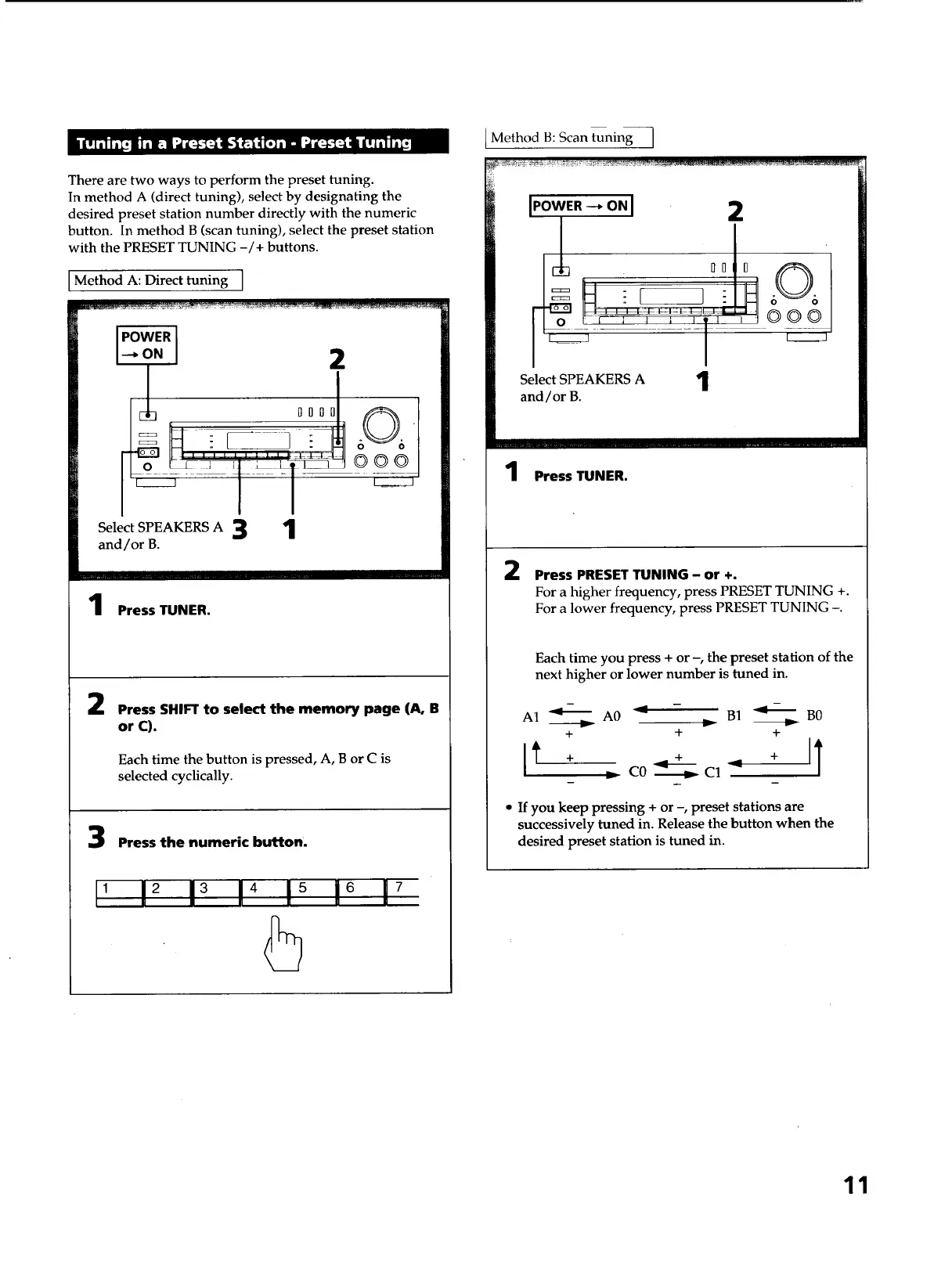
There are two ways to perform the preset tuning.
In method A (direct tuning), select by designating the
desired preset station number directly with the numeric
button. In method B (scan tuning), select the preset station
with the PRESET TUNING -/+ buttons.
Method A: Direct tuning ]
2
°°°J
Select SPEAKERS A 3 1
and/or B.
OOO
Press TUNER.
2
Press SHIFTto select the memory page (A, B
or C).
Each time the button is pressed, A, B or C is
selected cyclically.
Press the numeric button.
, 12 13 14 !_ 16 17
Method B: Scan tuning I
I.owE._o.I 2
l
O0 0 606
o i 1 _ _ '1' ' 000
Select SPEAKERS A '1
and/or B.
I
1 Press TUNER.
2 Press PRESET TUNING- or +.
For a higher frequency, press PRESET TUNING +.
For a lower frequency, press PRESET TUNING -.
Each time you press + or -, the preset station of the
next higher or lower number is tuned in.
A1 _ A0 _ - B1 _ B0
+ + +
_ C0 _ C1 _
• If youkeep pressing + or -, preset stations are
successively tuned in. Release the button when the
desired preset station is tuned in.
11



 To Next Page