EasyManua.ls Logo

Sony SU-WL855 User Manual

Sony SU-WL855
70 pages
To Next Page IconTo Next Page
Page #1 background imageLoading...
Page #1 background image
SONY.
Television
Setup
Guide
Televiseur
Televisor digital a color
con
pantalla de diodo organico de emisi6n
de
luz (OLEO)
Televisor
Setup Guide
m Manuel de configuration
ii
Gu
ia de configuraci6n
Ii
Gu
ia de Configura~ao
© 2023
Sony
Corporation
Sony Customer Support
U.S.A.:
https:/
/www.sony.com/tvsupport
Canada:
https:/
/www.sony
.
ca/support
United States
1.800.222.SONY
Canada
1.877.899.SONY
Please
Do
Not Return
the
Product
to
the Store
Service a
la
clientele
Sony
Canada:
https:/
/www.sony.ca/support
Etats-Unis:
https:/
/www.sony.com/tvsupport
Canada ttats-Unis
1.877.899.SONY 1.800.222.SONY
Ne
retournez pas le produit au magasin
I Lea
este
manual
antes
de
usar
el
producto
Centro de Asistencia de
Sony
https:/
/esupport.sony
.
com/ES/LA/
Llame al
numero
telef6nico que aparece en
su
p6
1iza
de garantfa.
Por favor no devuelva el
producto
a
la
tienda
don
de
adquiri6 el producto.
5-048-121-11{1)
0 / X
BRAVIA
XR
XR-65A80L / 65A80CL
XR-55A80L / 55A80CL

Other manuals for Sony SU-WL855

Question and Answer IconNeed help?

Do you have a question about the Sony SU-WL855 and is the answer not in the manual?

Sony SU-WL855 Specifications

General IconGeneral
SwivelYes
VESA Mounting StandardYes
MaterialMetal
ColorBlack
CompatibilitySony BRAVIA TVs
TypeFull Motion TV Wall Mount

Summary

TV Connections and Ports

Powering On and Remote Control

Connecting to Power Outlet

Instructions for plugging the TV's power cord into an outlet.

Using the Remote Control

How to operate the TV using the included remote control.

Wall-Mount Bracket Safety and Compatibility

Recommended Wall-Mount Bracket Model

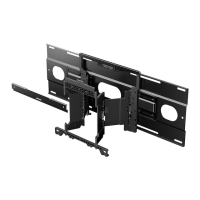
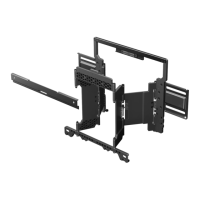
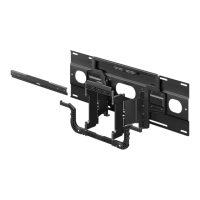
Specifies the compatible Sony Wall-Mount Bracket model (SU-WL855).

Preventing TV Toppling

Critical safety instructions to prevent the TV from toppling over.

Detaching Stand and Initial Wall Mounting

Table-Top Stand Removal Steps

Step-by-step guide for safely removing the table-top stand.

Connecting Bracket to TV

Instructions for connecting the wall-mount bracket to the TV.

Wall-Mount Bracket Safety Guidelines

Professional Installation Requirement

Emphasizes the need for professional installation for safety.

Subcontracting to Licensed Installers

Recommendation to hire licensed contractors for TV installation.

TV Stability Precautions

Warnings about shaking the TV and its impact on stability.

Wall Material Assessment for Installation

Checking Included Parts

Wall-Mount Bracket Parts List

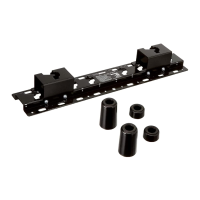
List of parts supplied with the SU-WL855 Wall-Mount Bracket.

TV Supplied Parts List

List of parts supplied with the TV for mounting.

Required Tools for Installation

Attaching Bracket to Dry Wall (Studs)

Choosing Installation Location

Determining the optimal and safe location for wall mounting.

Aligning Wall Bracket (WM4)

Aligning the main wall bracket (WM4) and marking mounting points.

Drilling Upper Pilot Holes

Drilling pilot holes for the upper part of the wall bracket.

Installing Bracket and Extending Arms

Installing Wall Bracket (WM4)

Securing the main wall bracket (WM4) to the wall.

Drilling Lower Pilot Holes

Drilling pilot holes for the lower part of the wall bracket.

Inserting Screws and Spacers

Fitting screws and spacers into the pre-drilled holes.

Attaching Bracket to TV

Attaching Bracket to TV (From Carton)

Steps for attaching bracket to TV when shipped in carton.

Attaching Bracket to TV (From Stand)

Steps for attaching bracket to TV when using table-top stand.

Connecting Bracket Components and Handling

Connecting Bracket Components

Securing left/right bracket sides with M6 and attaching WM3.

Attaching Bracket to Concrete Wall

Important Safety Instructions

General Safety Precautions

Essential safety instructions for using the apparatus.

AC Adapter Notes and Prohibited Usage

Detailed Cleaning and Ventilation

Battery Info and Stability Warning

General TV Stability Warning

Serious warning about TVs falling and causing injury or death.

Preventing TV Tip-Over Injuries

Precautions to prevent injuries, especially to children, from falling TVs.

Installation Guidelines and Toppling Prevention

Wall-Mount Precautions and AC Power Cord Safety

Professional Wall-Mount Installation/Removal

Use qualified contractors for TV and bracket installation/removal.

OLED Screen Characteristics and Protection

Child Safety and TV Placement

Wall or Ceiling Mounting Your TV

Guidelines for safely mounting the TV on walls or ceilings.

Related product manuals