131Q_IRX-6720_US/FR 4-457-474-11 (1)
Quick
Start
Guide
Please read this manual and
Safety Regulations carefully
before using the product.
Keep them in a safe place.
Initial Setup
1
Check supplied items
2
Connect AC adapter
3
Turn on your
VAIO® computer
4
Raise LCD screen
5
Connect to the
Internet
Printed in Japan
© 2013 Sony Corporation
AC adapter
Power cord
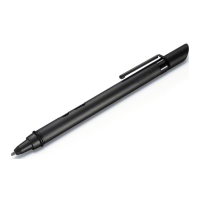
Digitizer stylus
1
2
Extended battery pack
2
Noise canceling headphones
2
(with two sizes of extra earbuds)
7
Complete important
tasks
8
Sign in with
Microsoft account
Parts and Controls
Plug the power cord and the AC adapter into
an AC outlet and the computer.
Be sure to connect the AC adapter to your
computer when using it for the first few times
to ensure the battery becomes fully charged.
Press and hold down the power button until
the power indicator light turns on.
The startup process will take a few minutes.
No action is required until the setup window
appears.
1
2
Grasp the top center edge of the LCD screen
and raise it to use the keyboard.
Connect to the Internet to automatically
activate Windows.
Wired connection
Connect your computer and router with a
LAN cable.
Wi-Fi® (Wireless LAN) connection
1
Open the charms by pointing to the top
right corner of the screen, then move the
pointer down and click the
Settings
charm.
2
Click (the network icon).
3
Select the desired network (SSID) and click
Connect.
For details on the security key and other
settings, refer to the manual of the network
device or the information from your Internet
service provider.
Sign in to Windows with a Microsoft account
so that you can use and download apps
from Windows Store.
1
Open the charms by pointing to the top
right corner of the screen, then move the
pointer down and click the
Settings
charm.
2
Click Change PC settings, Users, and
Switch to a Microsoft account.
3
Follow the on-screen instructions.
When app updates are available, a number
appears on the Store tile on the Start
screen. Click the tile to start Store and
update Windows Store apps.
Perform Windows Update and
VAIO Update
Click the Search charm and
Settings, then search Windows Update.
Click the Search charm and Apps,
then search VAIO Update.
Create your Recovery Media
Press the ASSIST button to start
VAIO Care, then click Advanced Tools.
Recovery Media are not supplied with
your computer. Refer to the supplied
Recovery, Backup and Troubleshooting
Guide before creating the Recovery
Media.
Register your computer
Press the ASSIST button to start VAIO
Care, then click About your VAIO.
4-457-474-11 (1)
1 The digitizer stylus is available for pen-
based input. Refer to the on-screen User
Guide for detailed information on how to
use the stylus.
2 Not supplied with all models. Availability
depends on your computer's specifications.
Features and specifications may vary and are
subject to change without notice.
Personal Computer
VAIO Duo 11 SVD112
Support websites
http://esupport.sony.com/US/VAIO/ (USA)
http://www.sony.ca/support/ (Canada: English)
http://fr.sony.ca/support/ (Canada: French)
http://esupport.sony.com/LA/VAIO/
(Latin American area)
http://esupport.sony.com/BR/VAIO/ (Brazil)
6
Locate User Guide
An introduction of the User Guide is
available on your computer. Update to the
complete guide online by following the
steps below.
1
Open the charms by pointing to the top
right corner of the screen, then move the
pointer down and click the
Search
charm.
2
Click Apps and enter “VAIO Manual” in the
search box.
3
Click VAIO Manual in the Apps list.
Care and Handling Tips
Computer Handling
Do not exert pressure on your computer,
especially the LCD/touch screen or the AC
adapter cable.
Ventilation
Place your computer on hard surfaces such
as a desk or table. Proper air circulation
around vents is important to prevent
overheating.
Liquid Damage
Protect your computer from contact with
liquids.
D
C
B
G
HE F
A
Built-in front camera /
indicator
Ambient light sensor
LCD screen / touch screen
D
Monitor port
Media access indicator
“Memory Stick Duo” /
SD memory card
combined slot
Headphones jack
Built-in microphone
B
Windows button
Optical Trackpad
Left button
Center button
Right button
E
Built-in speaker
VOL (Volume) buttons
Rotation lock button
ASSIST button Starts VAIO Care while your computer is on -
easily tune-up and self support the computer.
H (Bottom)
Battery off button
Extended battery pack
connector
Tilt feet
Touch mark
Built-in rear camera /
indicator
F
Power indicator
Charge indicator
Disc drive indicator
WIRELESS indicator
Built-in speaker
G
USB port x 2 (Compliant
with the USB 3.0 standard.
The port with the mark
supports USB charging.)
HDMI output port
Power button
On selected models only.
C (Back)
DC IN port
LAN port

 Need help?
 General

 To Next Page