EasyManua.ls Logo

Sony TA-AV531 - User Manual

Sony TA-AV531
16 pages
Print Icon
To Next Page IconTo Next Page
Loading...
Ss
O
NY,
3-756-654-21(2)
e
FIM
Stereo/FIM-AM
Tuner
Operating
Instructions
STU-531
TA-AV531
ST-JX431
©
1993
by
Sony
Corporation

Other manuals for Sony TA-AV531

Question and Answer IconNeed help?

Do you have a question about the Sony TA-AV531 and is the answer not in the manual?

Summary

Safety and Compliance Information

Warning and Cautionary Statements

Important warnings regarding fire hazards, electric shock, and proper product usage.

Owners Record Section

Area for users to record model and serial numbers for service inquiries.

FCC Compliance Details

Information on FCC regulations for digital devices and potential radio frequency interference.

Operational Precautions

General Safety Guidelines

Essential safety measures including power, liquid contact, and unplugging procedures.

Installation and Placement Advice

Recommendations for unit placement, ventilation, and environmental conditions.

Cleaning and Repacking Instructions

Guidance on cleaning the unit's exterior and retaining packaging materials.

Remote Commander Operation

Remote Control Layout and Functions

Overview of the remote's sections and their intended functions for system control.

Component Control and Mode Selection

Details on controlling various components and selecting operational modes.

Battery Installation and Care

Instructions for battery insertion, expected life, and precautions against leakage.

System Setup and Connections

Initial System Connection Steps

General guidelines for connecting power cords, plugs, and cables correctly.

FM Antenna Connectivity

Instructions for connecting the FM antenna and improving signal reception quality.

Advanced System Wiring

AM Antenna and Reception Enhancement

Guidance on connecting the AM antenna and methods to improve AM reception.

System Control Cord Connection

How to connect the SYSTEM CONTROL cord for synchronized operation.

Speaker Wiring and Compatibility

Connecting speakers and important notes on impedance and correct polarity.

Audio Adjustment and Playback

Volume, Balance, and Bass Control

Adjusting audio levels, speaker balance, and reinforcing bass frequencies.

Sound Quality and Equalizer

Fine-tuning sound quality using the graphic equalizer controls.

Program Source Selection and Playback

Steps to select, play, and adjust volume for different audio sources.

Personal Listening via Headphones

Connecting headphones and managing speaker output for private listening.

Radio Broadcast Reception

Automatic Radio Tuning

Procedure for automatically scanning and locking onto FM/AM radio stations.

Tuning Indicators and AM Interval Adjustment

Understanding display signals and modifying the AM tuning frequency step.

Manual Tuning and Station Memory

Manual Station Tuning

Step-by-step instructions for manually tuning radio frequencies.

Storing and Managing Stations

Saving tuned stations to memory and organizing them by page.

Accessing Stored Radio Stations

Storing Stations and Troubleshooting

Tips for successful station storage and resolving common storage issues.

Memory Scan and Station Recall

Using memory scan to find stations and tuning into pre-stored frequencies.

Surround Sound Speaker Setup

Optimal Speaker Placement

Guidance on positioning speakers in the listening room for the best acoustic effect.

Dolby Pro Logic Mode Selection

Choosing appropriate surround sound modes (PHANTOM, NORMAL, WIDE, 3CH).

Surround Sound Level Calibration

Speaker Volume Adjustment Procedure

Calibrating speaker volumes using test tones for balanced surround sound.

Test Tone Output Sequences

Understanding how test tones are delivered for different speaker configurations.

Enhancing Surround Sound Experience

Rear Speaker Delay Time Adjustment

Setting the delay time for rear speakers to synchronize with front audio.

Activating and Selecting Surround Modes

Steps to turn on surround sound and choose specific audio effects.

Audio Recording Procedures

Selecting Audio Sources for Recording

Identifying and choosing the desired audio source for tape recording.

Initiating the Recording Process

Steps for starting playback and setting the tape deck to record.

Technical Specifications Overview

Audio Power and Distortion Ratings

Detailed specifications on power output, frequency response, and harmonic distortion.

Component and Tuner Specifications

Technical details for the amplifier, tuner sections, and input/output parameters.

General System and Accessory Details

Information on power requirements, consumption, AC outlets, and supplied accessories.

Troubleshooting Common Problems

Audio Output and Channel Issues

Solutions for missing audio, single-channel playback, or low rear speaker volume.

Noise, Interference, and Signal Problems

Addressing hum, static, TV interference, weak signals, and indicator faults.

Remote Control and Feature Malfunctions

Troubleshooting issues with the remote commander and specific features like DBFB.

Turntable and Signal Strength Issues

Resolving turntable hum, weak signals, and severe noise problems.

Summary

Safety and Compliance Information

Warning and Cautionary Statements

Important warnings regarding fire hazards, electric shock, and proper product usage.

Owners Record Section

Area for users to record model and serial numbers for service inquiries.

FCC Compliance Details

Information on FCC regulations for digital devices and potential radio frequency interference.

Operational Precautions

General Safety Guidelines

Essential safety measures including power, liquid contact, and unplugging procedures.

Installation and Placement Advice

Recommendations for unit placement, ventilation, and environmental conditions.

Cleaning and Repacking Instructions

Guidance on cleaning the unit's exterior and retaining packaging materials.

Remote Commander Operation

Remote Control Layout and Functions

Overview of the remote's sections and their intended functions for system control.

Component Control and Mode Selection

Details on controlling various components and selecting operational modes.

Battery Installation and Care

Instructions for battery insertion, expected life, and precautions against leakage.

System Setup and Connections

Initial System Connection Steps

General guidelines for connecting power cords, plugs, and cables correctly.

FM Antenna Connectivity

Instructions for connecting the FM antenna and improving signal reception quality.

Advanced System Wiring

AM Antenna and Reception Enhancement

Guidance on connecting the AM antenna and methods to improve AM reception.

System Control Cord Connection

How to connect the SYSTEM CONTROL cord for synchronized operation.

Speaker Wiring and Compatibility

Connecting speakers and important notes on impedance and correct polarity.

Audio Adjustment and Playback

Volume, Balance, and Bass Control

Adjusting audio levels, speaker balance, and reinforcing bass frequencies.

Sound Quality and Equalizer

Fine-tuning sound quality using the graphic equalizer controls.

Program Source Selection and Playback

Steps to select, play, and adjust volume for different audio sources.

Personal Listening via Headphones

Connecting headphones and managing speaker output for private listening.

Radio Broadcast Reception

Automatic Radio Tuning

Procedure for automatically scanning and locking onto FM/AM radio stations.

Tuning Indicators and AM Interval Adjustment

Understanding display signals and modifying the AM tuning frequency step.

Manual Tuning and Station Memory

Manual Station Tuning

Step-by-step instructions for manually tuning radio frequencies.

Storing and Managing Stations

Saving tuned stations to memory and organizing them by page.

Accessing Stored Radio Stations

Storing Stations and Troubleshooting

Tips for successful station storage and resolving common storage issues.

Memory Scan and Station Recall

Using memory scan to find stations and tuning into pre-stored frequencies.

Surround Sound Speaker Setup

Optimal Speaker Placement

Guidance on positioning speakers in the listening room for the best acoustic effect.

Dolby Pro Logic Mode Selection

Choosing appropriate surround sound modes (PHANTOM, NORMAL, WIDE, 3CH).

Surround Sound Level Calibration

Speaker Volume Adjustment Procedure

Calibrating speaker volumes using test tones for balanced surround sound.

Test Tone Output Sequences

Understanding how test tones are delivered for different speaker configurations.

Enhancing Surround Sound Experience

Rear Speaker Delay Time Adjustment

Setting the delay time for rear speakers to synchronize with front audio.

Activating and Selecting Surround Modes

Steps to turn on surround sound and choose specific audio effects.

Audio Recording Procedures

Selecting Audio Sources for Recording

Identifying and choosing the desired audio source for tape recording.

Initiating the Recording Process

Steps for starting playback and setting the tape deck to record.

Technical Specifications Overview

Audio Power and Distortion Ratings

Detailed specifications on power output, frequency response, and harmonic distortion.

Component and Tuner Specifications

Technical details for the amplifier, tuner sections, and input/output parameters.

General System and Accessory Details

Information on power requirements, consumption, AC outlets, and supplied accessories.

Troubleshooting Common Problems

Audio Output and Channel Issues

Solutions for missing audio, single-channel playback, or low rear speaker volume.

Noise, Interference, and Signal Problems

Addressing hum, static, TV interference, weak signals, and indicator faults.

Remote Control and Feature Malfunctions

Troubleshooting issues with the remote commander and specific features like DBFB.

Turntable and Signal Strength Issues

Resolving turntable hum, weak signals, and severe noise problems.

Overview

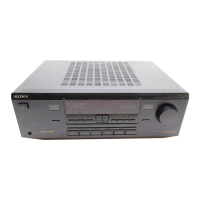
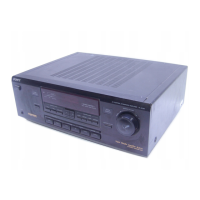
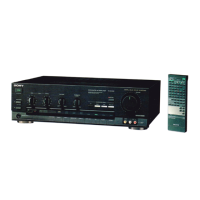
This document describes the Sony FM Stereo/FM-AM Tuner Amplifier System, which includes models STU-531, TA-AV531, and ST-JX431. This system functions as an integrated audio component for receiving radio broadcasts, amplifying audio signals, and providing surround sound capabilities.

Function Description

The core function of this system is to act as a central hub for various audio and video sources, providing amplification and tuning capabilities.

  • Tuner Functionality: The system includes an FM Stereo/FM-AM tuner, allowing users to receive both FM and AM radio broadcasts. It supports automatic and manual tuning, as well as the ability to store up to 30 preset stations across three memory pages (A, B, C). The AM tuning interval can be adjusted between 10 kHz and 9 kHz to match regional frequency allocation systems.
  • Amplifier Functionality: The amplifier system processes and amplifies audio signals from various input sources. It features multiple input terminals for connecting components such as a CD player, turntable, tape deck, and VCR. The amplifier also includes a dedicated phono input for turntables.
  • Surround Sound System: A key feature is its Dolby Pro Logic Surround Decoder, designed to reproduce a theater-like audio experience in a listening room. This allows the system to process specially encoded Dolby surround video programs. It supports various speaker configurations, including:
    • PHANTOM mode: For setups without a center speaker, where the center channel sound is routed to the front speakers.
    • NORMAL mode: For use with a small center speaker, with bass sound from the center channel output through the front speakers.
    • WIDE mode: For use with a medium to large center speaker.
    • 3CH mode: For setups without rear speakers. The system allows for adjustment of speaker volume levels for front, rear, and center speakers, as well as delay time for the rear speakers (15.0 ms, 20.0 ms, or 30.0 ms) to optimize the surround effect. It also includes "HALL" and "SIMULATED" surround modes for additional sound effects.
  • Audio Adjustment Features: The system offers comprehensive audio adjustment capabilities:
    • Master Volume: Controls the overall sound level.
    • Balance Control: Adjusts the relative strength of the right and left speaker outputs.
    • DBFB (Dynamic Bass Feed Back): Reinforces bass sound, with an adjustable DBFB LEVEL control to emphasize bass, especially at lower volumes.
    • 5-Band Graphic Equalizer: Allows for fine-tuning of sound quality across five frequency bands (100 Hz, 330 Hz, 1 kHz, 3.3 kHz, 10 kHz) to suit personal preference, room acoustics, or program quality.
  • Recording Functionality: The system enables recording from various input sources (CD, tuner, phono, video) to a connected tape deck. During recording, the master volume, graphic equalizer, balance, surround controls, and DBFB level control do not affect the recorded output, ensuring a pure signal.
  • Remote Control: A supplied remote commander (RM-U521) provides comprehensive control over the entire system, including power, input selection, tuner functions, amplifier settings (volume, surround modes, delay), and control of connected Sony components like CD players, VCRs, and LDPs.

Usage Features

The system is designed for user-friendly operation, with clear controls and indicators.

  • Input Selection: Program sources are easily selected via dedicated buttons on the front panel or the remote commander (VIDEO, TAPE, CD, TUNER, PHONO).
  • Tuning:
    • Automatic Tuning: The AUTO TUNING mode automatically scans and stops at receivable stations.
    • Manual Tuning: Allows for precise tuning to desired frequencies.
    • Memory Storage: Stations can be stored into memory pages (A, B, C) and recalled using numeric buttons.
    • Memory Scanning: The MEMORY SCAN function allows users to quickly scan through stored stations.
  • Surround Sound Engagement: The SURROUND button activates the surround mode, and specific Dolby Pro Logic modes (PHANTOM, NORMAL, WIDE, 3CH) or SURR MODE (HALL, SIMULATED) can be selected to match the speaker setup and desired effect.
  • Speaker Volume Adjustment: Individual volume levels for rear and center speakers can be adjusted using dedicated controls on the front panel or remote commander, especially useful when setting up the surround sound with a test tone.
  • Delay Time Adjustment: The DELAY TIME button on the front panel or remote commander allows users to select the optimal delay for rear speakers.
  • Headphone Output: A HEADPHONES jack is provided for private listening, automatically muting the speakers when headphones are connected.
  • System Control Connection: A SYSTEM CONTROL cord (supplied) connects the amplifier and tuner, enabling integrated control of both units.
  • Antenna Connections: The system supports both supplied AM loop and FM wire antennas, with options for connecting external outdoor FM antennas (75-ohm coaxial or 300-ohm twin-lead) for improved reception.

Maintenance Features

The manual provides guidelines for proper care and troubleshooting to ensure the longevity and optimal performance of the system.

  • Safety Precautions: Emphasizes operating the unit on 120 V AC, 60 Hz, and unplugging it if any foreign object or liquid enters the unit, or if it will not be used for an extended period. It also warns against exposing the unit to rain or moisture to prevent fire or shock hazards.
  • Installation Guidelines: Recommends placing the unit on a level surface with adequate air circulation, away from heat sources, direct sunlight, excessive dust, and mechanical vibration. It advises against blocking ventilation holes on the bottom or placing anything on top of the cabinet to prevent internal heat buildup.
  • Cabinet Cleaning: Suggests cleaning the cabinet, panel, and controls with a soft cloth lightly moistened with a mild detergent solution, avoiding abrasive pads, scouring powder, or solvents like alcohol or benzine.
  • Repacking: Advises retaining the original carton and packing material for safe transport of the unit.
  • Battery Maintenance: Instructions for inserting batteries into the remote commander are provided, along with a recommendation to remove batteries if the commander will not be used for a long period to prevent leakage and corrosion.
  • Troubleshooting Guide: A comprehensive troubleshooting section helps users diagnose and resolve common issues such as no audio, audio from only one channel, lack of bass, noise, remote commander malfunction, or issues with surround sound and turntable connections. It guides users to check connections, settings, and antenna adjustments before consulting a Sony dealer.
  • Speaker Connection Polarity: Stresses the importance of connecting speaker cords with correct polarity (+ and -) to avoid distorted sound and lack of bass.
  • Speaker Impedance and Power Capacity: Informs users about the recommended speaker impedance (8 to 16 ohms for front/rear, 4 to 16 ohms for center) and power handling capability to ensure compatibility and optimal performance.

Sony TA-AV531 Specifications

General IconGeneral
TypeAudio/Video Receiver
Input Sensitivity150 mV (line)
Video ConnectionsComposite Video Input/Output
Dimensions430 x 155 x 375 mm
OutputSpeaker Output
Speaker load impedance8 ohms

Related product manuals