EasyManua.ls Logo

Sony TA-E1000ESD - Page 17

Sony TA-E1000ESD
48 pages
Print Icon
To Next Page IconTo Next Page
To Previous Page IconTo Previous Page
Loading...
Main
unit
Remote
commander
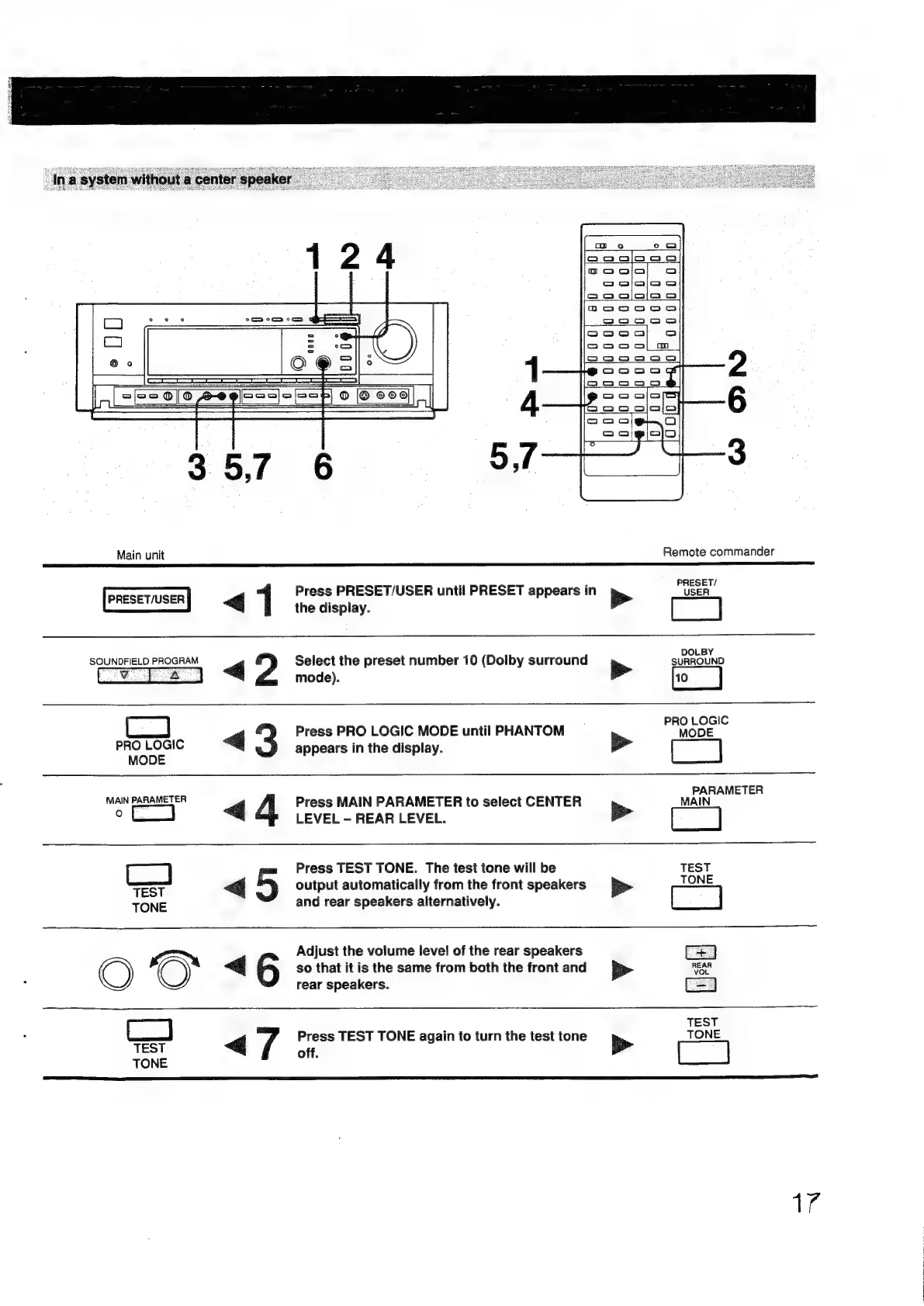
PRESET/USER
«Gj
1
PRESET/
Press
PRESET/USER
until
PRESET
appears
in
USER
b>
the
display.
SOUNDFIELD
PROGRAM
Select
the
preset
number
10
(Dolby
surround
SURROUND
GZ
mode).
>
PRO
LOGIC
<j
Press
PRO
LOGIC
MODE
until
PHANTOM
MODE
PRO
LOGIC
appears
in
the
display.
>
MODE
PARAMETER
MAIN
PARAMETER
g
4
Press
MAIN
PARAMETER
to
select
CENTER
MAIN
oe
LEVEL
-
REAR
LEVEL.
pe
Press
TEST
TONE.
The
test
tone
will
be
TEST
TONE
TEST
TONE
<
=)
output
automatically
from
the
front
speakers
and
rear
speakers
alternatively.
>
OO
<6
Adjust
the
volume
level
of
the
rear
speakers
so
that
it
is
the
same
from
both
the
front
and
rear
speakers.
TEST
TONE
<7
Press
TEST
TONE
again
to
turn
the
test
tone
off.
>
Te

Other manuals for Sony TA-E1000ESD

Related product manuals