EasyManua.ls Logo

Sony TA-E1000ESD - Page 23

Sony TA-E1000ESD
48 pages
Print Icon
To Next Page IconTo Next Page
To Previous Page IconTo Previous Page
Loading...
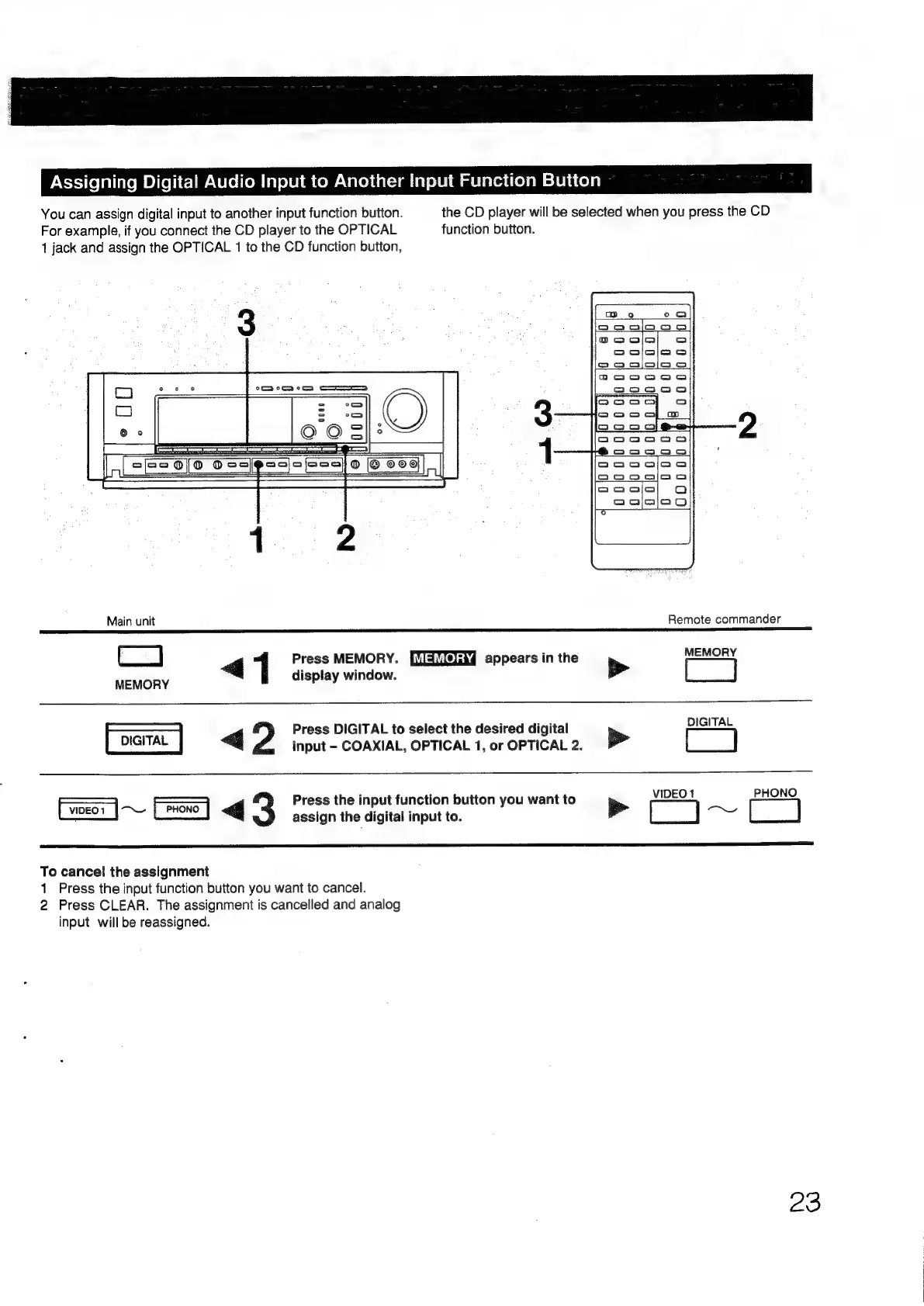
Assigning
Digital
Audio
Input
to
Another
Input
Function
Button
You
can
assign
digital
input
to
another
input
function
button.
the
CD
player
will
be
selected
when
you
press
the
CD
For
example,
if
you
connect
the
CD
player
to
the
OPTICAL
function
button.
1
jack
and
assign
the
OPTICAL
1
to
the
CD
function
button,
Main
unit
Remote
commander
=
4
1
Press
MEMORY.
appears
in
the
b>
=
MEMORY
display
window.
-—————
G
Press
DIGITAL
to
select
the
desired
digital
be
input
-
COAXIAL,
OPTICAL
1,
or
OPTICAL
2.
DIGITAL
VIDEO1
PHONO
—————
————
Press
the
input
function
button
you
want
to
aS
~q
3
assign
the
digital
input
to.
>
[]
Ose
[]
To
cancel
the
assignment
1
Press
the
input
function
button
you
want
to
cancel.
2
Press
CLEAR.
The
assignment
is
cancelled
and
analog
input
will
be
reassigned.
Zo

Other manuals for Sony TA-E1000ESD

Related product manuals