EasyManua.ls Logo

Sony TA-E2000ESD - Page 23

Sony TA-E2000ESD
55 pages
Print Icon
To Next Page IconTo Next Page
To Previous Page IconTo Previous Page
Loading...
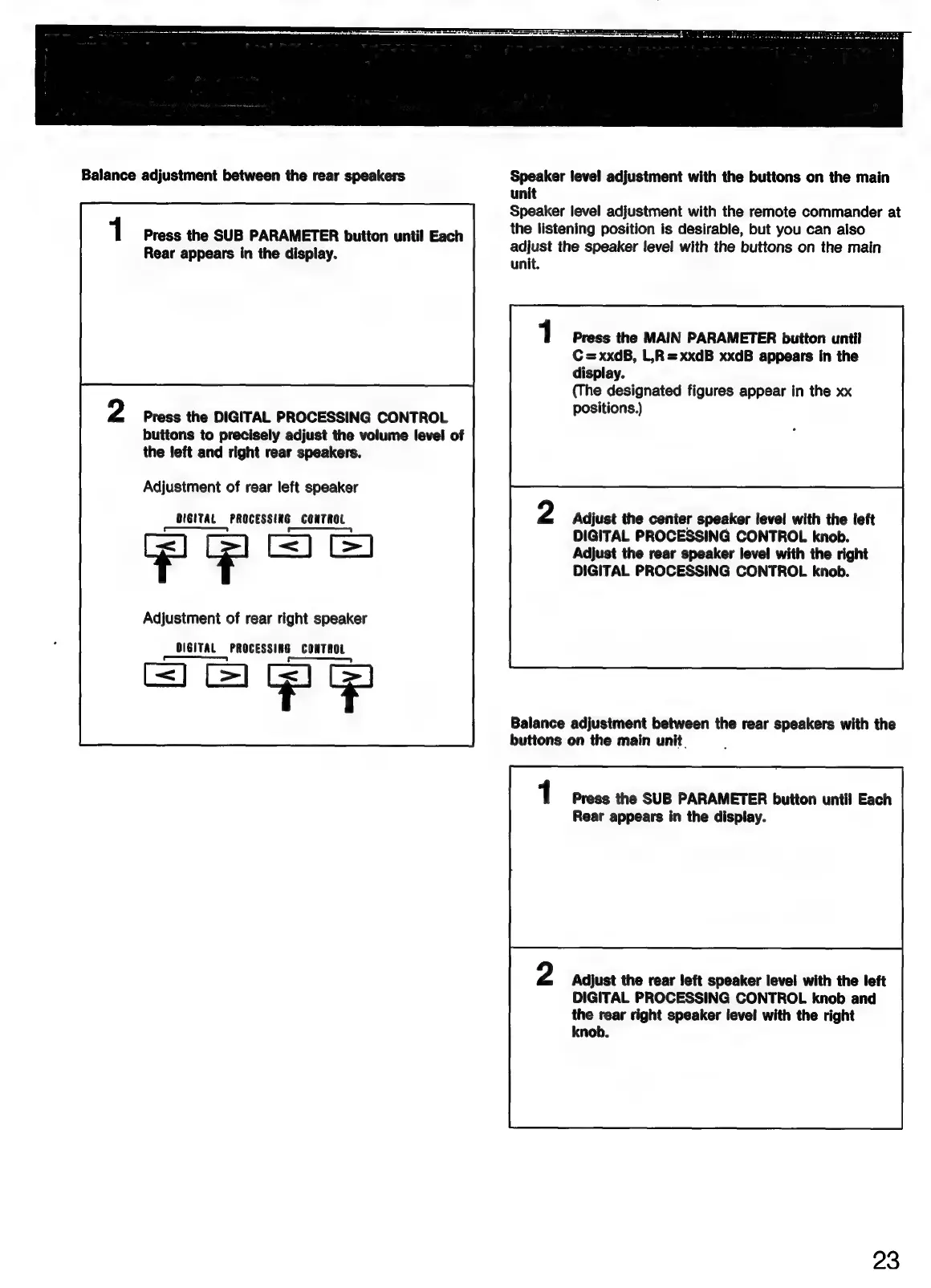
Balance
adjustment
between
the
rear
speakers
1
Press
the
SUB
PARAMETER
button
until
Each
Rear
appears
in
the
display.
Press
the
DIGITAL
PROCESSING
CONTROL
buttons
to
precisely
adjust
the
volume
level
of
the
left
and
right
rear
speakers.
Adjustment
of
rear
left
speaker
DIGITAL
PROCESSING
CONTROL
PPoS
Adjustment
of
rear
right
speaker
DIGITAL
PROCESSING
CONTROL
——
Speaker
level
adjustment
with
the
buttons
on
the
main
unit
Speaker
level
adjustment
with
the
remote
commander
at
the
listening
position
is
desirable,
but
you
can
also
adjust
the
speaker
level
with
the
buttons
on
the
main
unit.
1
Press
the
MAIN
PARAMETER
button
until
C=xxdB,
L,R=xxdB
xxdB
appears
in
the
display.
(The
designated
figures
appear
in
the
xx
positions.)
Adjust
the
center
speaker
level
with
the
left
DIGITAL
PROCESSING
CONTROL
knob.
Adjust
the
rear
speaker
level
with
the
right
DIGITAL
PROCESSING
CONTROL
knob.
Balance
adjustment
between
the
rear
speakers
with
the
buttons
on
the
main
unit.
1
Press
the
SUB
PARAMETER
button
until
Each
Rear
appears
in
the
display.
Adjust
the
rear
left
speaker
level
with
the
left
DIGITAL
PROCESSING
CONTROL
knob
and
the
rear
right
speaker
level
with
the
right
knob.
23

Related product manuals