EasyManua.ls Logo

Sony TA-E2000ESD - Adjusting Input Levels and Delay Time

Sony TA-E2000ESD
55 pages
Print Icon
To Next Page IconTo Next Page
To Previous Page IconTo Previous Page
Loading...
Adjusting
the
Input
Level
(main
unit
only)
Adjust
the
level
of
the
signals
which
are
input
in
this
amplifier.
As
a
result
of
this
adjustment,
the
S/N
and
distortion
can
be
improved.
¢
Turn
on
the
power
of
the
audio/video
equipment
connected.
¢
When
the
or
indication
appears
in
the
display,
press
the
MIX
button
to
make
them
disappear.
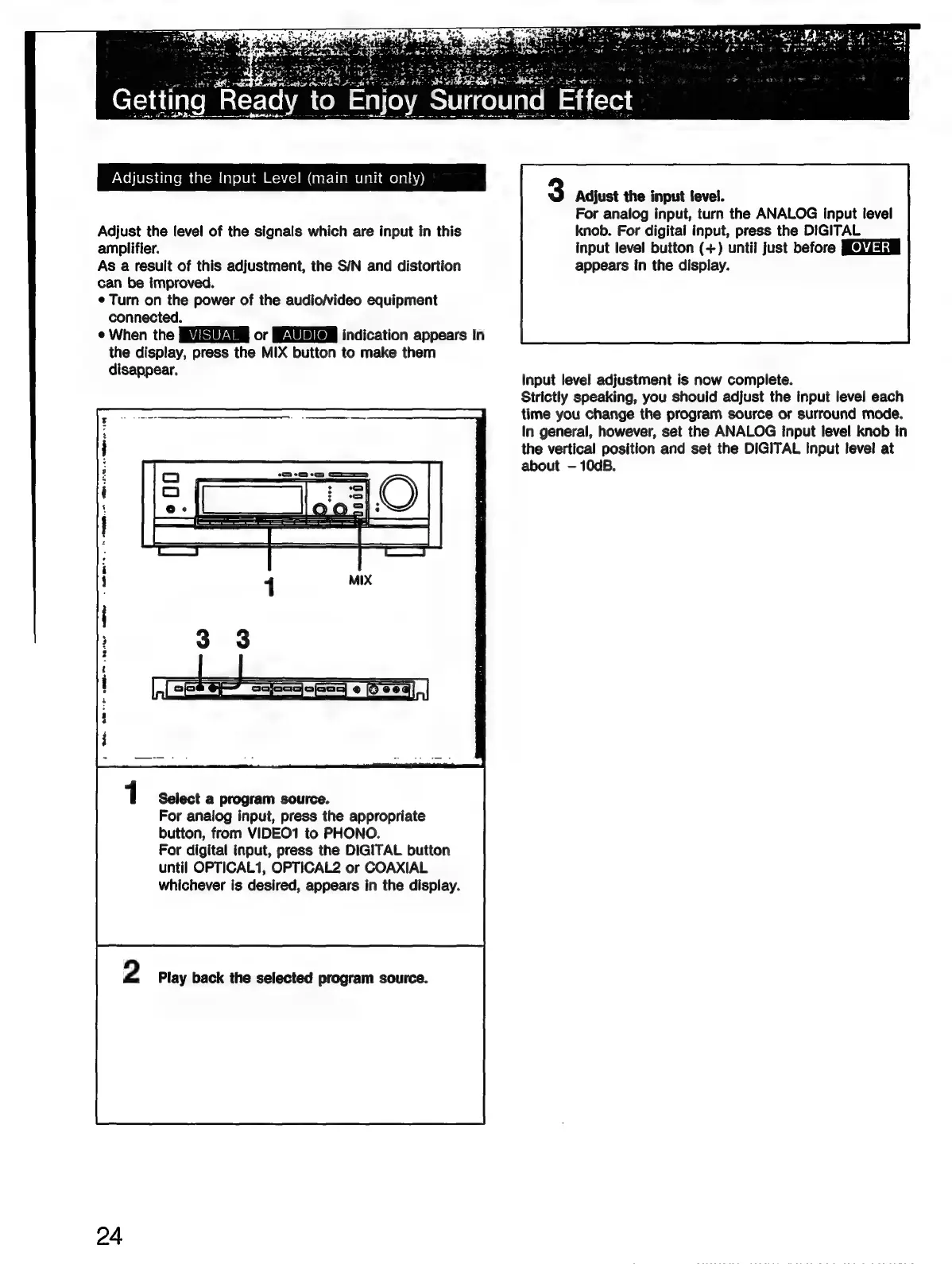
1
Select
a
program
source.
For
analog
input,
press
the
appropriate
button,
from
VIDEO1
to
PHONO.
For
digital
input,
press
the
DIGITAL
button
until
OPTICAL1,
OPTICAL2
or
COAXIAL
whichever
is
desired,
appears
in
the
display.
2
Play
back
the
selected
program
source.
24
3
Adjust
the
input
level.
For
analog
input,
turn
the
ANALOG
input
level
knob.
For
digital
input,
press
the
DIGITAL
input
level
button
(+)
until
just
before
appears
in
the
display.
Input
level
adjustment
is
now
complete.
Strictly
speaking,
you
should
adjust
the
input
level
each
time
you
change
the
program
source
or
surround
mode.
In
general,
however,
set
the
ANALOG
input
level
knob
in
the
vertical
position
and
set
the
DIGITAL
Input
level
at
about
10dB.

Related product manuals