EasyManua.ls Logo

Sony TA-E2000ESD - Page 25

Sony TA-E2000ESD
55 pages
Print Icon
To Next Page IconTo Next Page
To Previous Page IconTo Previous Page
Loading...
Adjusting
the
Delay
Time
of
the
Rear
Speakers
(only
for
Dolby
surround
mode)
The
delay
time
is
the
time
difference
between
the
surround
sound
from
the
front
speakers
and
the
surround
sound
from
the
rear
speakers.
The
delay
time
is
adjustable
from
15.0
mS
to
30.0
mS.
If
the
room
is
wide
or
the
rear
speakers
are
located
too
far
from
the
listening
position,
make
the
delay
time
shorter.
If
the
room
is
not
wide
or
the
rear
speakers
are
located
near
the
listening
position,
make
the
delay
time
longer.
Thus,
you
will
obtain
a
natural
listening
environment.
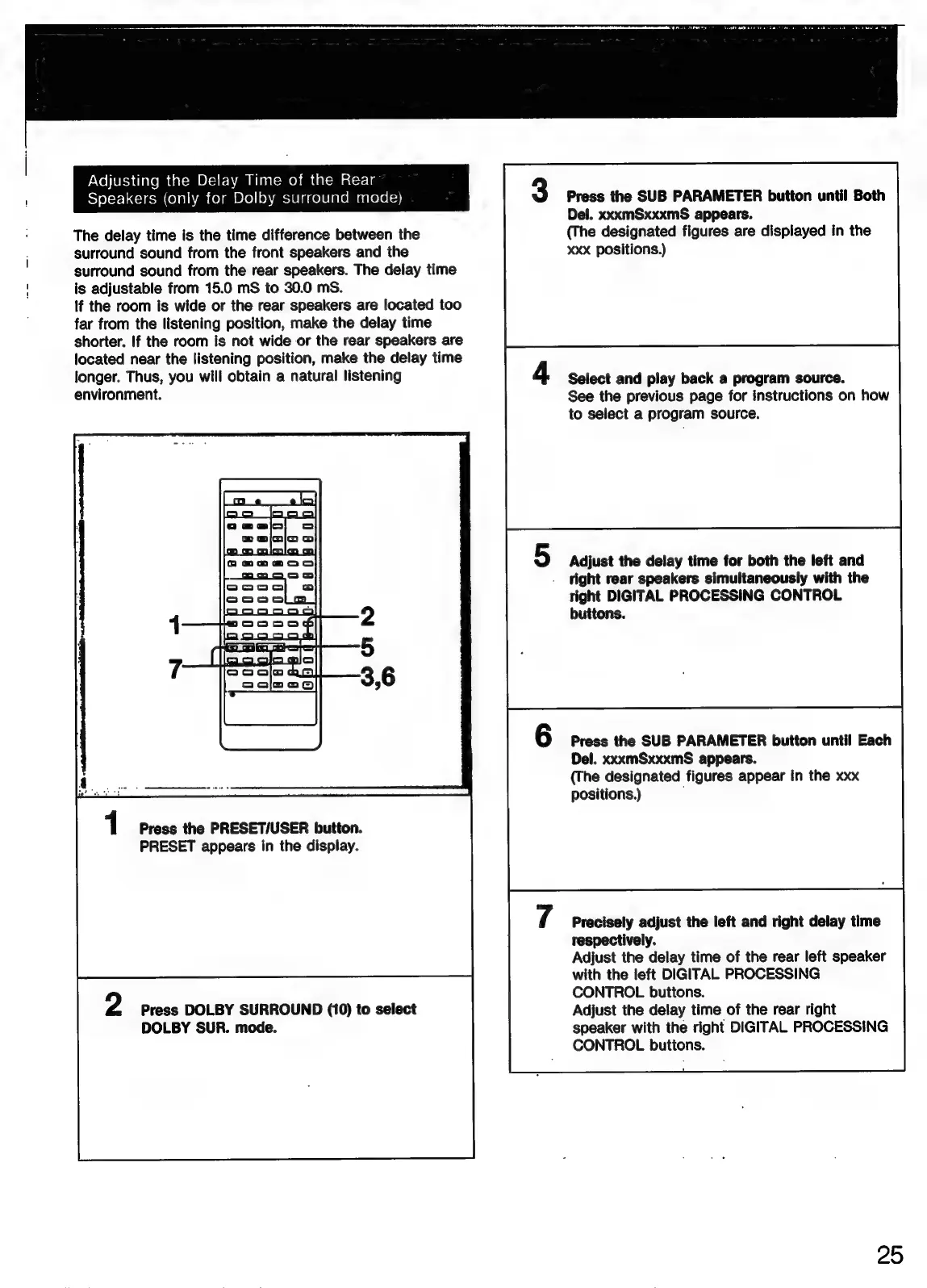
Press
the
PRESET/USER
button.
PRESET
appears
in
the
display.
Press
DOLBY
SURROUND
(10)
to
select
DOLBY
SUR.
mode.
Press
the
SUB
PARAMETER
button
until
Both
Del.
xxxmSxxxmS
appears.
(The
designated
figures
are
displayed
in
the
xxx
positions.)
Select
and
play
back
a
program
source.
See
the
previous
page
for
instructions
on
how
to
select
a
program
source.
Adjust
the
delay
time
for
both
the
left
and
right
rear
speakers
simultaneously
with
the
right
DIGITAL
PROCESSING
CONTROL
buttons.
Press
the
SUB
PARAMETER
button
until
Each
Del.
xxxmSxxxmS
appears.
(The
designated
figures
appear
in
the
xxx
positions.)
,
Precisely
adjust
the
left
and
right
delay
time
respectively.
Adjust
the
delay
time
of
the
rear
left
speaker
with
the
left
DIGITAL
PROCESSING
CONTROL
buttons.
Adjust
the
delay
time
of
the
rear
right
speaker
with
the
right
DIGITAL
PROCESSING
CONTROL
butions.
25

Related product manuals