EasyManua.ls Logo

Sony TA-E2000ESD - Basic Operation; Listening to Program Sources

Sony TA-E2000ESD
55 pages
Print Icon
To Next Page IconTo Next Page
To Previous Page IconTo Previous Page
Loading...
ic
peice
gna
thet
pr
gin
EP
Chapter
“Basic
Operation
.
Listening
mone
Program
Source
ces
|
Enjoy
playing
back
software
on
audio/video
equipment
connected
to
this
amplifier.
Basic
Operation
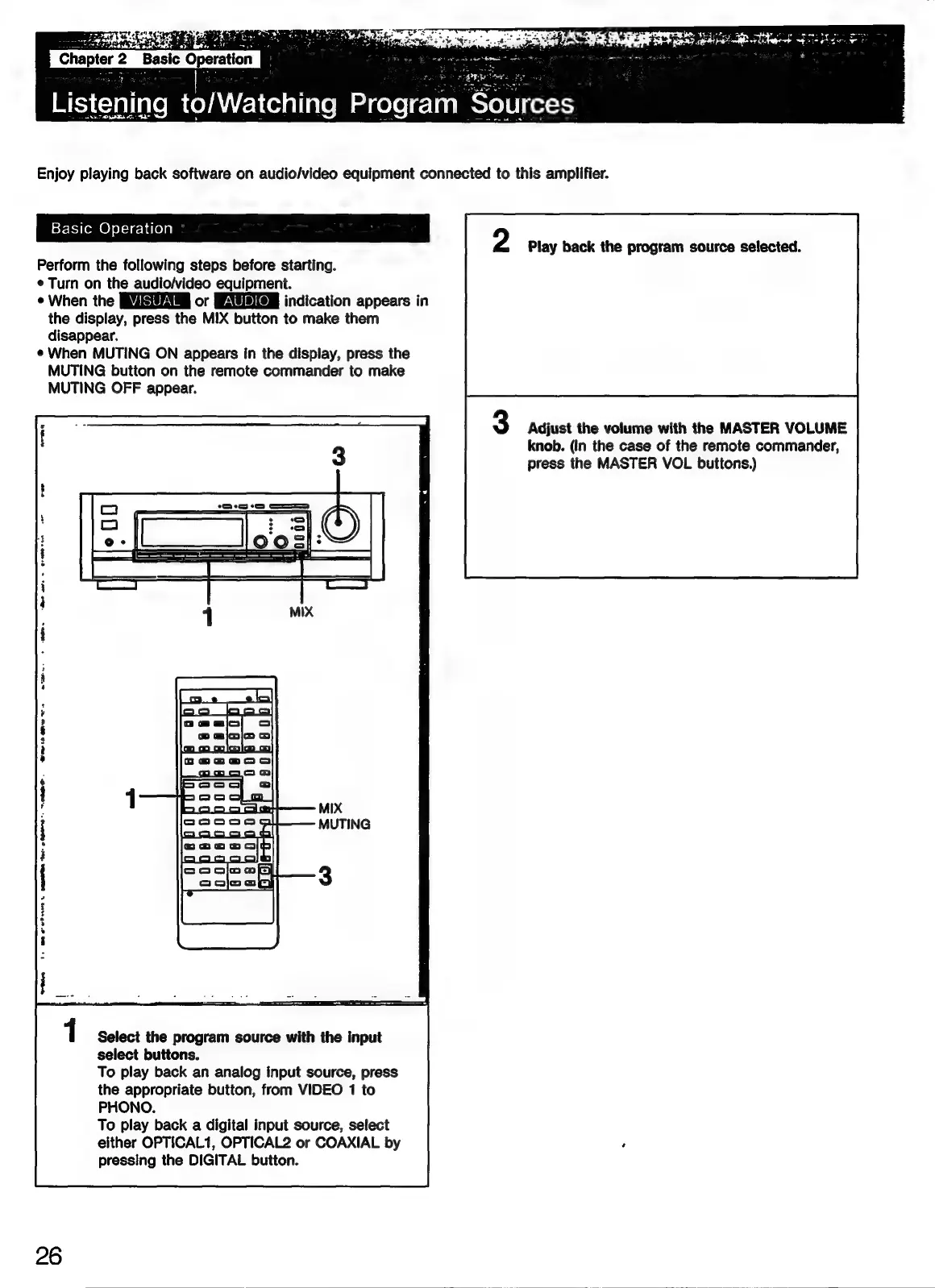
Perform
the
following
steps
before
starting.
¢
Turn
on
the
audio/video
equipment.
¢
When
the
or
indication
appears
in
the
display,
press
the
MIX
button
to
make
them
disappear.
¢
When
MUTING
ON
appears
in
the
display,
press
the
MUTING
button
on
the
remote
commander
to
make
MUTING
OFF
appear.
Play
back
the
program
source
selected.
Adjust
the
volume
with
the
MASTER
VOLUME
knob.
(In
the
case
of
the
remote
commander,
press
the
MASTER
VOL
buttons.)
wie
mw
ws
}
|
!
|
weve
1
Select
the
program
source
with
the
input
select
buttons.
To
play
back
an
analog
input
source,
press
the
appropriate
button,
from
VIDEO
1
to
PHONO.
To
play
back
a
digital
input
source,
select
either
OPTICAL1,
OPTICAL2
or
COAXIAL
by
pressing
the
DIGITAL
button.
26

Related product manuals