EasyManua.ls Logo

Sony TA-E2000ESD - Page 46

Sony TA-E2000ESD
55 pages
Print Icon
To Next Page IconTo Next Page
To Previous Page IconTo Previous Page
Loading...
{ESS
=
Reltg
Se
gE
:
FESS
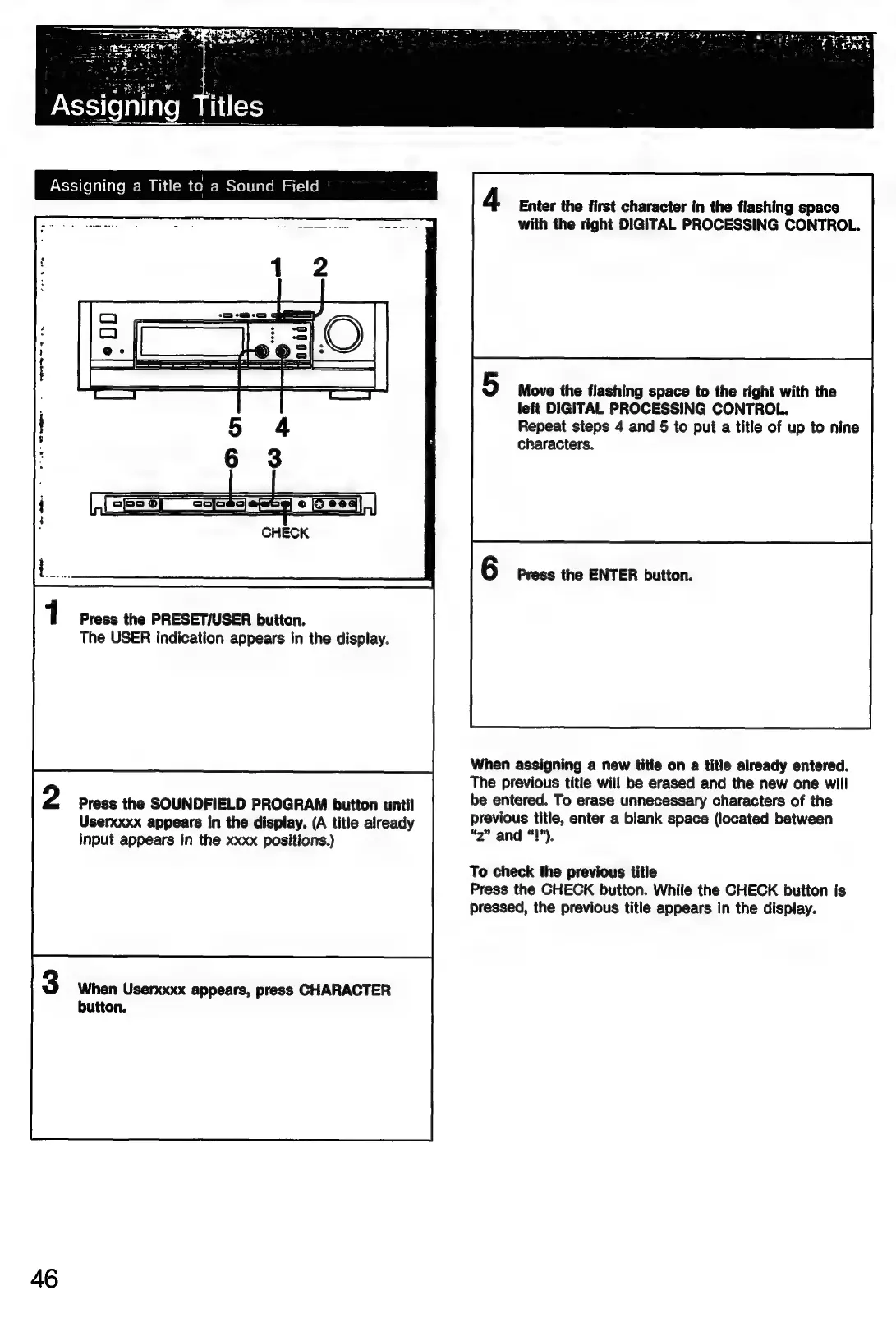
Enter
the
first
character
in
the
flashing
space
with
the
right
DIGITAL
PROCESSING
CONTROL.
Move
the
flashing
space
to
the
right
with
the
left
DIGITAL
PROCESSING
CONTROL.
Repeat
steps
4
and
5
to
put
a
title
of
up
to
nine
characters.
Press
the
ENTER
button.
Press
the
PRESET/USER
button.
The
USER
indication
appears
in
the
display.
When
assigning
a
new
title
on
a
title
already
entered.
The
previous
title
will
be
erased
and
the
new
one
will
be
entered.
To
erase
unnecessary
characters
of
the
previous
title,
enter
a
blank
space
(located
between
“2”
and
“!”),
Press
the
SOUNDFIELD
PROGRAM
button
until
Userxxxx
appears
in
the
display.
(A
title
already
input
appears
in
the
xxxx
positions.)
To
check
the
previous
title
Press
the
CHECK
button.
While
the
CHECK
button
is
pressed,
the
previous
title
appears
in
the
display.
When
Userxxxx
appears,
press
CHARACTER
button.
46

Related product manuals