EasyManua.ls Logo

Sony TA-E2000ESD - Recording While Listening to Another Source

Sony TA-E2000ESD
55 pages
Print Icon
To Next Page IconTo Next Page
To Previous Page IconTo Previous Page
Loading...
Recording
Program
Sources
while
Listening
tolWatching
_
Another
‘This
amplifier
incorporates
separate
circuits
for
line
output
and
recording
output,
so
you
can
record
a
program
source
other
than
the
program
source
you
are
now
listening
to
or
watching.
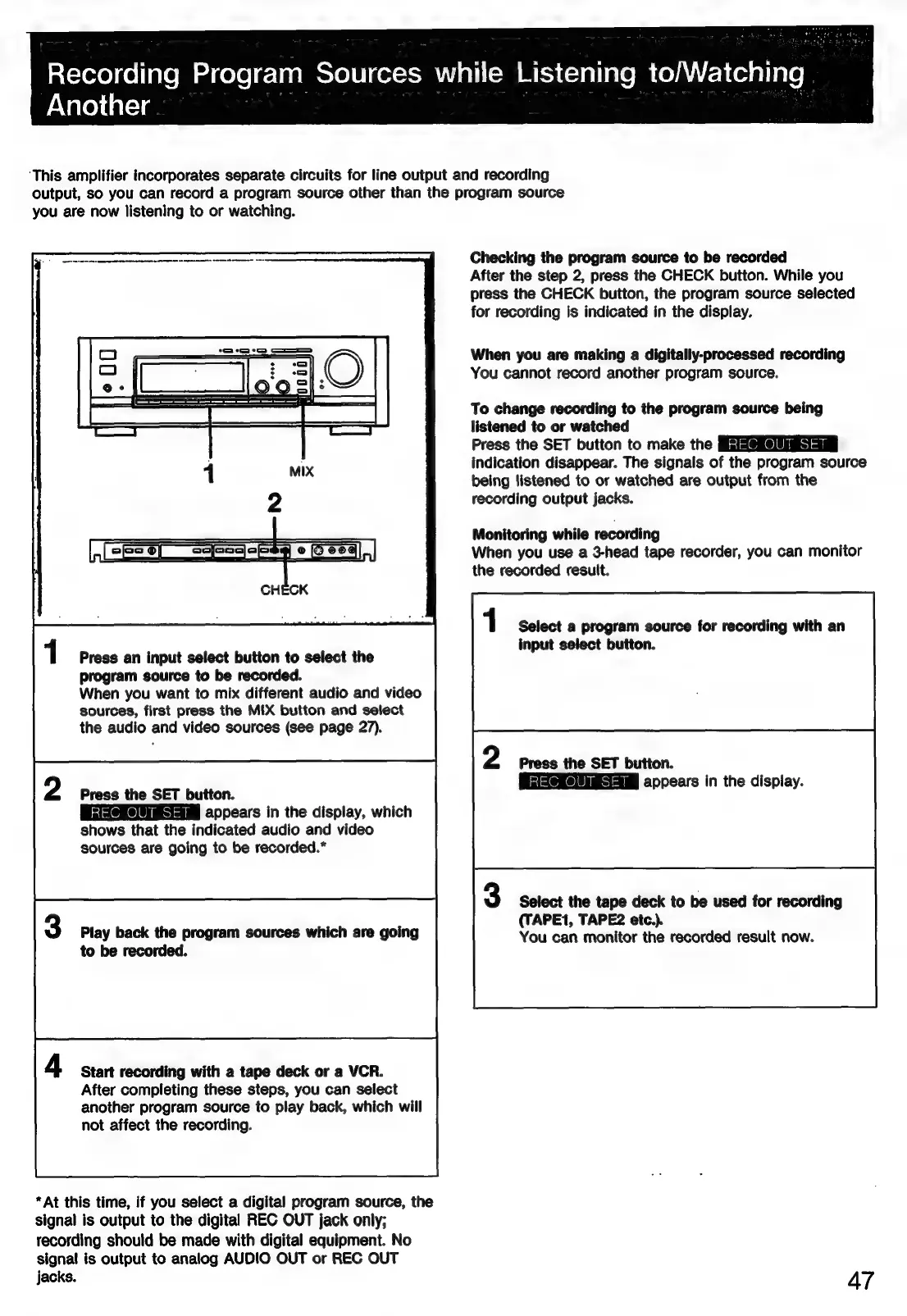
Checking
the
program
source
to
be
recorded
After
the
step
2,
press
the
CHECK
button.
While
you
press
the
CHECK
button,
the
program
source
selected
for
recording
is
indicated
in
the
display.
When
you
are
making
a
digitally-processed
recording
You
cannot
record
another
program
source.
To
change
recording
to
the
program
source
being
listened
to
or
watched
Press
the
SET
button
to
make
the
indication
disappear.
The
signals
of
the
program
source
being
listened
to
or
watched
are
output
from
the
recording
output
jacks.
Monitoring
while
recording
When
you
use
a
3-head
tape
recorder,
you
can
monitor
the
recorded
result.
Select
a
program
source
for
recording
with
an
input
select
button.
Press
an
input
select
button
to
select
the
7
program
source
to
be
recorded.
When
you
want
to
mix
different
audio
and
video
sources,
first
press
the
MIX
button
and
select
the
audio
and
video
sources
(see
page
27).
Press
the
SET
button.
GSeKESAaM
appears
in
the
display.
Press
the
SET
button.
i
iia
appears
in
the
display,
which
shows
that
the
indicated
audio
and
video
sources
are
going
to
be
recorded.*
Select
the
tape
deck
to
be
used
for
recording
(TAPE1,
TAPE2
etc.).
You
can
monitor
the
recorded
result
now.
Play
back
the
program
sources
which
are
going
to
be
recorded.
Start
recording
with
a
tape
deck
or
a
VCR.
After
completing
these
steps,
you
can
select
another
program
source
to
play
back,
which
will
not
affect
the
recording.
*At
this
time,
if
you
select
a
digital
program
source,
the
signal
is
output
to
the
digital
REC OUT
jack
only;
recording
should
be
made
with
digital
equipment.
No
signal
is
output
to
analog
AUDIO
OUT
or
REC
OUT
Jacks.
A7

Related product manuals