13
Chapter 1 Overview
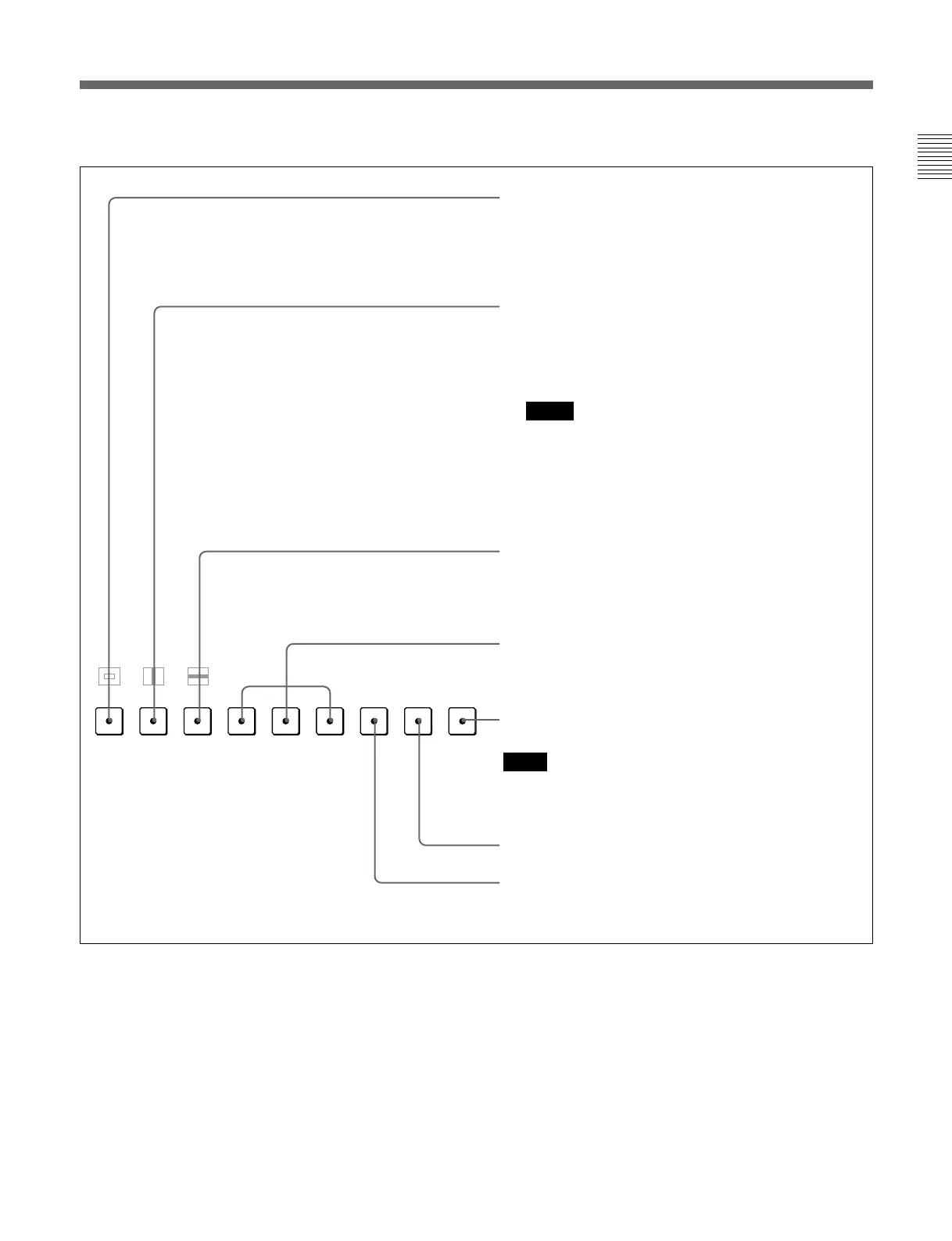
Function buttons in SHIFT ON mode (LEDs of function buttons in amber)
16:9 button: The button is not available for this unit.
For the computer RGB signals, the aspect ratio is set to 5:4,
and for other signals it is set to 16:9.
SYNC button: When this button is pushed in (ON), the
monitor synchronizes to the sync signal input to the
COMP or HD/VD connectors on the rear panel (EXT
SYNC). When set to OFF, it synchronizes to the sync
signal included in the signals being monitored (INT
SYNC).
Notes
• When INT SYNC is selected, use RGB signal including a
sync signal on the G signal.
• To monitor serial digital signals, always select INT
SYNC.
BLUE ONLY button: This button is not available for this unit.
R/G/B buttons: When these buttons are pushed in (ON),
R(red), G(green), and B(blue) beams are cut respectively.
SAFE AREA button: When this button is pushed in (ON), a
safe area is displayed on the screen.
Note
When EXT SYNC is selected, the safe area display possibly
may not be shown in the correct position.
F4 button: For future expansion.
F3 button: The MANUAL adjustment knobs are switched to
normal (OFF) or precise (ON) adjustment mode for adjusting
each level (contrast, brightness and color temperature.)
MONO
APT COMB
F1
F2 ADDRESS
16 : 9
SYNC
BLUE
ONLY
R
GBF3
F4
SAFE
AREA








 To Next Page