EasyManua.ls Logo

Sony TRINITRON KV-20M20 - Watching the TV

Sony TRINITRON KV-20M20
18 pages
Print Icon
To Next Page IconTo Next Page
To Previous Page IconTo Previous Page
Loading...
Watching
the
TV
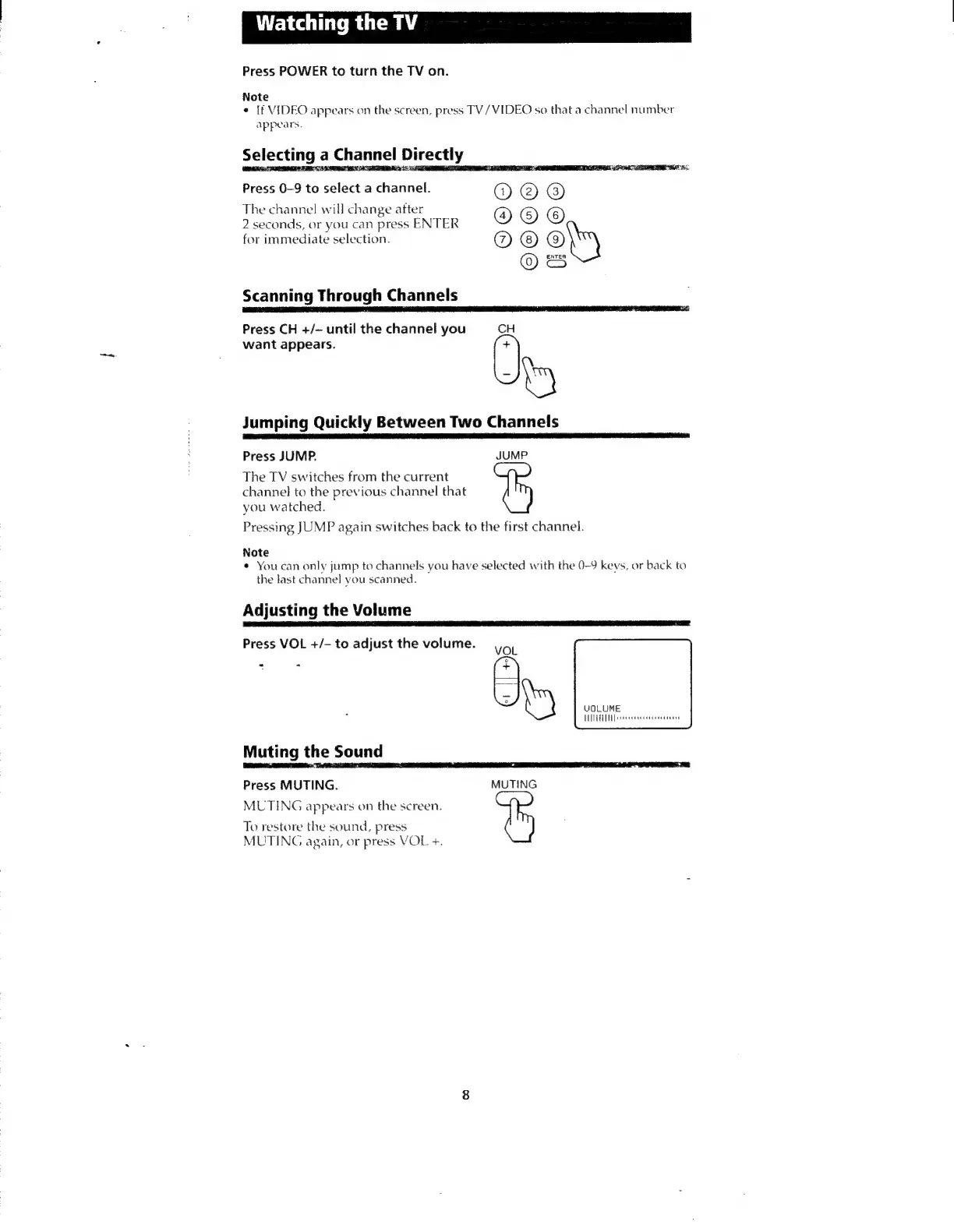
Press
POWER
to
turn
the
TV
on.
Note
¢
If
VIDEO
appears
on
the
screen,
press
TV/
VIDEO
so
that
a
channel
number
Appears.
Selecting
a
Channel
Directly
ELL
PLIES
ESS
IEEE
EDEL
ES
PANNE
ES
Press
0-9
to
select
a
channel.
2
seconds,
or
you
can
press
ENTER
for
immediate
selection.
The
channel
will
change
after
@
Scanning
Through
Channels
Press
CH
+/-
until
the
channel
you
CH
want
appears.
+
Jumping
Quickly
Between
Two
Channels
Press
JUMP.
JUMP
The
TV
switches
from
the
current
channel
to
the
previous
channel
that
you
watched.
Pressing
JUMP
again
switches
back
to
the
first
channel.
Note
*
You
can
only
jump
to
channels
you
have
selected
with
the
0-9
keys,
or
back
to
the
last
channel
you
scanned.
Adjusting
the
Volume
Press
VOL
+/-
to
adjust
the
volume.
VOL
Muting
the
Sound
e
VOLUME
WHEY
Press
MUTING.
MUTING
MUTING
appears
on
the
screen.
To
restore
the
sound,
press
MUTING
again,
or
press
VOL
+.

Other manuals for Sony TRINITRON KV-20M20

Related product manuals