l
• Chapter 4: Other Connections
m
ConnectinoVideoEquipment
After connecting, you will be able to... -- Play back video tapes
-- Record TV programs
-- Record one TV program while viewing another
-- Watch 2 TV programs at once using a window picture
(Picture-in-Picture, p. 26)
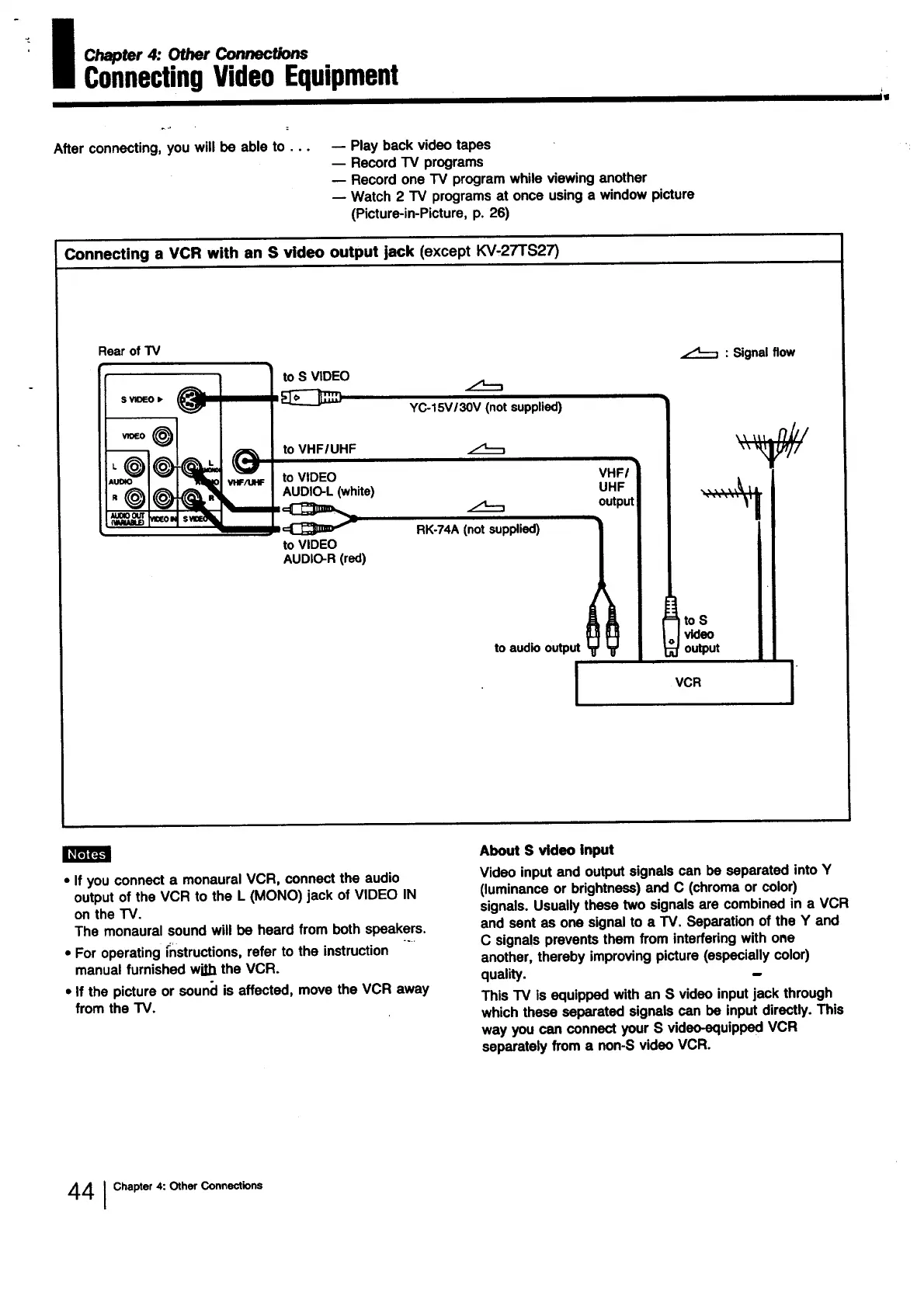
Connecting a VCR with an S video output jack (except KV,27TS27)
Rear of TV
O
VHF/UHF
: Signalflow
to S VIDEO
AUDIO-L (white) uMr . I I
RK-74A(not
•upp,=,) I I
toVIDEO I I
to audiooutput |
m
I VCR
.
mmm
• If you connect a monaural VCR, connect the audio
output of the VCR to the L (MONO) jack of VIDEO IN
on the TV.
The monaural sound will be heard from both speakers.
• For operating instructions, refer to the instruction
manual furnished wi_b the VCR.
• If the picture or soun(J is affected, move the VCR away
from the TV.
About S video input
Video input and output signals can be separated into Y
(luminance or brightness) and C (chroma or color)
signals. Usually these two signals are combined in a VCR
and sent as one signal to a TV. Separation of the Y and
C signals prevents them from interfering with one
another, thereby improving picture (especially color)
quality.
This TV is equipped with an S video input jack through
which these separated signals can be input directly. This
way you can connect your S video-equipped VCR
separately from a non-S video VCR.
44 I Chapter 4: Other Connections




 To Next Page