ConnectingVideoEquipment
I onnectingan
AudioSystem
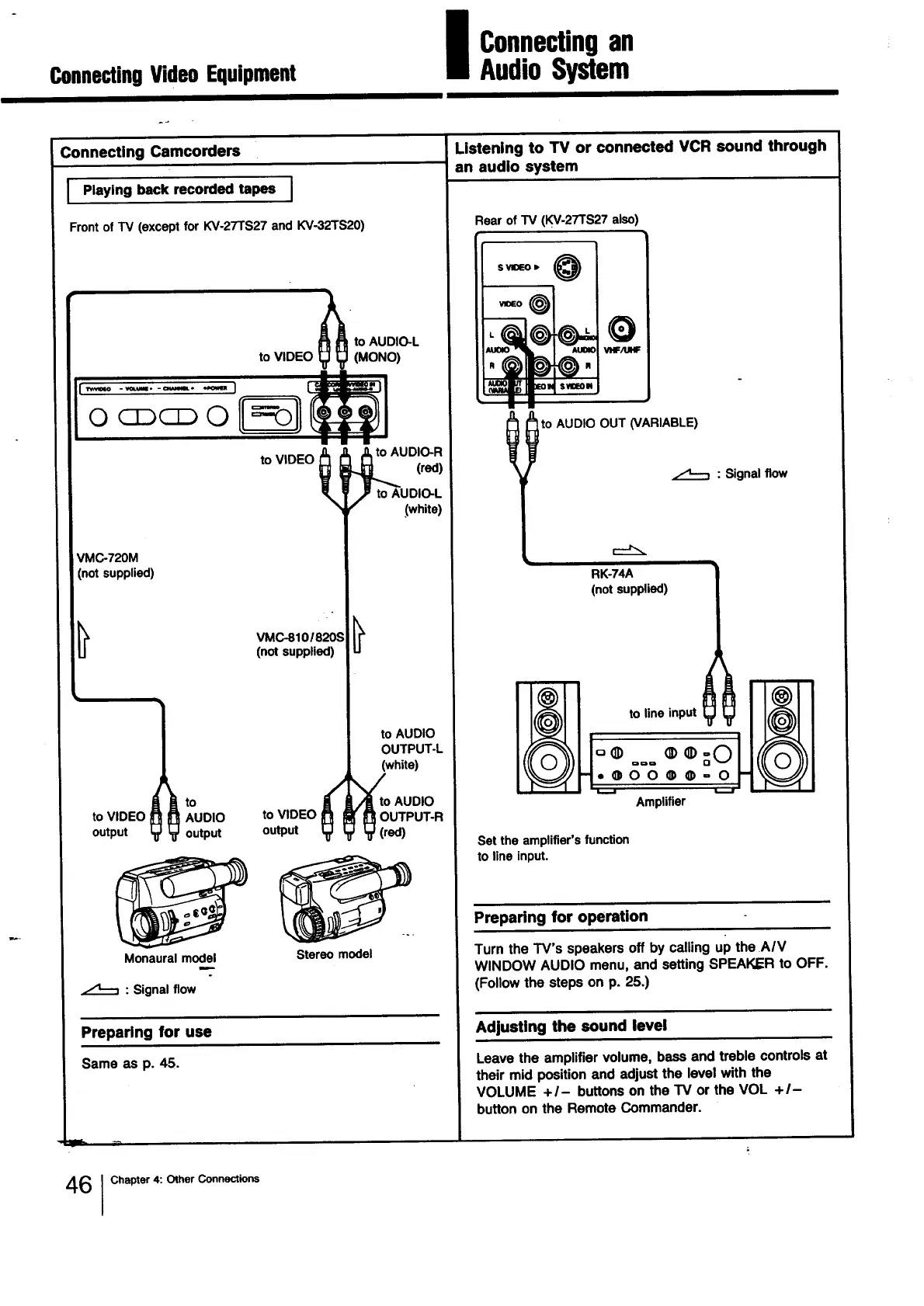
Connecting Camcorders
] Playing back recorded tapes I
Front of TV (except for KV-27TS27 and KV-32TS20)
_ to AUDIO-L
to VIDEO yy (MONO)
r_m ........ J _!
I
f , JLto AUDIO-R
to VIDEO _ (red)
/= to AUDIO-L
f" (white)
VMC-720M
(notsupplied)
Monaural model
to VIDEO
output
VMC-8101820S
(not supplied)
AUDIO to VIDEO
output output
to AUDIO
OUTPUT-L
(white)
_Or ° AUDIO
UTPUT-R
ed)
Stereo model
: Signal flow
Preparing for use
Same as p. 45.
Listening to TV or connected VCR sound through
an audio system
Rear of TV (KV-27TS27 also)
O
VI'IF/UHF i
t to AUDIO OUT (VARIABLE)
: Signal flow
i
RK-74A
(not supplied)
Set the amplifier's function
to line input.
Preparing for operation
Turn the TV's speakers off by calling up the AIV
WINDOW AUDIO menu, and setting SPEAKER to OFF.
(Follow the steps on p. 25.)
Adjusting the sound level
Leave the amplifiervolume, bassand treble controlsat
their mid positionand adjustthe levelwith the
VOLUME +/- buttonson theTV or the VOL +/-
buttononthe RemoteCommander.
46 I Chapter 4: Other Connections




 To Next Page