EasyManua.ls Logo

Sony UWP-C1/C2 - User Manual

Sony UWP-C1/C2
48 pages
Print Icon
To Next Page IconTo Next Page
Loading...
2-347-711-32(2)
2003 Sony Corporation
Operating Instructions
Before operating the unit, please read this manual thoroughly and
retain it for future reference.
UWP-C1/C2
UWP-S1/S2
UWP-X1/X2
Wireless
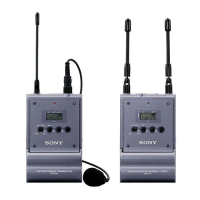
Microphone Package

Questions and Answers

  • B
    Benjamin JohnsonJul 28, 2025
    Why is there sound interruption or noise with my Sony UWP-C1/C2?
    • J
      Jennifer ReidJul 29, 2025
      To resolve sound interruption or noise with your Sony Microphone, first, check if the RF indications appear on the tuner even when the transmitter is off. If they do, determine usable channels where the RF indications don't appear and set both the tuner and transmitter to the same usable channel. Also, ensure the transmitter and tuner are set to the same channel. If you're using multiple transmitters, make sure each is set to a different channel, and that all transmitters are within the same channel group.
  • P
    Patrick LopezAug 1, 2025
    How to fix no sound issue on Sony Microphone?
    • M
      Mr. John Bell Jr.Aug 2, 2025
      If you're not getting any sound from your Sony Microphone, ensure that the channel setting on the transmitter matches the channel on the tuner. Also, check that the transmitter is turned on, especially if the RF indications on the tuner aren't appearing.
  • J
    James MossAug 6, 2025
    What to do if the sound is weak on my Sony UWP-C1/C2?
    • M
      Morgan AlexanderAug 6, 2025
      If you're experiencing weak sound with your Sony Microphone, the attenuation level on the transmitter might be too high. Try decreasing the attenuation level by pressing the + button on the transmitter in attenuation level setting mode. Also, check the volume on your amplifier or mixer and adjust it as needed.
  • T
    Tamara LawrenceAug 10, 2025
    Why is there distortion in the sound of my Sony Microphone?
    • D
      Danny MannAug 11, 2025
      If there is distortion in the sound from your Sony Microphone, it could be due to a low attenuation level on the transmitter. Try raising the attenuation level by pressing the – button on the transmitter in attenuation level setting mode. Also, ensure that the transmitter and tuner are set to the same channel.
  • A
    alexanderjonesAug 14, 2025
    What to do if my Sony Microphone does not turn on?
    • M
      Mario ParkerAug 14, 2025
      If your Sony Microphone unit does not turn on, first check the polarity orientation of the batteries in the battery compartment and ensure they are correctly inserted. If the batteries are exhausted, replace them with new ones. Also, clean the + and – terminals in the transmitter with a cotton swab, if they are dirty.
  • Q
    qalvarezAug 19, 2025
    Why do the batteries drain so quickly on my Sony UWP-C1/C2 Microphone?
    • Y
      yolanda96Aug 19, 2025
      If the batteries in your Sony Microphone are draining quickly, try replacing them with new ones. Avoid using manganese batteries, as alkaline batteries last more than twice as long. Note that batteries drain quickly under cold conditions.
  • B
    Bruce ClarkAug 23, 2025
    How to change the channel on Sony UWP-C1/C2?
    • D
      davismelissaAug 23, 2025
      To change the channel on your Sony Microphone, restart the unit while holding down the SET button. Then, use the + and – buttons to change the channel.

Summary

Features

UWP Series General Features

General features of the UWP series and specific package features.

UWP-C1 Transmitter and Tuner Features

Features of the UTX-B1 transmitter and URX-P1 tuner in the UWP-C1 package.

UWP-C2 Transmitter and Tuner Features

Features of the UTX-H1 transmitter and URX-P1 tuner in the UWP-C2 package.

UWP-S1 Transmitter and Tuner Features

Features of the UTX-B1 transmitter and URX-R1 tuner in the UWP-S1 package.

Precautions

General Safety and Handling Precautions

Guidelines for temperature, electrical interference, and handling.

Preventing Electromagnetic Interference

Advice to prevent electromagnetic interference from communication devices.

Power Supply

Powering Components and Inserting Batteries

Explains powering for tuners/modules and battery insertion for UTX-B1/URX-P1.

Hand-held Microphone Battery Insertion and Indication

Details battery insertion and condition indication for UTX-H1.

Battery Notes and Safety Precautions

Important notes and safety precautions regarding battery use.

Settings

Setting the Transmission Channel on Transmitters

Procedure for setting the transmission channel on UWP series transmitters.

Setting the Reception Channel on Tuners

Procedure for setting the reception channel on UWP series tuners.

Operation

General Operation Procedure

General procedure for connecting and operating the UWP system components.

Troubleshooting Noise and Interference

Advice for troubleshooting and preventing noise during operation.

Error Messages

Error Messages and Remedies

Lists common error messages and their solutions.

Troubleshooting

Troubleshooting Unit Power and Battery Problems

Solutions for problems like the unit not turning on or batteries draining quickly.

Troubleshooting Sound and Channel Issues

Solutions for sound distortion, interruption, noise, and channel selection problems.

Sony UWP-C1/C2 Specifications

General IconGeneral
ModulationFM
Microphone TypeElectret Condenser
Polar PatternOmnidirectional
TypeWireless Microphone System
Audio Frequency Response50 Hz to 15 kHz
Operating Range100 m (328 ft) line of sight
Battery TypeAA
Signal-to-Noise Ratio60 dB

Related product manuals